When you click on links to various merchants on this site and make a purchase, this can result in this site earning a commission. Affiliate programs and affiliations include, but are not limited to, the eBay Partner Network.
General MINI TalkShared experiences, motoring minutes, and other general MINI-related discussion that applies to all MINIs, regardless of model, year or trim.
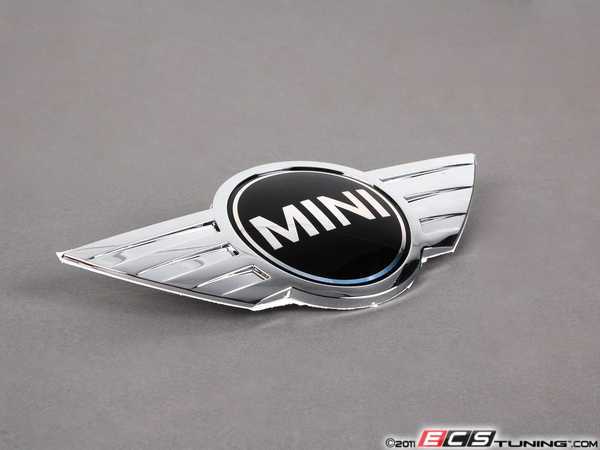
Hey guys. My MINI lost the black circle inside the hood emblem today. During a car wash. The chrome emblem is fine, just the black circle "MINI" is missing. Any way to replace that part without getting an entire new emblem?
Thanks!
Here is the rear emblem. It comes off with a heat gun or hair dryer and then you can use some dental floss to get under line. Use blue painter tape to make off the edges where the old one is, before you take it off , then plead and stick on the new one.
MINI Cooper Rear Trunk Emblem R50 R52 R53 , R56 R57
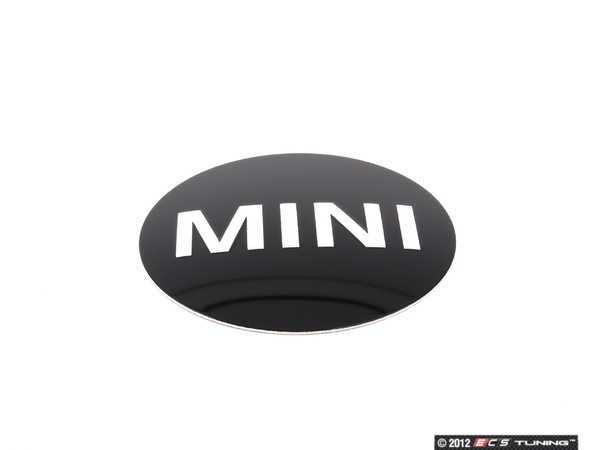
Otherwise if you like to replace the center and want to take the time to fit one in one of the center cap sticker off of the wheel and try to fit it to the wings emblem, the emblem is smaller then center caps sticker ~ 50mm (36136758687) and the wings MINI center ( 51147026186) sticker is about ~ 45mm in size. You could cut it to fit for something custom. Of course the MINI lgog should fit, but wont have the ring design. So it would take some craft and cutting.
Hey guys. My MINI lost the black circle inside the hood emblem today. During a car wash. The chrome emblem is fine, just the black circle "MINI" is missing. Any way to replace that part without getting an entire new emblem?
Thanks!
its an R56 if that matters
The MINI Hood emblem is HERE. There is no separate part number for the center sticker unfortunately. If you have a friend or know someone that has a vinyl machine, they could easily make a new one with a vector file though.
Unfortunately I can't quite figure out how to replace it. As with the original poster, only the black enamel decal is missing, but I'm happy to replace the entire emblem to get a pristine look. Can someone point me to instructions on exactly how to do it? Folks have indicated that it "just sticks on," but there appear to be posts on the reverse, so I'm assuming I need to access the underside of the hood to get at the old one?
Thanks!
Last edited by ericwestby; Mar 5, 2018 at 06:09 AM.
Reason: fixed a couple of errors
Heat area slightly with a hair dryer and then use a piece of fishing line under an edge and saw to and fro (not back & forth). Lift piece revealing 2 pegs. Use body tape to hold.
Go out and drive 90 mph for 45 secs. then report your results.
ISAMIN
Unfortunately I can't quite figure out how to replace it. As with the original poster, only the black enamel decal is missing, but I'm happy to replace the entire emblem to get a pristine look. Can someone point me to instructions on exactly how to do it? Folks have indicated that it "just sticks on," but there appear to be posts on the reverse, so I'm assuming I need to access the underside of the hood to get at the old one?
Thanks!
Lots of info here on the R50/R52 Cooper ( NON S ) hood and trunk logo. Part number 51147026184 is the front one for you.
Thanks all! Unfortunately I'm in Massachusetts -- and my MINI is parked outside, so a hair dryer someone suggested isn't an option. Maybe after my next commute the hood will be warm enough to get it off cleanly.
Success! And I even got it on in time for our insane March blizzard. Thanks again for your help. If this emblem lasts me another 13 years, I'll consider it $40 well spent.






 Maybe after my next commute the hood will be warm enough to get it off cleanly.

