


Navigation & Audio Is it possible to mirror iPhone display to mini connected?


1st Gear
Joined: Dec 2012
Posts: 32
Likes: 1
So how did u get it to work? I have iPhone 4S, jailbroken. Installed display out. Seems every time a video plays display out is giving a warning to use the internal app not display out? If you got it to work are you using any other apps with it?
I have tried external and through connected. With display out on it says please install compatible device. I tried to downgrade the latest firmware update on the car but that didn't make a difference.
Any suggestions would be great! So close
I have tried external and through connected. With display out on it says please install compatible device. I tried to downgrade the latest firmware update on the car but that didn't make a difference.
Any suggestions would be great! So close
Update my iPhone 4 to 6.1
Jailbreak with evisn0w
Install sbsetings , toggles, sbrotator( does not work with ios6.1) etc
Some addon includes
Display purchased.
When my iPhone is connected , displayout detects external device
Play a video through mini media, the video is overed by displayout , then get iPhone screen.

1st Gear
Joined: Feb 2012
Posts: 28
Likes: 0
Seems mikecalgon got it working, so the rest of us can pretend...
If thats a joke, i dont get it.

2nd Gear
Joined: Feb 2013
Posts: 51
Likes: 0
From: Italy
I tried everything without results.
It works through external devices if you select a video from your iphone by the menu on the visual boost.
I also wrote to ryan petrich telling him the issue.
He aswered back asking what is wrong. Maybe all of you guys should write him.
You find his email inside the displayout app description.
It works through external devices if you select a video from your iphone by the menu on the visual boost.
I also wrote to ryan petrich telling him the issue.
He aswered back asking what is wrong. Maybe all of you guys should write him.
You find his email inside the displayout app description.
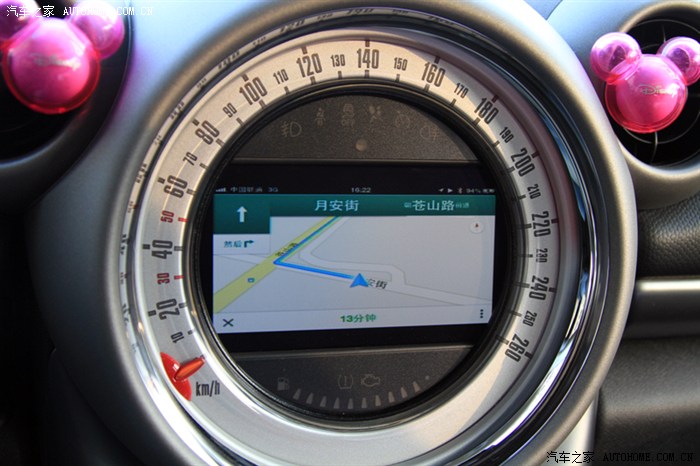

Banned
Joined: Nov 2012
Posts: 709
Likes: 1
I have Display Out installed on a jailbroken 6.0 software.
I go to Mini Connected, scroll to 'plugin', then connect my iPhone, and nothing happens. I also tried connecting to Mini Connected first, which works fine with the iPhone where all the apps load up, but again when i scroll down to 'plugin' and click it, it doesn't do anything.
For those that have gotten it to work, can you please specify the process in which you click/plugin/choose settings? that might be the key.
I go to Mini Connected, scroll to 'plugin', then connect my iPhone, and nothing happens. I also tried connecting to Mini Connected first, which works fine with the iPhone where all the apps load up, but again when i scroll down to 'plugin' and click it, it doesn't do anything.
For those that have gotten it to work, can you please specify the process in which you click/plugin/choose settings? that might be the key.

Banned
Joined: Nov 2012
Posts: 709
Likes: 1
I'm using the Y cable that Mini provided.

Neutral
Joined: Dec 2011
Posts: 5
Likes: 0
Hi All,
I'm not able to get display out to work consistently using an iPhone 4S on iOS 6.1
Example 1: Using the factory y-cable, plug in the iPhone with DisplayOut disabled. Go to plug-in under mini connected. Displays iPod Out as expected (album art with iPod interface)
Example 2: Using the factory y-cable, plug in the iPhone with DisplayOut enabled. Go to plug-in under mini connected. Black screen, then it times-out and displays an error to check the cable.
Example 3: Using the factory y-cable, plug in the iPhone with DisplayOut disabled. Go to plug-in under mini connected. Black screen, go to settings before it times out and turn off displayout > then the screen reverts to the normal iPod Out.
Trying to enable displayout while the iPod out is already running doesn't do anything.
I've emailed Ryan to see if he can suggest anything, but I think iOS 6.1 is now overriding the displayout with iPod Out or maybe blocking it. Either that or he will need to figure out how to take precedence over the iPod Out again (as it was working in 5.1.1 when this thread was first opened)
The only time I got it to work while the vehicle as in motion was when the iPhone crashed and rebooted to safe mode and I rebooted back and it was mirroring in the "plugin" interface.
The other way other folks have been able to get it to work, is while the vehicle is parked and using external devices > iphone > videos > play video > enable displayout - but this doesn't work while the vehicle is in motion.
-Chris
I'm not able to get display out to work consistently using an iPhone 4S on iOS 6.1
Example 1: Using the factory y-cable, plug in the iPhone with DisplayOut disabled. Go to plug-in under mini connected. Displays iPod Out as expected (album art with iPod interface)
Example 2: Using the factory y-cable, plug in the iPhone with DisplayOut enabled. Go to plug-in under mini connected. Black screen, then it times-out and displays an error to check the cable.
Example 3: Using the factory y-cable, plug in the iPhone with DisplayOut disabled. Go to plug-in under mini connected. Black screen, go to settings before it times out and turn off displayout > then the screen reverts to the normal iPod Out.
Trying to enable displayout while the iPod out is already running doesn't do anything.
I've emailed Ryan to see if he can suggest anything, but I think iOS 6.1 is now overriding the displayout with iPod Out or maybe blocking it. Either that or he will need to figure out how to take precedence over the iPod Out again (as it was working in 5.1.1 when this thread was first opened)
The only time I got it to work while the vehicle as in motion was when the iPhone crashed and rebooted to safe mode and I rebooted back and it was mirroring in the "plugin" interface.
The other way other folks have been able to get it to work, is while the vehicle is parked and using external devices > iphone > videos > play video > enable displayout - but this doesn't work while the vehicle is in motion.
-Chris
1st Gear
Joined: Feb 2012
Posts: 28
Likes: 0
I cant seem to find external devices option on my mini connected. Can it not be on mine?
I have a 2012 MINI Countryman with Mini Connected and NAVI if that makes any difference.
Edit: Forget it.. Found it in CD/Multimedia
I have a 2012 MINI Countryman with Mini Connected and NAVI if that makes any difference.
Edit: Forget it.. Found it in CD/Multimedia
Last edited by ALex Reyen; Feb 9, 2013 at 09:51 PM.
Neutral
Joined: Dec 2011
Posts: 5
Likes: 0
It's on the next screen where you select CD or Aux In. Lower left corner of the home screen.
2nd Gear
Joined: Feb 2013
Posts: 51
Likes: 0
From: Italy
I'm second tired about it and so i bought this chip that a guy here in italy experienced it works crom external devices. It's from a german company:
http://prochip.de/shop/index.php?pag...74d1689ffa1371
http://prochip.de/shop/index.php?pag...74d1689ffa1371

Neutral
Joined: Feb 2013
Posts: 1
Likes: 0
Hello,
I'm french and sorry for my english...
I try to connect my iphone on the mini connected and everything works but just works 2seconds (I see my SpringBoard) and after it's the iPod interface who is running...
How can I desactivate this interface who is lauching every time when I connect my iPhone ?
Thanks a lot !!!!
Charly
I'm french and sorry for my english...
I try to connect my iphone on the mini connected and everything works but just works 2seconds (I see my SpringBoard) and after it's the iPod interface who is running...
How can I desactivate this interface who is lauching every time when I connect my iPhone ?
Thanks a lot !!!!
Charly

Neutral
Joined: Dec 2011
Posts: 5
Likes: 0
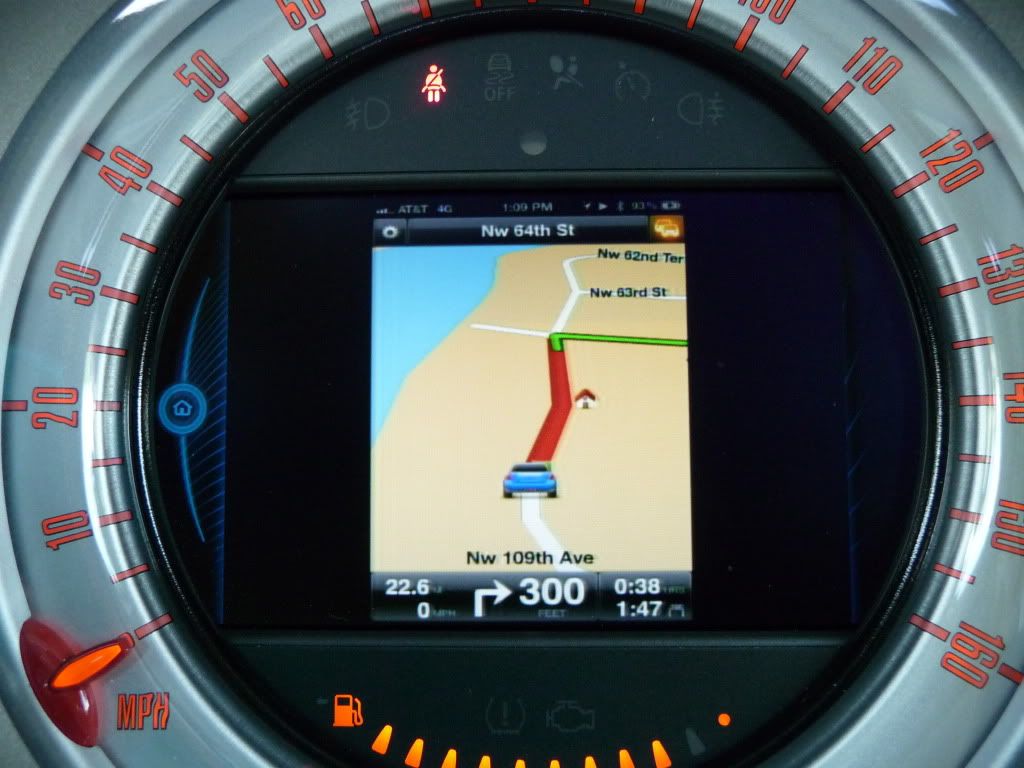
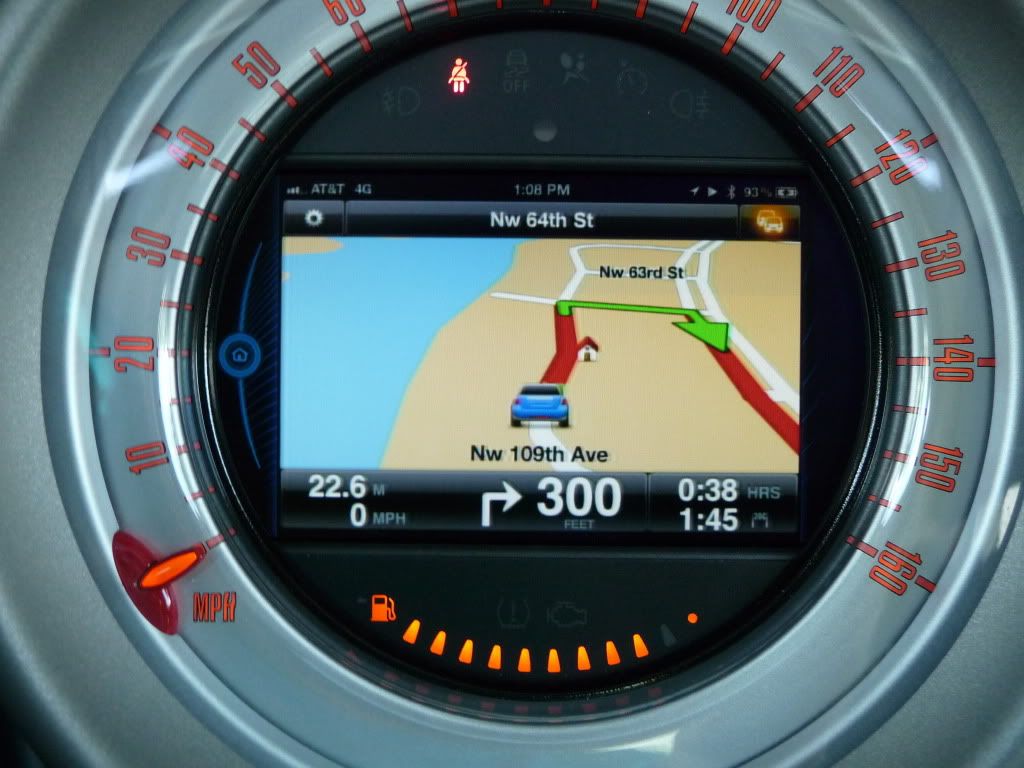
Ok guys, I took some photos of how the mirroring looks on the Connected screen.
When you first plug it in it shows that an external display has been connected

These show the iPhone's home screen horizontally. You need another Cydia tweak called sbRotator.
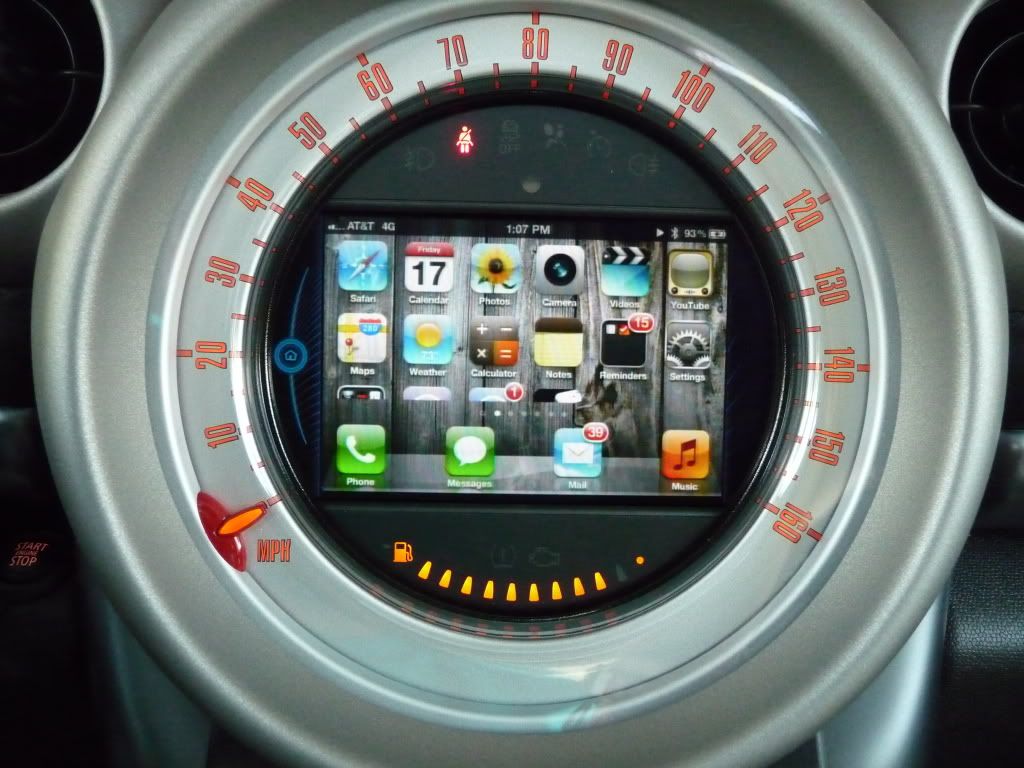
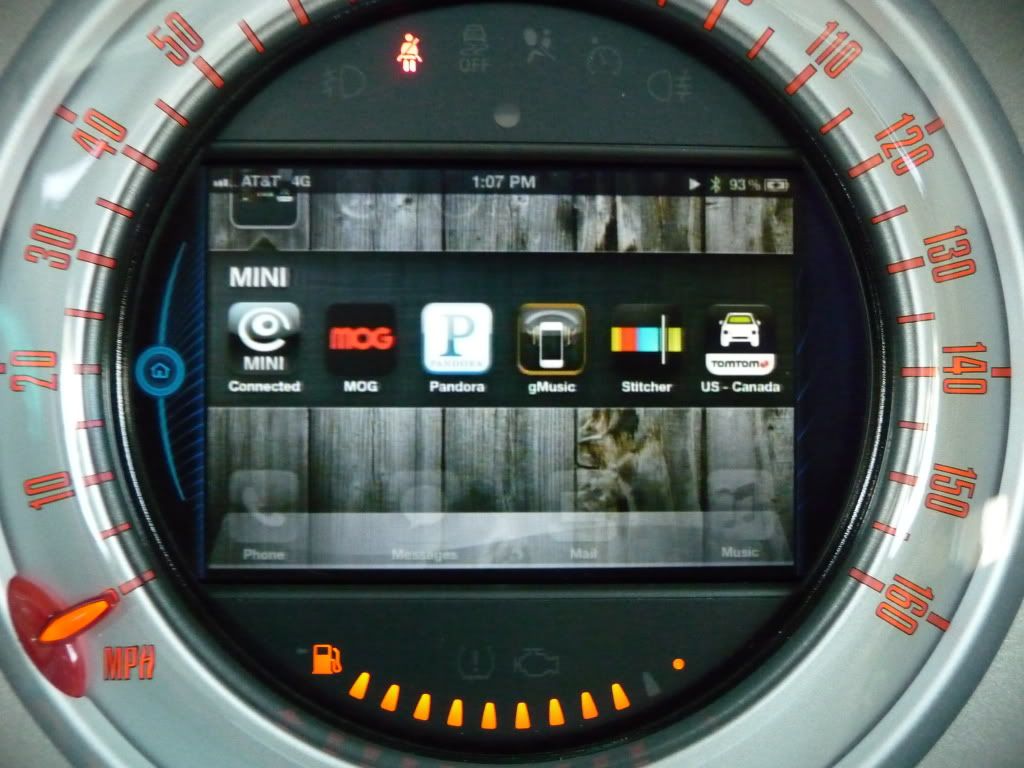
These are from the Tom Tom app. The screen follows the iPhone's orientation so you have to keep the iPhone horizontal.
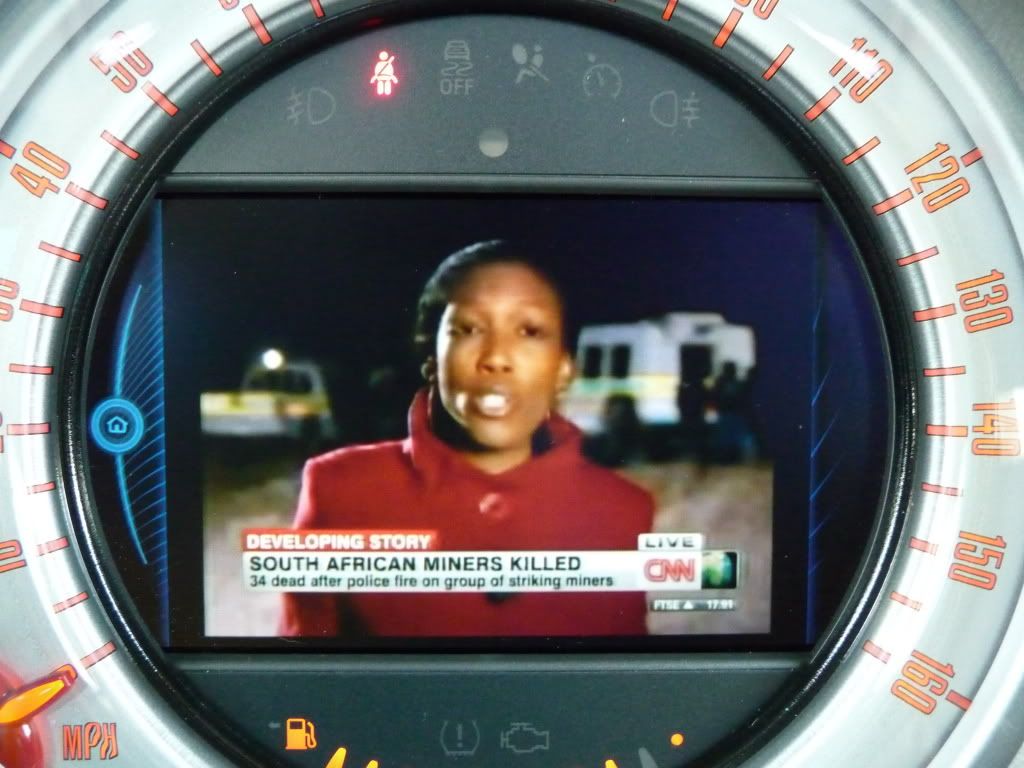
This is the CNN app showing live tv.
And the I shot a little video of the MINI tv app playing. In the middle of the video the Tom Tom app starts giving directions to my destination. It wasn't supposed to happen but it shows that the sound of the video lowers, the nav gives the directions and then the video sound resumes.
When you first plug it in it shows that an external display has been connected
These show the iPhone's home screen horizontally. You need another Cydia tweak called sbRotator.
These are from the Tom Tom app. The screen follows the iPhone's orientation so you have to keep the iPhone horizontal.
This is the CNN app showing live tv.
And the I shot a little video of the MINI tv app playing. In the middle of the video the Tom Tom app starts giving directions to my destination. It wasn't supposed to happen but it shows that the sound of the video lowers, the nav gives the directions and then the video sound resumes.
Hopefully there's a fix that Ryan the developer of DisplayOut can provide. Should be a setting to override iPod out that gets piped out during the plugin mode...
Neutral
Joined: Dec 2011
Posts: 5
Likes: 0
Hello,
I'm french and sorry for my english...
I try to connect my iphone on the mini connected and everything works but just works 2seconds (I see my SpringBoard) and after it's the iPod interface who is running...
How can I desactivate this interface who is lauching every time when I connect my iPhone ?
Thanks a lot !!!!
Charly
I'm french and sorry for my english...
I try to connect my iphone on the mini connected and everything works but just works 2seconds (I see my SpringBoard) and after it's the iPod interface who is running...
How can I desactivate this interface who is lauching every time when I connect my iPhone ?
Thanks a lot !!!!
Charly
I want to send a follow up email to the developer with some of our configurations to see if that will help him
2nd Gear
Joined: Feb 2013
Posts: 51
Likes: 0
From: Italy
This was working in plugin mode while driving on 5.1.1 (WITHOUT video in motion) but I haven't gotten it to work on jailbreak 6.1 with the latest version of display out in the plugin mode while driving.
Hopefully there's a fix that Ryan the developer of DisplayOut can provide. Should be a setting to override iPod out that gets piped out during the plugin mode...
Hopefully there's a fix that Ryan the developer of DisplayOut can provide. Should be a setting to override iPod out that gets piped out during the plugin mode...
What kind of fix are you talking about?
Is it there a way to override ipod out?

1st Gear
Joined: Feb 2013
Posts: 12
Likes: 0
From: Seattle, WA
I managed to get mirroring to work with DisplayOut 1.6.9, IOS 6.1.1, and an iPhone 4S.
Beyond Jailbreaking and installing DisplayOut, I had to do one other step to get it to work. When the iPhone is connected to the Mini, a hidden app called iPodOut.app is triggered. This app seems to take control of the TV-out and interfere with DisplayOut. By renaming it and rebooting, it's no longer launched when connected. Instead, DisplayOut mirroring works. :-)
To rename, I:
(1) Installed iFile from Cydia.
(2) Started iFile and navigated to /Applications
(3) Found iPodOut.app and clicked on the blue arrow to the right.
(4) The top line should read "Name iPodOut.app". Click on this and rename to "iPodOut.app$".
(5) Reboot.
Next time I connected to the Mini with DisplayOut enabled, my screen mirrored properly on the Mini Display. Note, the iPadOut.app is the one that shows the nice Apple TV like interface of your playlists, etc. That no longer works since I renamed it, but it was interfering with everything else.
Beyond Jailbreaking and installing DisplayOut, I had to do one other step to get it to work. When the iPhone is connected to the Mini, a hidden app called iPodOut.app is triggered. This app seems to take control of the TV-out and interfere with DisplayOut. By renaming it and rebooting, it's no longer launched when connected. Instead, DisplayOut mirroring works. :-)
To rename, I:
(1) Installed iFile from Cydia.
(2) Started iFile and navigated to /Applications
(3) Found iPodOut.app and clicked on the blue arrow to the right.
(4) The top line should read "Name iPodOut.app". Click on this and rename to "iPodOut.app$".
(5) Reboot.
Next time I connected to the Mini with DisplayOut enabled, my screen mirrored properly on the Mini Display. Note, the iPadOut.app is the one that shows the nice Apple TV like interface of your playlists, etc. That no longer works since I renamed it, but it was interfering with everything else.

4th Gear
Joined: Jul 2011
Posts: 524
Likes: 1
From: Birmingham Al.
thanks wickywack. mine would show the ipod dispay sometimes. i would fiddle with it until it worked correct. i followed your instructions and will check it out when i get home.
Last edited by countryman-s; Feb 17, 2013 at 10:26 PM. Reason: spelling

6th Gear
Joined: Jan 2003
Posts: 4,406
Likes: 0
From: Northeast Ohio
I'm still waiting on my CM-S w/Connected to be delivered but I've got a couple of questions:
First was this accomplished by reprogramming the car to accept Video in Motion in addition to the jailbreak - or was it a jailbreak only?
Does this only work on pre-Lightning iPhones only, or does it work on pre-lightning iPads & iPod Touches as well?
Does anybody know if the problem with the iPhone5 is because the 5 does digital video out only - or does it not do video out at all? I'm just wondering if with the iPhone 5 it is "simply" a matter of somebody developing a Lightning compatible Digital to Analog video converter or if the phone just is completely incapable of doing it...
First was this accomplished by reprogramming the car to accept Video in Motion in addition to the jailbreak - or was it a jailbreak only?
Does this only work on pre-Lightning iPhones only, or does it work on pre-lightning iPads & iPod Touches as well?
Does anybody know if the problem with the iPhone5 is because the 5 does digital video out only - or does it not do video out at all? I'm just wondering if with the iPhone 5 it is "simply" a matter of somebody developing a Lightning compatible Digital to Analog video converter or if the phone just is completely incapable of doing it...
Banned
Joined: Nov 2012
Posts: 709
Likes: 1
I managed to get mirroring to work with DisplayOut 1.6.9, IOS 6.1.1, and an iPhone 4S.
Beyond Jailbreaking and installing DisplayOut, I had to do one other step to get it to work. When the iPhone is connected to the Mini, a hidden app called iPodOut.app is triggered. This app seems to take control of the TV-out and interfere with DisplayOut. By renaming it and rebooting, it's no longer launched when connected. Instead, DisplayOut mirroring works. :-)
To rename, I:
(1) Installed iFile from Cydia.
(2) Started iFile and navigated to /Applications
(3) Found iPodOut.app and clicked on the blue arrow to the right.
(4) The top line should read "Name iPodOut.app". Click on this and rename to "iPodOut.app$".
(5) Reboot.
Next time I connected to the Mini with DisplayOut enabled, my screen mirrored properly on the Mini Display. Note, the iPadOut.app is the one that shows the nice Apple TV like interface of your playlists, etc. That no longer works since I renamed it, but it was interfering with everything else.
Beyond Jailbreaking and installing DisplayOut, I had to do one other step to get it to work. When the iPhone is connected to the Mini, a hidden app called iPodOut.app is triggered. This app seems to take control of the TV-out and interfere with DisplayOut. By renaming it and rebooting, it's no longer launched when connected. Instead, DisplayOut mirroring works. :-)
To rename, I:
(1) Installed iFile from Cydia.
(2) Started iFile and navigated to /Applications
(3) Found iPodOut.app and clicked on the blue arrow to the right.
(4) The top line should read "Name iPodOut.app". Click on this and rename to "iPodOut.app$".
(5) Reboot.
Next time I connected to the Mini with DisplayOut enabled, my screen mirrored properly on the Mini Display. Note, the iPadOut.app is the one that shows the nice Apple TV like interface of your playlists, etc. That no longer works since I renamed it, but it was interfering with everything else.
2nd Gear
Joined: Feb 2013
Posts: 51
Likes: 0
From: Italy
Today I received the chip from Germany and...it works (http://prochip.de/shop/index.php?pag...74d1689ffa1371)
You can mirror your iphone trough the external devices starting a video from the main menu.
It works while driving obviously.
The procedure is simple: you plug the chip into the obd port (close to the pedals),turn on ignition by inserting the key of the car, press green button on the chip and the system will reboot.
You can also go back to original doing the same procedure and pressing the red button on the chip.
Hope it's useful.
Ciao
You can mirror your iphone trough the external devices starting a video from the main menu.
It works while driving obviously.
The procedure is simple: you plug the chip into the obd port (close to the pedals),turn on ignition by inserting the key of the car, press green button on the chip and the system will reboot.
You can also go back to original doing the same procedure and pressing the red button on the chip.
Hope it's useful.
Ciao
Last edited by ZaliZoe; Feb 18, 2013 at 07:07 AM.
1st Gear
Joined: Feb 2013
Posts: 12
Likes: 0
From: Seattle, WA
No "Vehicle-in-Motion", etc. I got it working with just a jailbroken 4S and plugin mode on the car. I just had to rename iPodOut.app to iPodOut.app$.
It is a little finicky about starting to mirror but seems solid once it's begun mirroring. I have gotten it to mirror all 5 or 6 six times I've tried. Sometimes I re-activate the PlugIn from the car or disable/reenable DisplayOut.
No idea about the iPhone 5. Sorry!
Pidge, this is the iPodOut.app interface that I disabled:
This used to come up automatically when I plugged my phone and seemed to interface with DisplayOut. Since I moved that out of the way, I get the mirroring instead.
I just tried Pandora for the first time. With mirroring on plugin screen, I see the same image as on the phone - a connected to Mini image. Nothing useful. But, I can just exit the plugin mode (phone still plugged in) and run the Mini Pandora app from the car. I.e., this still works fine:
http://help.pandora.com/customer/por...ndora-and-mini
Not sure if I can play Pandora in the background and use Maps in the foreground. That does work with the regular music app, but Pandora seems to stop when it is in the background on the phone.
If you tried renaming iPodOut.app as I described, you *should* be able to rename it back to the original name with no problems. I'll try that myself when I get a chance just to verify.
It is a little finicky about starting to mirror but seems solid once it's begun mirroring. I have gotten it to mirror all 5 or 6 six times I've tried. Sometimes I re-activate the PlugIn from the car or disable/reenable DisplayOut.
No idea about the iPhone 5. Sorry!
Pidge, this is the iPodOut.app interface that I disabled:
This used to come up automatically when I plugged my phone and seemed to interface with DisplayOut. Since I moved that out of the way, I get the mirroring instead.
I just tried Pandora for the first time. With mirroring on plugin screen, I see the same image as on the phone - a connected to Mini image. Nothing useful. But, I can just exit the plugin mode (phone still plugged in) and run the Mini Pandora app from the car. I.e., this still works fine:
http://help.pandora.com/customer/por...ndora-and-mini
Not sure if I can play Pandora in the background and use Maps in the foreground. That does work with the regular music app, but Pandora seems to stop when it is in the background on the phone.
If you tried renaming iPodOut.app as I described, you *should* be able to rename it back to the original name with no problems. I'll try that myself when I get a chance just to verify.