When you click on links to various merchants on this site and make a purchase, this can result in this site earning a commission. Affiliate programs and affiliations include, but are not limited to, the eBay Partner Network.
Navigation & AudioAudio upgrades, bluetooth, and navigation discussions surrounding the Clubman (R55), Cooper and Cooper S (R56), and Cabrio (R57) MINIs.
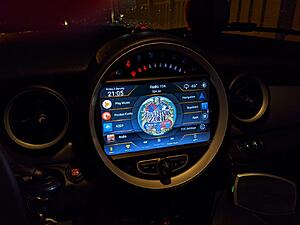
That looks awesome howiestt! Now if only I can find that same display (without ODO around it) for the gray non-LCI radio. All the displays I have found like that are for black, LCI models. The gray non-LCI options I have found all have the ODO ring in kmph with a smaller screen. If anyone can find the larger display with the gray non-LCI setup that would be info a lot of us 2nd gen guys would cherish!
just buy an lci dash and use the radio for the lci without the odo ring.
just buy an lci dash and use the radio for the lci without the odo ring.
Yeah that was my initial idea, however, I have read mixed experiences on using the black A/C controls & window switches with the pre-LCI vehicles. One write-up said the black A/C controls were plug-n-play, while another had to swap the electronics from the gray A/C to the black A/C controls? Just seems simpler to find something designed to fit the pre-LCI setup.
Yeah that was my initial idea, however, I have read mixed experiences on using the black A/C controls & window switches with the pre-LCI vehicles. One write-up said the black A/C controls were plug-n-play, while another had to swap the electronics from the gray A/C to the black A/C controls? Just seems simpler to find something designed to fit the pre-LCI setup.
I believe that the grey a/c controls fit the lci fascia, i am waiting my radio to test it. i have already bought the new fascia
I don't think you need it. On my 2013 with the H/K amp, the amplifier can be turned on just like any aftermarket amplifier, just by hooking up the remote lead to 12v.
Do you happen to have photo's of how you wired this? I'm about to install this unit and I have a HK setup. I saw your spreadsheet and discussion on rca -> 4mm bullet connectors, but was curious if you had any photo's so i'm not scrolling through the feed during my install. Also, any suggestions on the LOC you used and where you got the bullet connectors?
Last edited by hawtdogflvrwtr; Oct 15, 2019 at 05:44 AM.
Do you happen to have photo's of how you wired this? I'm about to install this unit and I have a HK setup. I saw your spreadsheet and discussion on rca -> 4mm bullet connectors, but was curious if you had any photo's so i'm not scrolling through the feed during my install. Also, any suggestions on the LOC you used and where you got the bullet connectors?
don't have any photos, but i will poke around this evening. if i recall correctly, it is pin 12 or pin 13 that is the remote lead for the amp. the harness that came with my stereo did not have that pin populated. i think i posted a link to my wiring spreadsheet somewhere in this thread. there is a 12v+ remote lead (usually blue) on the stereo harness that you can either insert into the harness if you can find an appropriate pin to crimp it on or just splice/bullet connector it to the backside of the car's connector. i prefer the bullet connectors to t-taps just because if i ever want to go back to stock, it's a plug and play affair, or if you ever need to take the stereo out for some reason, you can just unplug.
here is the LOC i used, although it's a bit large. you might look for a physically smaller one. find one that is adjustable (the bigger the range the better probably) and can handle 40 watts per channel (i think is what these android units are rated at). make sure you adjust the levels before you cram it back into your dash and button everything up.
Looks plug and play and the poster answers a lot of questions. Seems to work fine but is on the expensive end. Prefer one with the speed on the edges (like the one howiestt has)
This looks attractive but have no idea what works and what doesn't. Of course it might not be plug and play either. Comparing wiring pictures of whats included, it makes me think it is plug and play https://www.alibaba.com/product-deta...56226afbhOedMS
I installed the brand new px5 model on aliexpress (https://www.aliexpress.com/item/3299...384c4c4doMfVoQ), this weekend. Was a breeze and it turns out, they now detect system amp and turn off the preamp in the head unit automagically. I didn't need to install the LOC to get sound lowered before being tossed to the factory amp. Pretty happy about that to be honest, because I wasn't looking forward to the additional work. The only two issues I had with the device were the radio being set to Europe (After entering factory settings with password "m123456" I was able to change it to America1. ) And the fact that I can't set the date on the tach cluster, thus having to endure the tiny exclamation mark next to the mileage (anyone know how to fix this? Looks like it pulled time from the radio).
You should be able to change the tach date and time using the DC stalk control on the column in SET/INFO.
sadly, it's not there. I believe that at some point, they removed it. There are several other people with the same issue. I have no setting under set/info, for my model.
@jiggersplat , do you have any issue with bad feedback and hissing when you use the phone app? I received a call for the first time yesterday and it hissed and whined like mad. The radio/music streamer doesn't have alternator whine, so i'm at a loss as to where to attack it.
OK the feedback problem. if your car has a mic fitted for the previous head unit, you need to disable it, unplug it as you are using it and the built in one on the unit = feedback.
There appears to be a usb dongle that adds carplay support, for the model that I purchased. I can't attest to the quality of functionality, but it exists:
In case anyone else ends up in the same place as me on the issue with AUX and USB... after literally 5 hours of searching I found this... which can be be used with the OEM ports on my 2012 R56 to go straight into my aftermarket Seican head unit.
I'm talking about the linked adapter specifically for charging, it doesn't look like it has all the USB pins in the back connector. Which unit are you answering about? I'm asking specifically about the one without the speedo (the black one)
I actually found a different launcher I really like, and it has deeper integration with the PX5 chips these use. It's called FCC Car Launcher. I was also able to get the steering wheel controls working with third party apps, as well as the voice control button set to activate Google Assistant.