


F55/F56 Bluetooth Phone Not Working Properly


Thread Starter
|
1st Gear
Joined: Dec 2017
Posts: 31
Likes: 1
From: Oconomowoc, Wisconsin
Bluetooth Phone Not Working Properly
I pick up my new 2018 4-door MCS on Saturday. Melting Silver with black roof and side mirrors. Well suppose to have black side mirrors. I didn’t discover the side mirrors were body colored until Sunday. Went back to the dealer on Monday and showed them. They were scratching their head and didn’t understand what happened. My salesman said the mirror caps aren’t shipped with the car and are installed at the port of entry. Find that hard to believe.
On the way to the dealer on Monday, I got a call from someone. I answered the phone call with the button on the steering wheel. I could hear the person perfectly but they could not hear me. They finally hung up. I thought it was a fluke and called my wife. I could hear her but she couldn’t hear me. I thought it was my iPhone 7 and shut it down and rebutted it. It didn’t change anything. When I arrived at the dealership, I had my salesman pair his iPhone to my car and call the sales manager. Same thing, we could hear the sales manager but he could not hear us. I have an appointment for February 9 for the side mirror caps to be changed to black and the problem with the Bluetooth phone issue. Anyone else have this issue? What resolved it? Do you think it is a module problem or does the car firmware/software have to be reprogrammed?
On the way to the dealer on Monday, I got a call from someone. I answered the phone call with the button on the steering wheel. I could hear the person perfectly but they could not hear me. They finally hung up. I thought it was a fluke and called my wife. I could hear her but she couldn’t hear me. I thought it was my iPhone 7 and shut it down and rebutted it. It didn’t change anything. When I arrived at the dealership, I had my salesman pair his iPhone to my car and call the sales manager. Same thing, we could hear the sales manager but he could not hear us. I have an appointment for February 9 for the side mirror caps to be changed to black and the problem with the Bluetooth phone issue. Anyone else have this issue? What resolved it? Do you think it is a module problem or does the car firmware/software have to be reprogrammed?

OVERDRIVE
Joined: Mar 2013
Posts: 5,489
Likes: 629
From: Fuquay Varina, NC
Pretty sure somebody will chime in with some ideas.
For me, I chuckle about modern cars and all the gizmos they have. I threw out the dixie cup and string that came with mine. Sat on the cup too many times, the speakers in it were blown.
For me, I chuckle about modern cars and all the gizmos they have. I threw out the dixie cup and string that came with mine. Sat on the cup too many times, the speakers in it were blown.
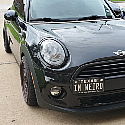
I have new 2018 and have not had this issue (knock on wood), but I did notice that I already have a software update. I have an appointment tomorrow for them to update it. Not sure what this update includes, as the car is brand new.

2nd Gear
Joined: Oct 2013
Posts: 148
Likes: 13
Rick
What software version are you running n your iPhone 7? The most updated software is 11.2.5. Try updating your software and then see if that fixes the issues.
I had a similar problem, read my post about bluetooth rebooting the entire infotainment system on every incoming phone call. There are known issues with the iPhone and BMW/MINI not getting along, as well as Nissans. After ruling out many variables, including returning brand new iPhone 8 phones to rule out the hardware vs software issues and too many calls to AppleCare, I finally got a fix. I ended up having my 8 phone upgraded to the new X (iPhone 10) and now everything works as it is intended too.
Hopefully you don't have to go through all of that. Try updating the software version on your phone, hopefully that works. Good Luck
What software version are you running n your iPhone 7? The most updated software is 11.2.5. Try updating your software and then see if that fixes the issues.
I had a similar problem, read my post about bluetooth rebooting the entire infotainment system on every incoming phone call. There are known issues with the iPhone and BMW/MINI not getting along, as well as Nissans. After ruling out many variables, including returning brand new iPhone 8 phones to rule out the hardware vs software issues and too many calls to AppleCare, I finally got a fix. I ended up having my 8 phone upgraded to the new X (iPhone 10) and now everything works as it is intended too.
Hopefully you don't have to go through all of that. Try updating the software version on your phone, hopefully that works. Good Luck
Thread Starter
|
1st Gear
Joined: Dec 2017
Posts: 31
Likes: 1
From: Oconomowoc, Wisconsin
Rick
What software version are you running n your iPhone 7? The most updated software is 11.2.5. Try updating your software and then see if that fixes the issues.
I had a similar problem, read my post about bluetooth rebooting the entire infotainment system on every incoming phone call. There are known issues with the iPhone and BMW/MINI not getting along, as well as Nissans. After ruling out many variables, including returning brand new iPhone 8 phones to rule out the hardware vs software issues and too many calls to AppleCare, I finally got a fix. I ended up having my 8 phone upgraded to the new X (iPhone 10) and now everything works as it is intended too.
Hopefully you don't have to go through all of that. Try updating the software version on your phone, hopefully that works. Good Luck
What software version are you running n your iPhone 7? The most updated software is 11.2.5. Try updating your software and then see if that fixes the issues.
I had a similar problem, read my post about bluetooth rebooting the entire infotainment system on every incoming phone call. There are known issues with the iPhone and BMW/MINI not getting along, as well as Nissans. After ruling out many variables, including returning brand new iPhone 8 phones to rule out the hardware vs software issues and too many calls to AppleCare, I finally got a fix. I ended up having my 8 phone upgraded to the new X (iPhone 10) and now everything works as it is intended too.
Hopefully you don't have to go through all of that. Try updating the software version on your phone, hopefully that works. Good Luck
I had a 2016 Mini Cooper JCW before my 2018 and didn’t have any problems with Bluetooth with that car while running iOS 11.2.2.

2nd Gear
Joined: Sep 2011
Posts: 104
Likes: 1
From: Tampa, FL
I have a 2015 F55 and my wife has a 2015 F56 and we have both had that issue with iPhone 7 plus. I also noticed that since the newest apple updates playing music via my phone through the usb connection has issues at times as well. I noticed that during the call the phone would switch from bluetooth to handset as soon as the call connected and I would have to manually change back to bluetooth. That seemed to resolve itself and now my bluetooth cuts in and out randomly.
Thread Starter
|
1st Gear
Joined: Dec 2017
Posts: 31
Likes: 1
From: Oconomowoc, Wisconsin
UPDATE:
Well my Mini went into the dealership on February 9 to correct the Bluetooh problem. Still there. The dealership reinstalled the firmware/software and installed a new microphone from a new Mini on their lot. Neither corrected the problem. Today BMW Engineering told the dealership to install a new radio and they believe that will correct the problem. The dealership said they will receive the new radio on Friday February 16. After installation they have to initialize and programm it to the car. The wait continues. Only 540 miles on my new 2018 4 door MCS.
Well my Mini went into the dealership on February 9 to correct the Bluetooh problem. Still there. The dealership reinstalled the firmware/software and installed a new microphone from a new Mini on their lot. Neither corrected the problem. Today BMW Engineering told the dealership to install a new radio and they believe that will correct the problem. The dealership said they will receive the new radio on Friday February 16. After installation they have to initialize and programm it to the car. The wait continues. Only 540 miles on my new 2018 4 door MCS.
Trending Topics



Thread Starter
|
1st Gear
Joined: Dec 2017
Posts: 31
Likes: 1
From: Oconomowoc, Wisconsin
Picked up my 2018 MCS on Saturday after it was at the dealer for a week. Bluetooth is now working as it should. The HUH (Headunit High) part number 65-12-9-394-552 had to be replaced to correct the Bluetooth problem. The radio sound quality and speaker sound separation is much better. Also I don’t have to turn the volume as high anymore. Must of been a defective Headunit installed by the factory.
Here is the complete write up by the Mini Tech.
”customer states phone and Bluetooth don’t work, people can’t hear him talk. Hook up battery charger and performed vehicle test, no codes in the system. Performed vehicle programming for the latest software, did not fix the problem. Removed microphone and installed it in another F55, microphone works normal. Tested wire from the HUH radio to microphone and identified open wire in the voltage meter. Removed upper and both side internal panels to find the wire from microphone to the HUH. Repaired the wire and retested. The wire now has connection but did not correct the Bluetooth problem. Replaced the HUH radio, programmed the new HUH radio to the vehicle and retested. All works normal now.”
Here is the complete write up by the Mini Tech.
”customer states phone and Bluetooth don’t work, people can’t hear him talk. Hook up battery charger and performed vehicle test, no codes in the system. Performed vehicle programming for the latest software, did not fix the problem. Removed microphone and installed it in another F55, microphone works normal. Tested wire from the HUH radio to microphone and identified open wire in the voltage meter. Removed upper and both side internal panels to find the wire from microphone to the HUH. Repaired the wire and retested. The wire now has connection but did not correct the Bluetooth problem. Replaced the HUH radio, programmed the new HUH radio to the vehicle and retested. All works normal now.”
Thread Starter
|
1st Gear
Joined: Dec 2017
Posts: 31
Likes: 1
From: Oconomowoc, Wisconsin
I received an unexpected phone call from my salesman today. He said that Mini USA and the dealership want to do something for me, because of the inconvenience they caused me with my new 2018 F55S radio/Bluetooth problem. I was expecting him to say, stop in whenever you have time and pick out a shirt and hat on us. I almost had to pick myself off the floor when he told me that they are giving me $1,000.00 to buy anything I want from the Mini Accessory Catalog. I thanked him numerous times and told him that was very generous. Time to start looking through the Accessory Catalog.

One ongoing issue I have with my phone connected via Bluetooth is while playing music. I have an iPhone with the most up to date software, of course. My Mini is up to date as well. Does anyone else get very annoyed when searching yields "no entries," or trying to use the steering wheel down arrow to go to the next song pops the message "no entries" on the dash?
This happens more often than not, and since I can't figure out how the F to organize properly my music on my USB from my computer so that I am able to go through it more easily than scrolling through 64gb of songs...
Another music issue I get is when connected with my iPhone via USB. Sometimes, it plays six seconds of the song and then stops...and the only way to continue it is to grab your phone and hit play.
None of these issues occur while just listening to music from my phone with headphones.
This happens more often than not, and since I can't figure out how the F to organize properly my music on my USB from my computer so that I am able to go through it more easily than scrolling through 64gb of songs...
Another music issue I get is when connected with my iPhone via USB. Sometimes, it plays six seconds of the song and then stops...and the only way to continue it is to grab your phone and hit play.
None of these issues occur while just listening to music from my phone with headphones.

6th Gear
Joined: Jan 2011
Posts: 1,599
Likes: 42
From: Bothell, WA
...
Does anyone else get very annoyed when searching yields "no entries," or trying to use the steering wheel down arrow to go to the next song pops the message "no entries" on the dash?
...
Another music issue I get is when connected with my iPhone via USB. Sometimes, it plays six seconds of the song and then stops...and the only way to continue it is to grab your phone and hit play.
Does anyone else get very annoyed when searching yields "no entries," or trying to use the steering wheel down arrow to go to the next song pops the message "no entries" on the dash?
...
Another music issue I get is when connected with my iPhone via USB. Sometimes, it plays six seconds of the song and then stops...and the only way to continue it is to grab your phone and hit play.

Thread
Thread Starter
Forum
Replies
Last Post
Min Minseok Song
Stock Problems/Issues
25
Mar 14, 2021 04:11 PM
countryman
R60/R61 Stock Problems/Issues
6
Apr 5, 2011 06:40 AM
codemunkee
Stock Problems/Issues
2
May 2, 2006 09:42 AM