


F54 Rear bumper fogligjts activation


Thread Starter
|
2nd Gear
Joined: Jan 2018
Posts: 53
Likes: 8
Rear bumper fogligjts activation
Hi I have a 2017 mini clubman All4 s , Does anyone know how to activate the rear bumper lights that don't turn on when stepping on brakes? Can they be used as rear fog lights or as an additional brake light?
Thanks
Thanks

OVERDRIVE


Joined: Jun 2014
Posts: 5,391
Likes: 576
From: earth PNW
Thread Starter
|
2nd Gear
Joined: Jan 2018
Posts: 53
Likes: 8
Rear bumper light conversion
Thanks for the information would I need a switch to do this conversion ? Do you know anyone located in New Jersey that can do this , I don't think the dealership would do it ?
OVERDRIVE
Joined: Jun 2014
Posts: 5,391
Likes: 576
From: earth PNW
If you want them as additional brake lights, just buy Bimmercode App and the OBDII dongle they recommend. It really is very simple to do on your own, all the info is in that thread. For them to act as fog lights you need to buy a switch, look on EBAY for a used one.
I went with additional brake lights as I figured that helps me out 100% of the time when applying brakes, vs. the pretty rare times I'm actually using fog lights in dense fog.
Dealership people in Portland looked at me like I was from another planet when I asked about coding the car for various options. Your dealer might be different, but I doubt it.
I went with additional brake lights as I figured that helps me out 100% of the time when applying brakes, vs. the pretty rare times I'm actually using fog lights in dense fog.
Dealership people in Portland looked at me like I was from another planet when I asked about coding the car for various options. Your dealer might be different, but I doubt it.


To bring this full circle, I added the rear fogs to my (wife's) 2017 F54.
1. Switch with rear fog button sourced from ebay via the UK. I've been looking for a year, and for whatever reason the UK has a surplus of these while none are in the US. I guess that makes sense as we yankees don't use/understand rear fog lights. Got it for under $40 delivered, way better than $150-$200 new.
Installation is pretty easy: Pull switch trim panel straight out; disconnect switch, remove old switch (note switch is held in by tabs - release with small screwdriver), snap new switch in, connect, slide trim panel back in
2. Bought Veepeak OBD2 bluetooth scanner (amazon)
Attach, connect via bluetooth with Bimmercode
3. Bought Bimmercode to let the car know the switch was there. (app store),
From the Bimmercode App thread:
"Activate Rear Fog Lights:
3068 NSL_Verbaut = Verbaut
Code first, then cycle ignition, then restart Bimmercode for the below options
to show up
Activate Rear Fog Lights feature for lighting switch:
3064 Mapping_Nebelschlussl_L_output = nsl_l
3064 Mapping_Nebelschlussl_L_Function = nebelschlusslicht
3064 Mapping_Nebelschlussl_R_output = nsl_r
3064 Mapping_Nebelschlussl_R_Function = Nebelschlusslicht:"
Worked just like it said. Note that you have to go into 'Expert' mode, with a somber warning, but everything went off without a problem.
Note that 3068 is accessed through "LceMaster"
3064 is accessed through "LceLampMapping3"
I only needed to code the nsl_l and nsl_r, the 'Function' was already set.
Just setting NSL_Verbaut = Verbaut made the rear fog indicator come on with the button, but the lights didn't work until the nsl_l/nsl_r was coded.
Pictures in my gallery.
1. Switch with rear fog button sourced from ebay via the UK. I've been looking for a year, and for whatever reason the UK has a surplus of these while none are in the US. I guess that makes sense as we yankees don't use/understand rear fog lights. Got it for under $40 delivered, way better than $150-$200 new.
Installation is pretty easy: Pull switch trim panel straight out; disconnect switch, remove old switch (note switch is held in by tabs - release with small screwdriver), snap new switch in, connect, slide trim panel back in
2. Bought Veepeak OBD2 bluetooth scanner (amazon)
Attach, connect via bluetooth with Bimmercode
3. Bought Bimmercode to let the car know the switch was there. (app store),
From the Bimmercode App thread:
"Activate Rear Fog Lights:
3068 NSL_Verbaut = Verbaut
Code first, then cycle ignition, then restart Bimmercode for the below options
to show up
Activate Rear Fog Lights feature for lighting switch:
3064 Mapping_Nebelschlussl_L_output = nsl_l
3064 Mapping_Nebelschlussl_L_Function = nebelschlusslicht
3064 Mapping_Nebelschlussl_R_output = nsl_r
3064 Mapping_Nebelschlussl_R_Function = Nebelschlusslicht:"
Worked just like it said. Note that you have to go into 'Expert' mode, with a somber warning, but everything went off without a problem.
Note that 3068 is accessed through "LceMaster"
3064 is accessed through "LceLampMapping3"
I only needed to code the nsl_l and nsl_r, the 'Function' was already set.
Just setting NSL_Verbaut = Verbaut made the rear fog indicator come on with the button, but the lights didn't work until the nsl_l/nsl_r was coded.
Pictures in my gallery.


Trending Topics
1st Gear
Joined: Nov 2021
Posts: 39
Likes: 9
From: yyz
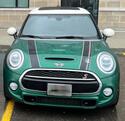
I did the same changes on my f56 Jan. ordered the switch off ebay. They seem to have a lot of mini oem parts. lazarusautomotiveparts
https://www.ebay.ca/itm/154747365195...kAAOSwfGphu1A8
Installed the switch (pull hard on the underdash) and the went through the setup in bimmercode. It has worked great ever since. Front fog function as they did, rears now turn on as expected.
Mini really should have just had the switch included with the front fog option. I have the rear fogs on the r50, and going into winter they were sadly missed on the f56.
https://www.ebay.ca/itm/154747365195...kAAOSwfGphu1A8
Installed the switch (pull hard on the underdash) and the went through the setup in bimmercode. It has worked great ever since. Front fog function as they did, rears now turn on as expected.
Mini really should have just had the switch included with the front fog option. I have the rear fogs on the r50, and going into winter they were sadly missed on the f56.

Thread
Thread Starter
Forum
Replies
Last Post
bradchatellier
R56 :: Hatch Talk (2007+)
13
Sep 10, 2007 02:13 PM