


Navigation & Audio Aux Input not recognized problem


Thread Starter
|
1st Gear
Joined: Jan 2010
Posts: 42
Likes: 0
Aux Input not recognized problem
I've tried everything I can think of without having to pull out the head unit to get my new Auxiliary Cable to work. I plugged it in to the back of the unit, turned on my iPod and my HU will not change to AUX. Only between CD and radio. Im stumped and I don't know what to do next with this. Has anyone else had this problem? I've searched the forum here and have not been able to find anything. Any help would be greatly appreciated. Thanks

Thread Starter
|
1st Gear
Joined: Jan 2010
Posts: 42
Likes: 0
I've read about people with 03 and newer with this cable in it and it works fine. Is there supposed to be a fuse next to the cable? I felt around and did not find a fuse but I found a pic of the back of the HU and it had a fuse there. I have no idea if it was for that though, just a thought.

Can you get it into Aux mode with nothing in the port? Is the iPod running off the battery or a power supply? Are you sure that the port was in tight when it was installed? Has it worked before and/or with other devices plugged into the port?
Thread Starter
|
1st Gear
Joined: Jan 2010
Posts: 42
Likes: 0
I've never been able to get it into AUX mode, only CD and radio. The iPod is running off of battery. I got the plug as tight in the port as I could, it clicked into place and everything. I'm not sure if it was ever worked before I just purchased the car a week ago and was looking forward to do this. Thanks for the help thus far.
Trending Topics

OVERDRIVE
Joined: May 2005
Posts: 8,233
Likes: 127
From: San Francisco
With the aux cable plugged in, Aux mode should be available even with nothing connected.
If you already tried unplugging/replugging the connector, I think you need to pull the headunit (it's not difficult) so you can visually check how well the connector is seated. You'll also be able to verify the manufacture date of the headunit (printed on a label).
If you already tried unplugging/replugging the connector, I think you need to pull the headunit (it's not difficult) so you can visually check how well the connector is seated. You'll also be able to verify the manufacture date of the headunit (printed on a label).
Thread Starter
|
1st Gear
Joined: Jan 2010
Posts: 42
Likes: 0
With the aux cable plugged in, Aux mode should be available even with nothing connected.
If you already tried unplugging/replugging the connector, I think you need to pull the headunit (it's not difficult) so you can visually check how well the connector is seated. You'll also be able to verify the manufacture date of the headunit (printed on a label).
If you already tried unplugging/replugging the connector, I think you need to pull the headunit (it's not difficult) so you can visually check how well the connector is seated. You'll also be able to verify the manufacture date of the headunit (printed on a label).
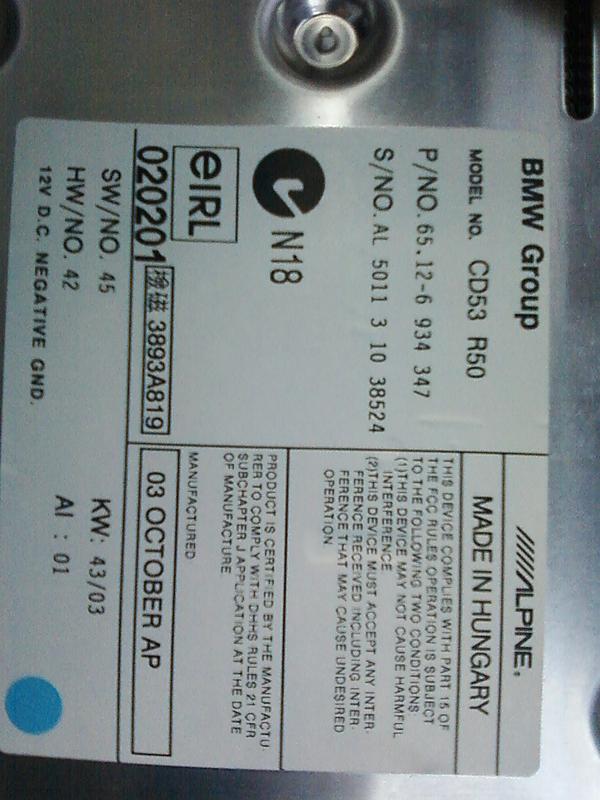
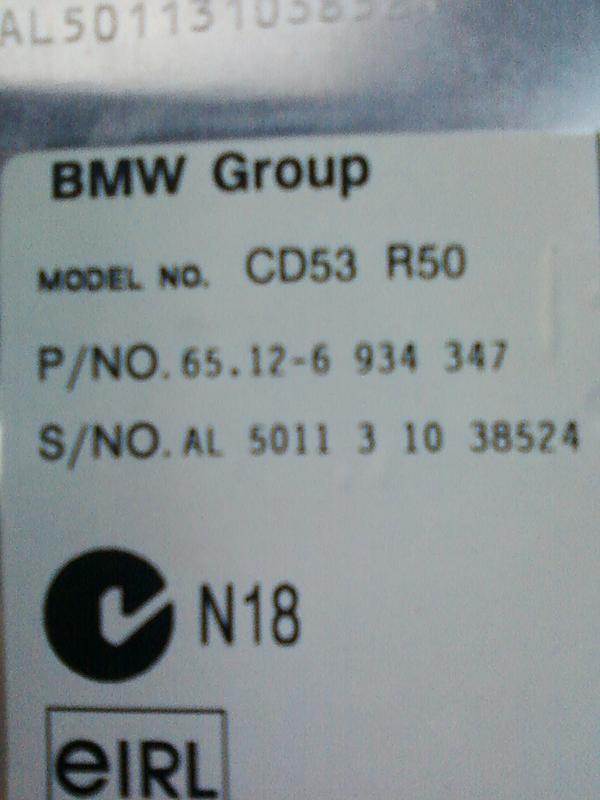
Any advice on where to go from here would be GREATLY appreciated. Thanks
OVERDRIVE
Joined: May 2005
Posts: 8,233
Likes: 127
From: San Francisco
You've done what I would have done. The headunit's manufacture date is new enough that it should have the aux feature. I think you're down to determining whether the cable or headunit is defective. The cable is under warranty if you bought it from a dealer.

Thread
Thread Starter
Forum
Replies
Last Post