


Navigation & Audio 2006 Mini Cooper S - having trouble pairing my iPhone!


Thread Starter
|
Neutral
Joined: Jan 2010
Posts: 5
Likes: 0
From: San Antonio, TX
2006 Mini Cooper S - having trouble pairing my iPhone!
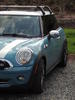
I just bought a 2006 Mini Cooper S (LOVE IT!) and since I got it, I've been trying to pair my iPhone 3Gs with the car. I guess I have the older stereo and there is no menu button on it to pair it, but it has the phone button on the steering wheel. I don't know what to do besides go visit Best Buy or the dealership (I bought my car from Carmax). Any suggestions?? Please help!
6th Gear
Joined: Feb 2008
Posts: 4,461
Likes: 1
From: Vancouver, WA
I just bought a 2006 Mini Cooper S (LOVE IT!) and since I got it, I've been trying to pair my iPhone 3Gs with the car. I guess I have the older stereo and there is no menu button on it to pair it, but it has the phone button on the steering wheel. I don't know what to do besides go visit Best Buy or the dealership (I bought my car from Carmax). Any suggestions?? Please help!
Hope this helps!!

Thread Starter
|
Neutral
Joined: Jan 2010
Posts: 5
Likes: 0
From: San Antonio, TX
Been there, done that. Unfortunately it did me no good. The radio they show must be the newer model and I'm just utterly lost. There's no menu button on my radio and so I can't figure it out. I should post pictures on here so y'all can see what I'm talking about but don't have any yet.

Been there, done that. Unfortunately it did me no good. The radio they show must be the newer model and I'm just utterly lost. There's no menu button on my radio and so I can't figure it out. I should post pictures on here so y'all can see what I'm talking about but don't have any yet.
Hi. This is a very simple problem, but you won't like the answer. Your car probably does not have bluetooth.
It was not available from the factory in 2006, only as a (very expensive) dealer installed option. All 2006's are pre-wired, which means that they have the button on the steering wheel, but do not have bluetooth.
You can contact your local MINI dealer to get a price for the accessory Bluetooth kit, or try aftermarket. If you go for an aftermarket system, it might not work with the steering wheel controls.
Thread Starter
|
Neutral
Joined: Jan 2010
Posts: 5
Likes: 0
From: San Antonio, TX
How much is the accessory kit? Should I just get a new radio for the car? Would that be less expensive?
Trending Topics
6th Gear
Joined: Feb 2008
Posts: 4,461
Likes: 1
From: Vancouver, WA
Been there, done that. Unfortunately it did me no good. The radio they show must be the newer model and I'm just utterly lost. There's no menu button on my radio and so I can't figure it out. I should post pictures on here so y'all can see what I'm talking about but don't have any yet.
Since it's a question of whether or not you have the Bluetooth capability, visit your Local MINI Dealer and have them run a Build Sheet on your car, they way you will know right away whether or not you have Bluetooth, you can then choose which option you want to go with or not...I'm pullin' for ya' hopefully this will get resolved soon!!
to be clear, Bluetooth was never offered as a factory option on the R50/R52/R53. It was only introduced as a factory option when the R56 came out, so there is no need to check the build sheet... it's not there.

Check some online parts sites, I think the accessory kit is $500 or so plus install. It will probably cost you in the neighborhood of $700-800 installed.

I just bought a 2006 Mini Cooper S (LOVE IT!) and since I got it, I've been trying to pair my iPhone 3Gs with the car. I guess I have the older stereo and there is no menu button on it to pair it, but it has the phone button on the steering wheel. I don't know what to do besides go visit Best Buy or the dealership (I bought my car from Carmax). Any suggestions?? Please help!
 . The button on the steering wheel works and the caller comes through the stereo like it should. I'm sure people think I'm singing or talking to myself at stop lights, but whatever.
Installation was about a 6 out of 10. Getting the dash open was the most difficult part. Oh and it was pretty expensive so don't pass out.

Thread
Thread Starter
Forum
Replies
Last Post
SosoMINI
MINI Parts for Sale
30
Nov 22, 2015 03:17 PM
marendt428
MINI Parts for Sale
1
Aug 9, 2015 06:54 PM