


Navigation & Audio MINI icon for Garmin 760


Thread Starter
|
5th Gear
Joined: Oct 2008
Posts: 752
Likes: 1
From: Emmitsburg, MD
MINI icon for Garmin 760
I have searched all over the site for information on how and where to down load a mini to my Garmin. Most of what I have found dates back to 2004 and the one site with down loads did not seem to work. It also seems like you can make a custom mini someplace.
Please point me in the right direction and I could use a little "how too" thrown in as well.
I know you all must hate brand new Mini's owners so thanks in advance,
Jim
Please point me in the right direction and I could use a little "how too" thrown in as well.
I know you all must hate brand new Mini's owners so thanks in advance,
Jim

I believe these should work for your 760.
Download your Garmin Cars Here
http://homepage.mac.com/WebObjects/F...cty=US&lang=en
Installation
1. download file to your Hardrive
2. plug in your garmin USB to your PC
3. Click "Start"
4. Click "My Computer"
5. Double Click "Garmin"
6. Open the "Garmin" Folder
7. Open the "Vehicle" Folder
8. This is where you save the .srf files you downloaded
9. Unplug USB from Garmin
10. Change cars via the Settings/Map/Vehicle on your Garmin
Hope this works! I have a NUVI 660, works for me.
Download your Garmin Cars Here
http://homepage.mac.com/WebObjects/F...cty=US&lang=en
Installation
1. download file to your Hardrive
2. plug in your garmin USB to your PC
3. Click "Start"
4. Click "My Computer"
5. Double Click "Garmin"
6. Open the "Garmin" Folder
7. Open the "Vehicle" Folder
8. This is where you save the .srf files you downloaded
9. Unplug USB from Garmin
10. Change cars via the Settings/Map/Vehicle on your Garmin
Hope this works! I have a NUVI 660, works for me.
Here are some splash screens I made for the NUVI. See the below thread
https://www.northamericanmotoring.co...d.php?t=158160
https://www.northamericanmotoring.co...d.php?t=158160

5th Gear
Joined: Apr 2008
Posts: 986
Likes: 0
From: Boca Raton,Florida
Here are 2 links that I used for my Garmin nuvi 760:
Anyone Got a Garmin NUVI MINI.srf file?
https://www.northamericanmotoring.co...light=mini.srf
MINI File download page
Just follow the instructions and you will be good to go.
Also add those links to your favorites so you can easily reference them in the future just like I have done.
Anyone Got a Garmin NUVI MINI.srf file?
https://www.northamericanmotoring.co...light=mini.srf
MINI File download page
Just follow the instructions and you will be good to go.
Also add those links to your favorites so you can easily reference them in the future just like I have done.
Thread Starter
|
5th Gear
Joined: Oct 2008
Posts: 752
Likes: 1
From: Emmitsburg, MD
I believe these should work for your 760.
Download your Garmin Cars Here
http://homepage.mac.com/WebObjects/F...cty=US&lang=en
Installation
1. download file to your Hardrive
2. plug in your garmin USB to your PC
3. Click "Start"
4. Click "My Computer"
5. Double Click "Garmin"
6. Open the "Garmin" Folder
7. Open the "Vehicle" Folder
8. This is where you save the .srf files you downloaded
9. Unplug USB from Garmin
10. Change cars via the Settings/Map/Vehicle on your Garmin
Hope this works! I have a NUVI 660, works for me.
Download your Garmin Cars Here
http://homepage.mac.com/WebObjects/F...cty=US&lang=en
Installation
1. download file to your Hardrive
2. plug in your garmin USB to your PC
3. Click "Start"
4. Click "My Computer"
5. Double Click "Garmin"
6. Open the "Garmin" Folder
7. Open the "Vehicle" Folder
8. This is where you save the .srf files you downloaded
9. Unplug USB from Garmin
10. Change cars via the Settings/Map/Vehicle on your Garmin
Hope this works! I have a NUVI 660, works for me.
Jim

Thread Starter
|
5th Gear
Joined: Oct 2008
Posts: 752
Likes: 1
From: Emmitsburg, MD
Jim
Trending Topics
Thread Starter
|
5th Gear
Joined: Oct 2008
Posts: 752
Likes: 1
From: Emmitsburg, MD
Your asking the wrong guy about that. I was only able to do it because of the great instructions I found here. I only know it works through the USB port.
Jim
Jim
Here is a picture of the back side of a Garmin Nuvi 200. It has a standard USB connection to hook up to your PC. If it did not come with a cable, you may have another PC device that has this same USB cable. Say a Camera, Camcorder, Memory Card Reader, scanner or printer. A USB cable is a USB Cable as long as the end is the same type, it will work. I personally have about 10 of these type of USB cables that have come with devices I have purchased over the years. Hope this helps.
Thread Starter
|
5th Gear
Joined: Oct 2008
Posts: 752
Likes: 1
From: Emmitsburg, MD
Here is a picture of the back side of a Garmin Nuvi 200. It has a standard USB connection to hook up to your PC. If it did not come with a cable, you may have another PC device that has this same USB cable. Say a Camera, Camcorder, Memory Card Reader, scanner or printer. A USB cable is a USB Cable as long as the end is the same type, it will work. I personally have about 10 of these type of USB cables that have come with devices I have purchased over the years. Hope this helps.
Thanks,
Jim
Thread Starter
|
5th Gear
Joined: Oct 2008
Posts: 752
Likes: 1
From: Emmitsburg, MD
Jim
Thread Starter
|
5th Gear
Joined: Oct 2008
Posts: 752
Likes: 1
From: Emmitsburg, MD
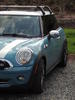
Well, I think some out there that understands all that stuff (way over my head) should make one. I think Dragonflyer could use a red one.
Jim
Jim
6th Gear
Joined: Feb 2008
Posts: 4,461
Likes: 1
From: Vancouver, WA
Bump
Just bought a Garmin 265T, I know lammo model, but I had bought a TomTom, took it back for this one. I was able to load the .srf files with no problems thanks to the great hints.
Thanks again!!
Just bought a Garmin 265T, I know lammo model, but I had bought a TomTom, took it back for this one. I was able to load the .srf files with no problems thanks to the great hints.
Thanks again!!
5th Gear
Joined: Apr 2008
Posts: 986
Likes: 0
From: Boca Raton,Florida

2nd Gear
Joined: May 2008
Posts: 150
Likes: 0
From: Okinawa, Japan
Aren't you glad you didn't buy a Tom-Tom?

GP Icon Wanted
I have the oem MINI NUVI (360) GPS and I wanted to know if there are any downloads to get a MINI GP car for gps. It has the GP when you turn it on, but not for the cars that "lead the way".
I have the oem MINI NUVI (360) GPS and I wanted to know if there are any downloads to get a MINI GP car for gps. It has the GP when you turn it on, but not for the cars that "lead the way".
Thread Starter
|
5th Gear
Joined: Oct 2008
Posts: 752
Likes: 1
From: Emmitsburg, MD
Jim
Scroll back up to the top of this post and you will see the links for the cars and tha splash screens they sent when I asked the same question. Just plug in the nuvi to your computer.Down load a splash screen and the car you want to the "pictures" section on your nuvi. Then unplug the nuvi and it will ask you if you want to change the main screen and the car. Chose the proper one from your pictures.
Jim
Jim


2nd Gear
Joined: May 2011
Posts: 97
Likes: 0
I believe these should work for your 760.
Download your Garmin Cars Here
http://homepage.mac.com/WebObjects/F...cty=US&lang=en
Installation
1. download file to your Hardrive
2. plug in your garmin USB to your PC
3. Click "Start"
4. Click "My Computer"
5. Double Click "Garmin"
6. Open the "Garmin" Folder
7. Open the "Vehicle" Folder
8. This is where you save the .srf files you downloaded
9. Unplug USB from Garmin
10. Change cars via the Settings/Map/Vehicle on your Garmin
Hope this works! I have a NUVI 660, works for me.
Download your Garmin Cars Here
http://homepage.mac.com/WebObjects/F...cty=US&lang=en
Installation
1. download file to your Hardrive
2. plug in your garmin USB to your PC
3. Click "Start"
4. Click "My Computer"
5. Double Click "Garmin"
6. Open the "Garmin" Folder
7. Open the "Vehicle" Folder
8. This is where you save the .srf files you downloaded
9. Unplug USB from Garmin
10. Change cars via the Settings/Map/Vehicle on your Garmin
Hope this works! I have a NUVI 660, works for me.
Forbidden
Access denied by access control list.