1st Gen Countryman (R60) Talk (2010-2015) R60 Countryman Discussions

R60 how to remove Nav screen

Thread Tools
 
Search this Thread
 
Old Dec 26, 2018 | 06:58 AM
  #1  
Hubie212's Avatar
Hubie212
Thread Starter
|
Neutral
Joined: Jul 2016
Posts: 9
Likes: 0
how to remove Nav screen

installing a rear camera on my R60 Countryman, anyone know the best way to remove the nav screen ?
 
Reply
Old Dec 26, 2018 | 07:31 AM
  #2  
dmath's Avatar
dmath
6th Gear
iTrader: (1)
Joined: Apr 2018
Posts: 1,441
Likes: 550
From: Western NC
This doesn't show a lot of detail for the removal but it might be helpful:

 
Reply
Old Dec 26, 2018 | 07:44 AM
  #3  
Hubie212's Avatar
Hubie212
Thread Starter
|
Neutral
Joined: Jul 2016
Posts: 9
Likes: 0
thanks, there are numerous videos on YouTube , but none of them show removal of the screen
 
Reply
Old Dec 26, 2018 | 08:26 AM
  #4  
Minnie.the.Moocher's Avatar
Minnie.the.Moocher
OVERDRIVE
10 Year Member
Liked
Loved
Community Favorite
Joined: Jun 2014
Posts: 5,391
Likes: 576
From: earth PNW
https://www.newtis.info/tisv2/a/en/r60-cooper-s-all4-sav/repair-manuals/62-instruments/62-11-instrument-cluster/IBHSVUt
 
Reply
Old Dec 26, 2018 | 08:34 AM
  #5  
Hubie212's Avatar
Hubie212
Thread Starter
|
Neutral
Joined: Jul 2016
Posts: 9
Likes: 0
does the trim ring around the screen just pop off ?
 
Reply
Old Dec 26, 2018 | 08:47 AM
  #6  
Minnie.the.Moocher's Avatar
Minnie.the.Moocher
OVERDRIVE
10 Year Member
Liked
Loved
Community Favorite
Joined: Jun 2014
Posts: 5,391
Likes: 576
From: earth PNW
Has a link in those directions top right for how to remove cover.
 
Reply
Old Dec 26, 2018 | 11:19 AM
  #7  
dmath's Avatar
dmath
6th Gear
iTrader: (1)
Joined: Apr 2018
Posts: 1,441
Likes: 550
From: Western NC
Originally Posted by Hubie212
thanks, there are numerous videos on YouTube , but none of them show removal of the screen
I thought that one did show removal of the screen -- now I understand what you meant. Glad someone was able to help.
 
Reply
Old Feb 6, 2019 | 10:40 AM
  #8  
Steve500's Avatar
Steve500
1st Gear
5 Year Member
Liked
Joined: Nov 2017
Posts: 27
Likes: 0
Originally Posted by Hubie212
does the trim ring around the screen just pop off ?
Yes it does. But there is a secondary piece that must come off after that in order to remove the whole display unit. The top center vent needs to be removed which is done by removing the ambient light senor cover, pop the light sensor out, The display is very likely attached to the CD Drive unit just like the non-nav model's giant speedometer is and can only be unattached by removing both the display unit and drive unit at the same time which requires removal of the center console area. It gets nasty, lol.
 
Reply
Old Mar 24, 2019 | 01:28 PM
  #9  
Chilli Pepper's Avatar
Chilli Pepper
1st Gear
Joined: Mar 2019
Posts: 12
Likes: 0
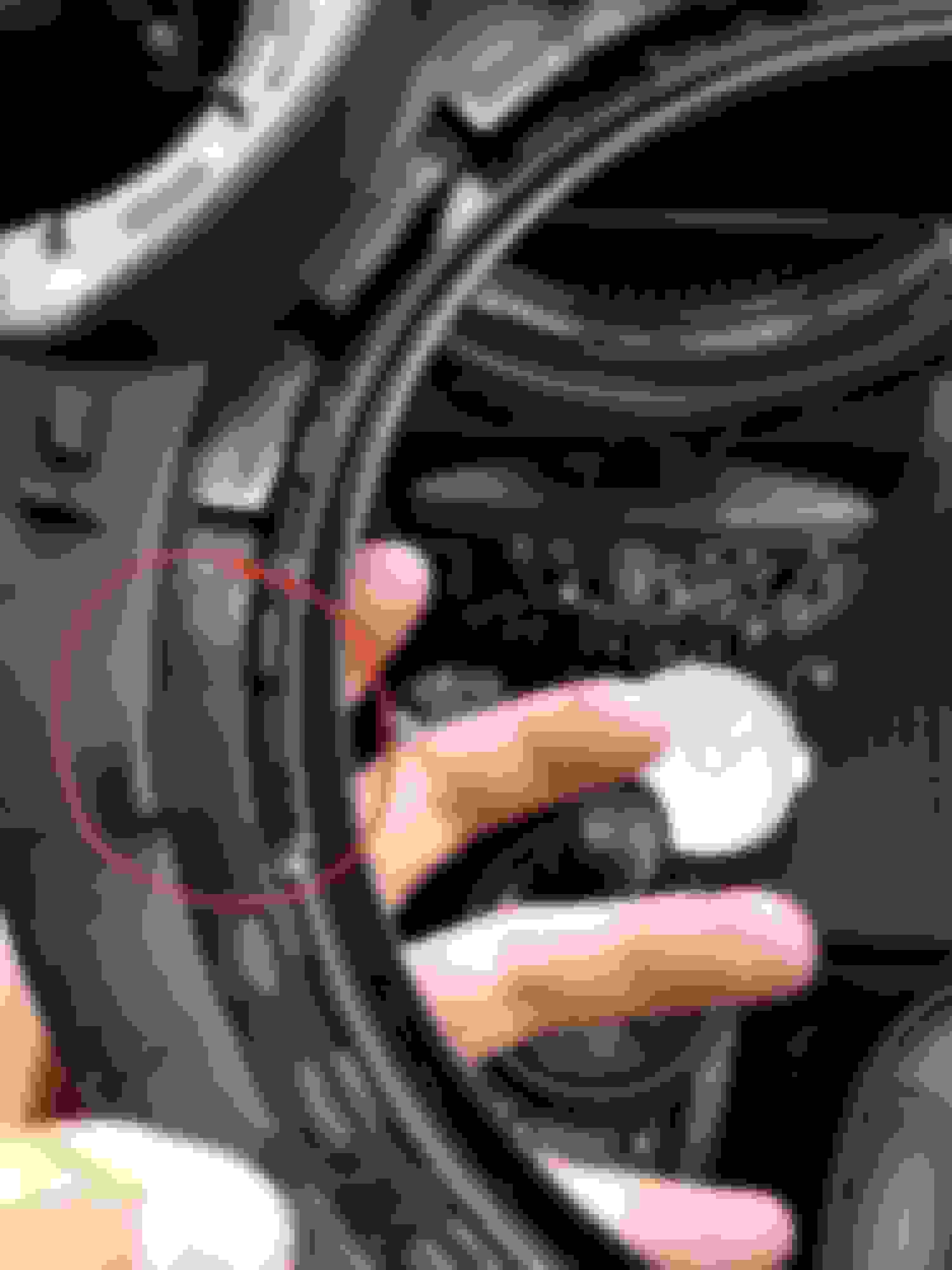
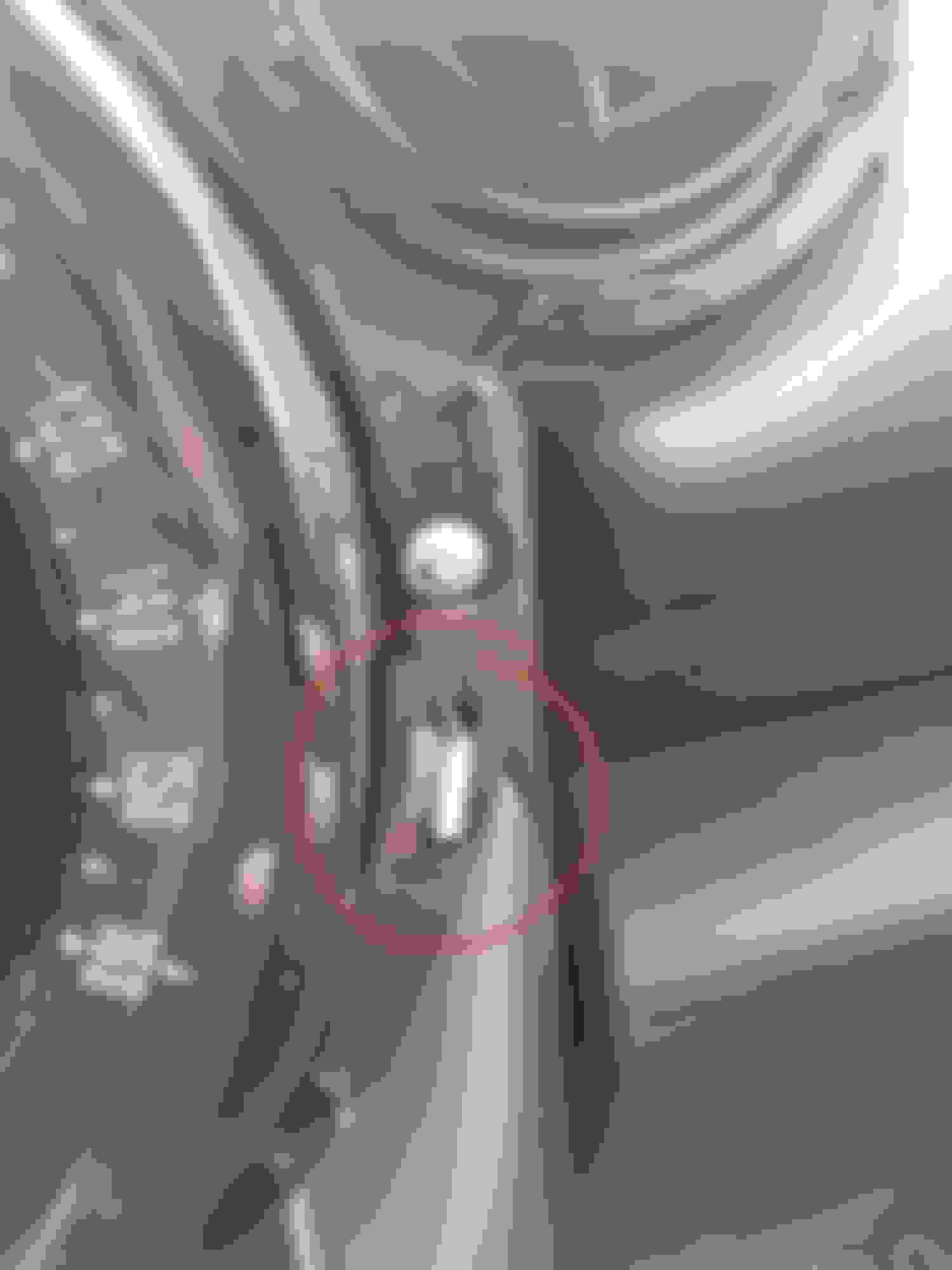
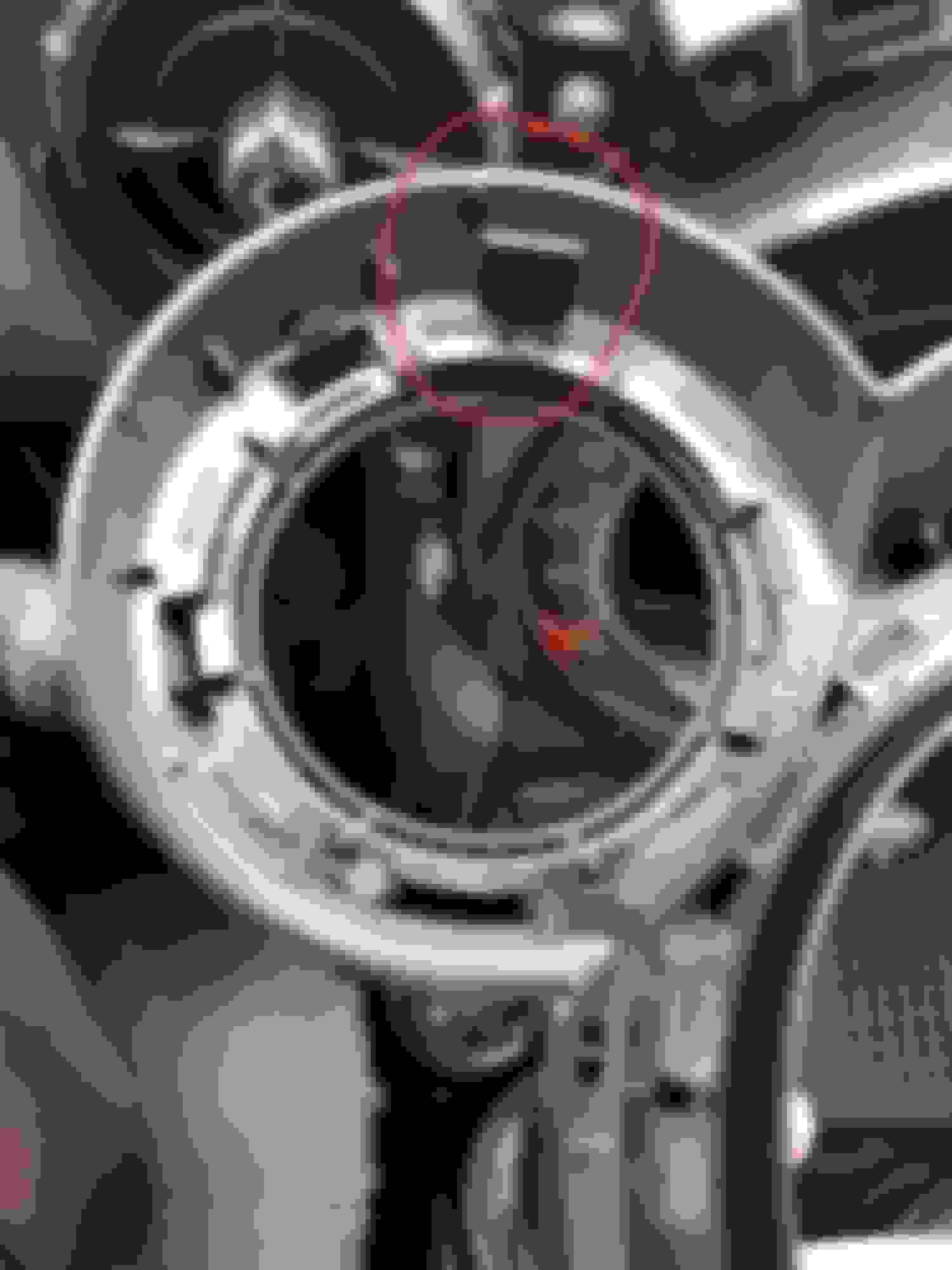
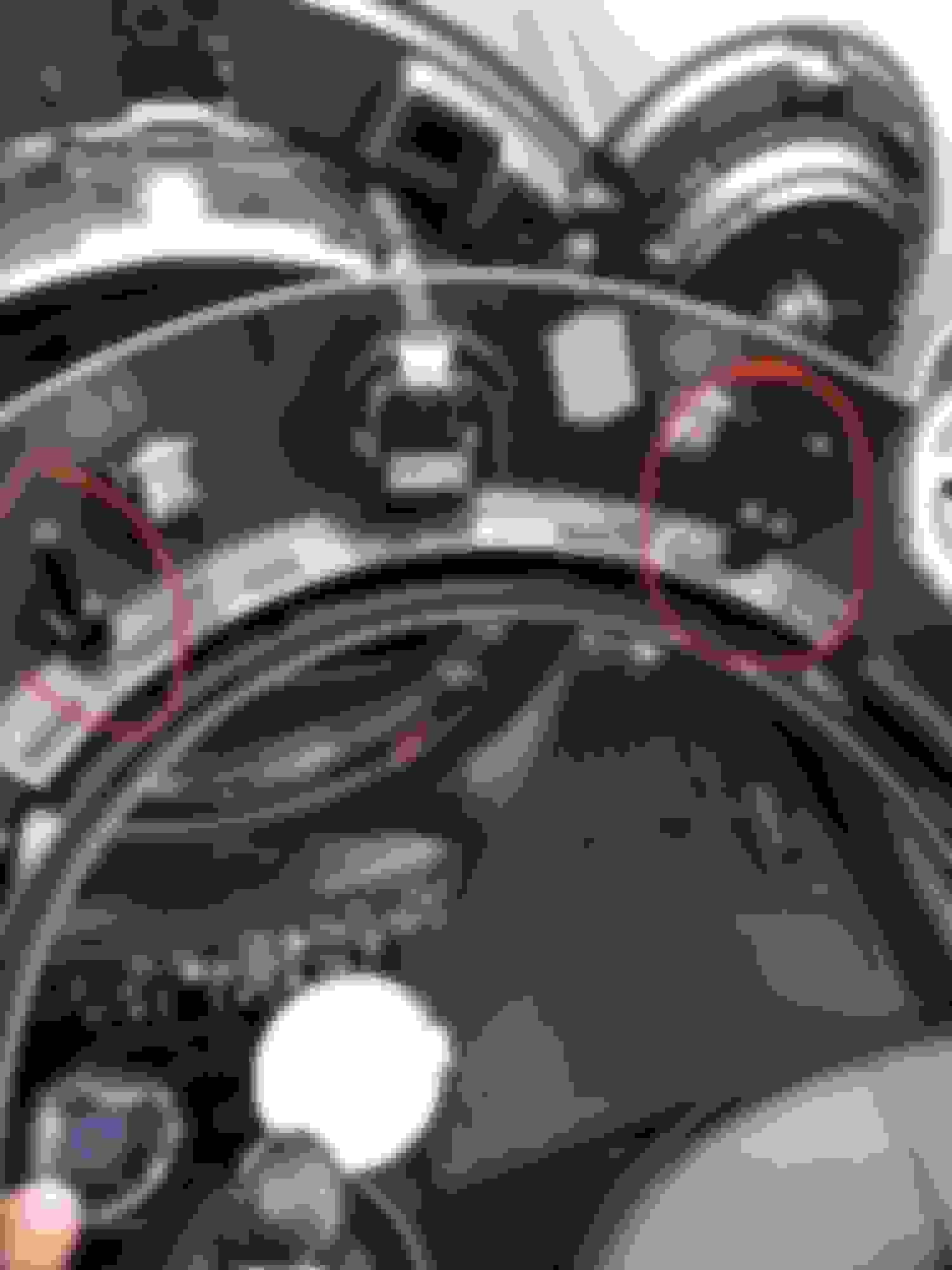
Yes, Just used retainer remover tools. Start from bottom, on side , mickey mouse ears, and ontop.

Clip positions.

Bottom clip on both side.

Clip on the side both side.

Metal clip on dash board.

Clip on mickey mouse ears both side.

Two metal clip ontop and becareful for plastic bar in red circle.

Plastic bar came off from this small hole and becareful for wiring. That it.
 
Reply
Old May 3, 2019 | 11:14 PM
  #10  
Alpha Motoring's Avatar
Alpha Motoring
6th Gear
15 Year Member
iTrader: (10)
Joined: Jan 2007
Posts: 2,924
Likes: 62
From: Bel Air, California
Originally Posted by Hubie212
does the trim ring around the screen just pop off ?
Yes, there are no screws on the outer bezel, just pull towards you and it’ll pop off. Remove all the screws you see under it and the screen will come off with the speedometer.
 
Reply
Old May 3, 2019 | 11:15 PM
  #11  
Alpha Motoring's Avatar
Alpha Motoring
6th Gear
15 Year Member
iTrader: (10)
Joined: Jan 2007
Posts: 2,924
Likes: 62
From: Bel Air, California
Originally Posted by Steve500
Yes it does. But there is a secondary piece that must come off after that in order to remove the whole display unit. The top center vent needs to be removed which is done by removing the ambient light senor cover, pop the light sensor out, The display is very likely attached to the CD Drive unit just like the non-nav model's giant speedometer is and can only be unattached by removing both the display unit and drive unit at the same time which requires removal of the center console area. It gets nasty, lol.
Not attached to CD drive with a ribbon cable like non nav cars. Just simple wires to unplug.
 
Reply
Old Jun 6, 2020 | 04:47 PM
  #12  
jimozach's Avatar
jimozach
1st Gear
Joined: Jun 2020
Posts: 16
Likes: 2
Hi, newb here. I have a 2013 R60 All4. I'm putting in an aftermarket android unit, here if you care to see: https://www.aliexpress.com/item/4000401057977.html I have the mickey ears and the center vent off, but I need help with the panel that covers the CD and various controls. I have take out the three torx on either side, but I'm not sure where the rest are.I have a set of pry bars but I don't want to start doing it *****-nilly and break stuff. I have hunted high and low on the web to no avail...many instructions and videos but not for my exact model. I would be grateful if someone who knows more than me (that would be anyone reading this post) could help a brutha out. I'm expecting delivery in a few days, would like to be ready. Thanks in advance.

 
Reply
Old Jun 8, 2020 | 08:49 PM
  #13  
navwizard's Avatar
navwizard
2nd Gear
Joined: Oct 2019
Posts: 141
Likes: 36
Check this out!

https://www.newtis.info/tisv2/a/en/r...dunit/EA77a9G2
 
Reply
Old Jun 9, 2020 | 04:33 AM
  #14  
jimozach's Avatar
jimozach
1st Gear
Joined: Jun 2020
Posts: 16
Likes: 2
Originally Posted by navwizard
Perfect, this is what I needed, thanks!
 
Reply
Old Jan 9, 2021 | 08:45 AM
  #15  
Its Brittany B!tshh's Avatar
Its Brittany B!tshh
1st Gear
Joined: Sep 2020
Posts: 36
Likes: 22
From: Massachusetts
Here’s a video from beginning to end

 
Reply
Old Dec 27, 2021 | 08:10 AM
  #16  
stiksandstones's Avatar
stiksandstones
3rd Gear
Joined: Dec 2021
Posts: 205
Likes: 27
Originally Posted by Its Brittany B!tshh
I notice in your vid-there is no issue with this nightmare 'airbag' situation? how did you avoid that area?
 
Reply
Old Dec 27, 2021 | 08:04 PM
  #17  
MReiland's Avatar
MReiland
3rd Gear
5 Year Member
Liked
Loved
Community Favorite
Joined: Mar 2019
Posts: 216
Likes: 48
I believe the early R60's didn't have the knee airbag thus mot shown or mentioned in some videos. You'll know if yours has it if you look closely at the plastic piece under the glove box, it will be embossed with airbag if you have one

 
Reply
Old Dec 29, 2021 | 06:31 PM
  #18  
navwizard's Avatar
navwizard
2nd Gear
Joined: Oct 2019
Posts: 141
Likes: 36
I noticed it looks like you connected the camera to 12 volt acc out. There should be a "rear camera" wire you connect to.
 
Reply
Old Dec 29, 2021 | 06:35 PM
  #19  
stiksandstones's Avatar
stiksandstones
3rd Gear
Joined: Dec 2021
Posts: 205
Likes: 27
Originally Posted by navwizard
I noticed it looks like you connected the camera to 12 volt acc out. There should be a "rear camera" wire you connect to.
Yeah, I ended up switching it to that REAR CAMERA wire, and it all worked.
 
Reply
Old Jan 9, 2022 | 12:05 PM
  #20  
stiksandstones's Avatar
stiksandstones
3rd Gear
Joined: Dec 2021
Posts: 205
Likes: 27
wrong thread
 

Last edited by stiksandstones; Jan 9, 2022 at 12:06 PM. Reason: wrong thread
Reply
Related Topics
Thread
Thread Starter
Forum
Replies
Last Post
BoCRon
Navigation & Audio
3
May 16, 2011 12:36 PM
JPMM
Navigation & Audio
5
Jan 23, 2011 07:15 PM
ALS
Navigation & Audio
1
Apr 2, 2008 01:36 AM
Marylander
Navigation & Audio
22
Nov 8, 2007 01:18 PM
mdavis
Navigation & Audio
2
Feb 19, 2004 04:09 PM


All times are GMT -7. The time now is 08:25 AM.