When you click on links to various merchants on this site and make a purchase, this can result in this site earning a commission. Affiliate programs and affiliations include, but are not limited to, the eBay Partner Network.
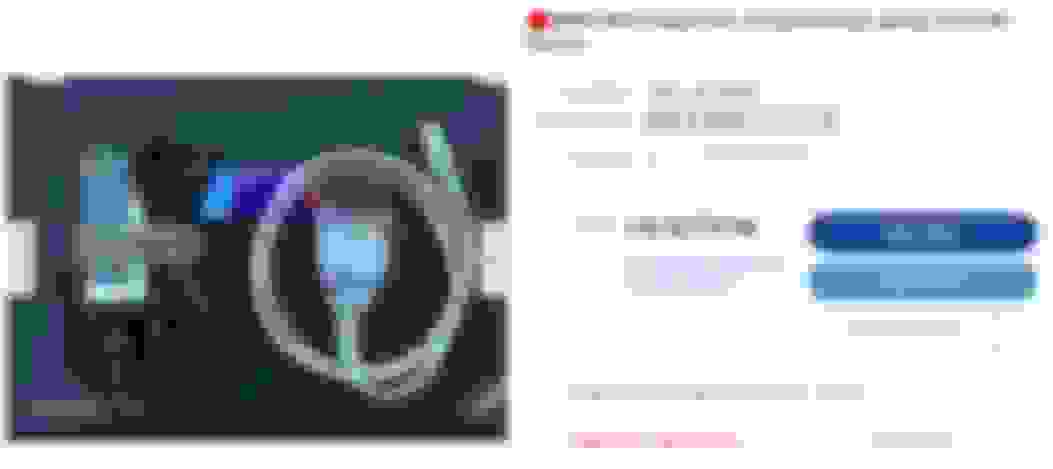
Or buy a cable with a pin 7/8 switch to save yourself the soldering time. Win10 may not need the driver, mine didn't ask for it and it works fine. You may have to go to Advanced under hardware and set the com port 1, Win10 likes to randomly assign it whatever it feels like on install.
You can also use ISTA+ (C) latest with an R53 just like the newer cars. You just need to setup ebidas.ini with the correct com port (set your USB to Com 1) and ensure the interface is STD:OBD instead of REMOTE. This will allow you to gain access to do things like program new keys on the earlier R53s.
Big THANK YOU to adriancl for posting the files and videos above. I was able to get INPA working on an old Windows laptop.
Couple notes that helped me: (as I've stated before I am no a PC user so take all this with a grain of salt)
1) Even though my laptop was Windows XP I ended up installing everything compatible with Windows 7 just as Adrian shows in his videos.
2) The cable I ordered (same as the one listed in this thread by ssoliman) came with a CD. I used the installer on the CD and it worked.
3) INPA Loader.exe is the application you end up using. After the install there will be an INPA.exe as well as a shortcut on the desktop that don't work. You'll see all this in the video but it took me a couple times before I understood why he was deleting the shortcuts.
Hope that helps.
I used Windows 7 but not sure that matters.
Last on the cable put the switch all the way to the right (I'll upload a pic)
Hello, Im new here. Forgive me if this has been answered but will this work on the R53? It only lists the R56 as an option that it will work on. Thanks in advance.
Hello, Im new here. Forgive me if this has been answered but will this work on the R53? It only lists the R56 as an option that it will work on. Thanks in advance.
yes. It looks exactly like the cable I purchased from Amazon last year and worked flawless with @adriancl tune....Although you may still need one other additional cable....
@adriancl, am I correct?
You need to add the option of R50 R53 in you inpa configuration file. The add the R53 eng ipo an R53Eng file.
I can add all those remotely if you like. Just let me know. I have helped out a load of folks on here.
You need to add the option of R50 R53 in you inpa configuration file. The add the R53 eng ipo an R53Eng file.
I can add all those remotely if you like. Just let me know. I have helped out a load of folks on here.
hi, I’m searching around the forum but can’t find any guide. Looking to add r53 to my inpa. Only showing R50 with w17 engine ande r55,56.
When Adrian (@adriancl) did my ECU tune, I was the navigator while he "drove" my Win10 laptop remotely from Romania with required adapter cables purchased on eBay and Amazon already on hand. It's my understanding from that, any version from Win7 up works fine. A more economical option might be to buy a refurbed laptop on Woot for not much $$ (I see basic Dell Latitude 3180 11.6" Win10 units at $80 there right now). Doing that would provide a dedicated tuning device which could serve as a backup to your primary device.
Choosing Win7 option --- or is there any advantage to having Win10?
But most importantly, is the package that I am considering a reasonable deal, or overpriced?
I prefer Lenovo and Samsung above all. I have, and refurbished/repaired 19 "defunct" ebay laptops back to working order. So I do like Lenovo's.
But - I dunno - That is one ancient pc. Pretty pricey for a Lenovo T430 which was released in 2011 (?) and max ram of only 4gigs (non upgradeable ?).
Although I do understand the allure of a pre-installed INPA/laptop that is seemingly "ready 2 go" and the seller does have impressive (100%) positive feedback...IMO the price is a bit much and who knows what else has been installed on that machine. @adrianclHas provided a working DL for all the software needed for a tune somewhere in this (?) thread...
I empathize with you in making a choice. Sorry I couldn't be of much help.
Anyone needs help installing inpa. I can do login on your computer an do the install inpa along with daten files. I done it for several folks on here. Takes a while to do it. I do not mind helping out.
Hi Shrevemini could you help me with the inpa installation please?
Hey guys , I know how useful Adrian has been for all of us.. I just ask that when he does help you guys , I hope you chip a tip his way. Time is money and I know sometimes it doesn't take long at all but he is on a different time frame and always makes sure to fit us in when we need. His service is grade A+++.
I have nothing good to say about Adrian and his work. The man's done wonders for my car and without him , I don't think it would be hard the car it is...
You need to add the option of R50 R53 in you inpa configuration file. The add the R53 eng ipo an R53Eng file.
I can add all those remotely if you like. Just let me know. I have helped out a load of folks on here.
Hi.. New here an not es good as i want with english... From colombia... R53 2005...trying to erase SRS light overhead.... Passenger sensor fail.... Could you pls help adding r50 option in inpa....
You need to add the option of R50 R53 in you inpa configuration file. The add the R53 eng ipo an R53Eng file.
I can add all those remotely if you like. Just let me know. I have helped out a load of folks on here.
HI.
Could you please attach the R53 eng ipo an R53Eng file to make my r53 working...and explain how t...thanks
You need to add the option of R50 R53 in you inpa configuration file. The add the R53 eng ipo an R53Eng file.
I can add all those remotely if you like. Just let me know. I have helped out a load of folks on here.
Could anyone upload the R53 eng ipo an R53Eng file to make INPA R53 work...thanks...and a short how to...