


Navigation & Audio Navi questions


Thread Starter
|
3rd Gear
Joined: Jun 2012
Posts: 291
Likes: 2
From: San Diego Vegas Kihei
Navi questions
My car arrived today and I drove it for the first time wondering about the Navi. Does the screen not show you estimated time of arrival, miles to go or anything like that? I just haven't had time to read up on it and was wondering. I've used Garmins and Tom Toms before but is this system unique to MINI?
4th Gear

Joined: Jan 2012
Posts: 486
Likes: 18
From: DC Metro
Lower right corner shows you ETA and is updated depending on traffic conditions. I forget if it shows miles to go, but probably.
the hardest part is finding the turn-by-turn direction list but it's in there somewhere!
the hardest part is finding the turn-by-turn direction list but it's in there somewhere!
Thread Starter
|
3rd Gear
Joined: Jun 2012
Posts: 291
Likes: 2
From: San Diego Vegas Kihei
I didn't see anything but the map in the lower right hand corner. There is a small window in the upper right that says what I'm listening to and a small window in the lower left hand corner that shows the scale of miles, but I didn't see any other window in the lower right. I guess I better find and read the operation manual. :(

5th Gear
Joined: Apr 2011
Posts: 659
Likes: 1
From: Kirkland, WA
I didn't see anything but the map in the lower right hand corner. There is a small window in the upper right that says what I'm listening to and a small window in the lower left hand corner that shows the scale of miles, but I didn't see any other window in the lower right. I guess I better find and read the operation manual. :(
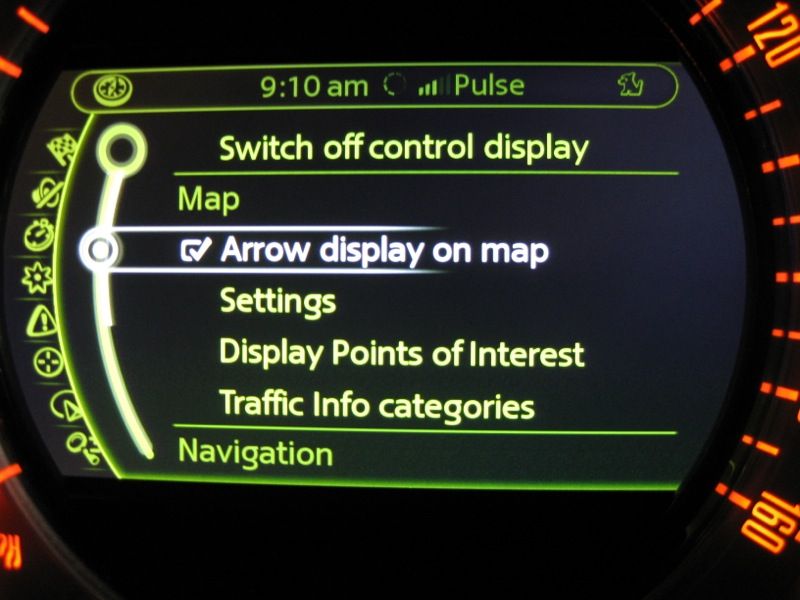
then you will see this
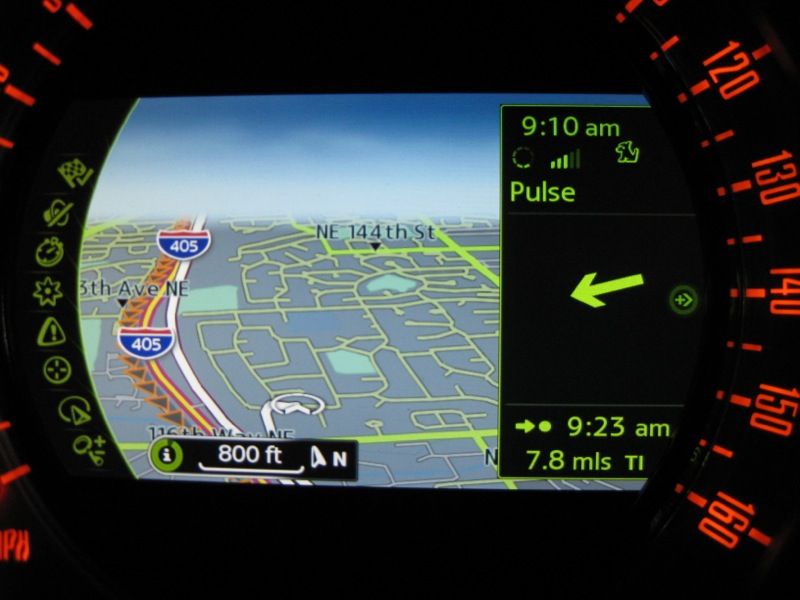
If you deselect it, you would get this
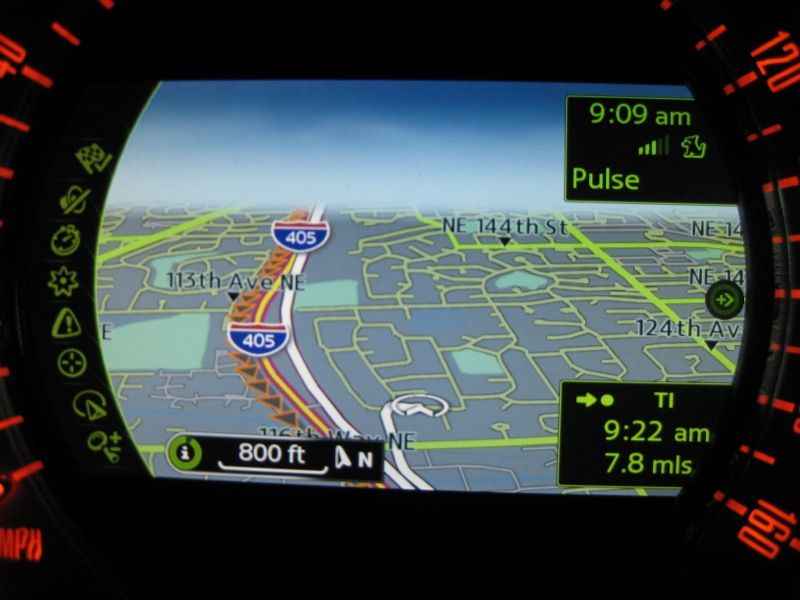
Also, you can go into the Connected or any other tab, and as you need to turn you'll get voice and the screen will flash with the turn info. So you don't have to keep it on the Nav as you go

2nd Gear
Joined: Aug 2004
Posts: 104
Likes: 7
From: Seattle area, Washington
Navigation POI Search
I have a 2005 MCS with navigation, and, while the nav works pretty well for me, it has a somewhat annoying search function. In order to search for a POI, you first have to determine what category it is in, and then search that category. For some things this is obvious and works well (restaurants for example), but for other things it is difficult to figure out what category to even search in (try searching for the nearest "office depot").
My question is: has this been improved on the latest navigation unit? (It's hard to try this in a demo because the nav units are never enabled on demo cars at the dealer.)
I see from some web review that there is an item called A-Z search. Does this allow you to search for something strictly by name? If so, does it then order the results by distance?
(I recently tried a similar function on the VW RNS315 navigation system in a Golf TDI, and it worked great. It would start listing results, closest first, and adding farther ones as it found them.)


My question is: has this been improved on the latest navigation unit? (It's hard to try this in a demo because the nav units are never enabled on demo cars at the dealer.)
I see from some web review that there is an item called A-Z search. Does this allow you to search for something strictly by name? If so, does it then order the results by distance?
(I recently tried a similar function on the VW RNS315 navigation system in a Golf TDI, and it worked great. It would start listing results, closest first, and adding farther ones as it found them.)

Thread
Thread Starter
Forum
Replies
Last Post
Grizld700
R56 :: Hatch Talk (2007+)
2
Dec 30, 2015 10:47 AM

