


Navigation & Audio Anyone Got a Garmin NUVI MINI.srf file?


5th Gear
Joined: Oct 2008
Posts: 752
Likes: 1
From: Emmitsburg, MD

6th Gear
Joined: Feb 2008
Posts: 2,358
Likes: 1
From: Graham, NC
So I tried converting one of the .srf files that came on my 755t using the utility at techmods.net. Opened it up and discovered the top row of vehicles were all skewed badly and the bottom row was completely borked. So I'm guessing maybe some difference in the file format between the 660 and 755. 

Neutral
Joined: Dec 2007
Posts: 2
Likes: 0
BRG, white roof with US flag .srf file
Any chance someone can create a BRG R56 with white bonnet stripes and a US flag on a white roof .srf file?
I have absolutely no editing skills and would love to have this on my nuvi 255W.
Thanks,
Gerry
I have absolutely no editing skills and would love to have this on my nuvi 255W.
Thanks,
Gerry

4th Gear
Joined: Dec 2008
Posts: 362
Likes: 2
Just a quick "THANKS" to whoever created the red MINI with white roof file. Not sure who made it - - I just grabbed the file from a link on this thread. Looks awesome on my new Garmin 255W.
__________________________________________________
__________________________________________________

3rd Gear
Joined: Sep 2004
Posts: 297
Likes: 0
From: San Diego
Try this..
Sorry for the long silence things have been busy around here..
The closest that I can get is a BRG mini with white roof and bonnet stripes.. The flag is not in my line up..
here is a link to the srf file..
Hope that helps.
BBCooper
The closest that I can get is a BRG mini with white roof and bonnet stripes.. The flag is not in my line up..
here is a link to the srf file..
Hope that helps.
BBCooper


4th Gear
Joined: Apr 2009
Posts: 563
Likes: 1
From: Dallas, TX
I just used the Blue one in that link that's somewhere in this forum. It's not exactly like Horizon Blue but it's still fun to see a Blue/White Mini on my screen.
4th Gear
Joined: Dec 2008
Posts: 362
Likes: 2
are you referring to the image that is displayed at power-up? If so here's is how to do it.
1. Load any jpg image onto the Garmin into the jpeg folder. You will need to be connected to a PC.
2. Disconnect and power up the Garmin.
3. Go to Settings --> Picture Viewer and scroll until you find the picture.
4. Select the picture to view.
5. In the upper left corner there will be a check box that says "Display at Power-up". Select this and a check will appear. I cant remember if there is a "Save" option.
6. Power it off and restart. The image should be displayed at start up.
I am going off memeroy since mine is tucked safely aweay in the hidden complartment in my parking garage so hopefully I did not forget anything and the verbiage of the Garmin's prompts may be a little different. If any one sees anything that is not correct please post the corrctions.
1. Load any jpg image onto the Garmin into the jpeg folder. You will need to be connected to a PC.
2. Disconnect and power up the Garmin.
3. Go to Settings --> Picture Viewer and scroll until you find the picture.
4. Select the picture to view.
5. In the upper left corner there will be a check box that says "Display at Power-up". Select this and a check will appear. I cant remember if there is a "Save" option.
6. Power it off and restart. The image should be displayed at start up.
I am going off memeroy since mine is tucked safely aweay in the hidden complartment in my parking garage so hopefully I did not forget anything and the verbiage of the Garmin's prompts may be a little different. If any one sees anything that is not correct please post the corrctions.
FYI - - anyone with a nuvi 255W (like mine) or, probably, any nuvi 200 series...
To change your startup screen - follow those above directions - to number 4. Then they're just slightly different. When your photo is displayed, you have to press the "Info" button on the bottom. The next screen has the little "Display at power up?" box - press it and a green check appears. There is no "save" option; just power off and the next time you turn your nuvi on, the photo you selected will appear at power on.
As an added bonus, the same photo will also show whenever your nuvi is connected to your PC through the USB cable (instead of the "Garmin" name on a black screen).
One other bit of trivia - - I found that re-sizing photos to a small size (around 480X250 or so) before adding them to the "jpeg" directory on your Garmin makes them look better, load faster and take up very little memory on your nuvi.
__________________________________________________ _

4th Gear
Joined: Apr 2009
Posts: 455
Likes: 6
From: Oakland, CA
Here's the download link:
http://www.filefactory.com/file/b027..._GP_Garmin.srf
(It's a free web hosting site...just scroll down to the bottom for the DOWNLOAD button, then wait 30 secs and click the download link when it appears. You don't need to register to download.)
Hope this works for you.

1st Gear
Joined: Jun 2009
Posts: 12
Likes: 0
From: Buffalo, NY
Have you all found this site.. link
Here are the Nuvi MINI Icons...
Not all the MINI colors... But I am hoping to find an Indi Blue version somewhere..
Enjoy
Here are the Nuvi MINI Icons...
Not all the MINI colors... But I am hoping to find an Indi Blue version somewhere..
Enjoy


3rd Gear
Joined: Jan 2010
Posts: 152
Likes: 4
**** What you already have made is sufficent for my needs**** Thanks
Hey BBCooper any chance you are still doing custom requests? If so how hard would a lazer blue with white bonnet stripes white roof with sun roof but with a white and lazer blue checker on the sun roof?
Hey BBCooper any chance you are still doing custom requests? If so how hard would a lazer blue with white bonnet stripes white roof with sun roof but with a white and lazer blue checker on the sun roof?
Last edited by Kodan; Mar 21, 2010 at 09:51 PM.

Thank you to all who contributed. This is great stuff.
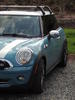
I installed the BRG_Wtop_sunroof icon to my Nuvi 1390T with no issue at all. Installation was effortless and the icon is working perfectly and looking great on my Garmin, thank you!!!
I installed the BRG_Wtop_sunroof icon to my Nuvi 1390T with no issue at all. Installation was effortless and the icon is working perfectly and looking great on my Garmin, thank you!!!




4th Gear
Joined: Jun 2010
Posts: 517
Likes: 0
From: Long Island
This is so cool.
I just updated my Nuvi 205W with a PW/PW with sunroof.
I also fixed my slash screen
Now if I could figure out how to size a picture to fit in the full screen.
Thanks again, had no idea that this could even be done.
I just updated my Nuvi 205W with a PW/PW with sunroof.
I also fixed my slash screen
Now if I could figure out how to size a picture to fit in the full screen.
Thanks again, had no idea that this could even be done.

Neutral
Joined: Sep 2009
Posts: 3
Likes: 0
Replace Garmin Mini 360 with Iphone 4
Has anyone used the custom mount that comes with the Mini Branded Garmin? I have ordered the iPhone 4 and thinking of using the TomTom app instead of the Garmin. There is a custom mount that comes off the left side of steering column. Thumb screw holds the gps mount and there is a "mini" usb connector. Looking for ideas to use the USB connector and run a line in cable under the dash to the aux input.
Thanks!
Chuck
Thanks!
Chuck

1st Gear
Joined: Aug 2009
Posts: 25
Likes: 0
Yes, I purchased the factory Garmin bracket from my local dealership. I installed it myself, its straightforward if you've got some experience with extracting pins out of electrical connectors and reading tech oriented wiring diagrams (as opposed to stuff geared more toward consumers that tend to provide more details and break things down into a step by step process). Its not a job I'd recommend for a novice tho. If your experience is limited to oil changes and basic maintenance, let the dealership do the work. The book time on the installation (and this comes straight off the factory supplied installation sheets) is .5 hr, so don't let them charge you too much.
As far as adapting it for other uses, its not impossible but I'd check out the pin configuration on the USB plug for the device you want to use. Garmin uses a resistor on the x pin to ground it to pin 4, which is not a typical configuration for most other USB plugs and I am pretty sure it won't work on a iPhone/iPod, and I am not convinced it will work on tomtom devices either. There is more "magic" going on with the factory Garmin harness than just delivering 5v on pin 1 and ground on pin 4, so proceed with caution, or you might damage both your peripheral device and your car.
Lastly, the bracket itself was a missed opportunity from the factory, imo. It puts the GPS too close to the steering wheel and blocks the view of some of the screen. Its still usable and has a "factory look" to it, but if they had designed it to sit back closer to the dash, you would have had a better and complete view of the screen. I am assuming they designed it the way they did so that you could touch the screen without removing your hands from the steering wheel, but you really shouldn't be doing that when you drive anyway!
I paid $116 for the bracket, if anyone was wondering about the cost. Its overpriced for a bracket but the wiring harness/electronics is what makes it worthwhile (assuming you are using a Garmin anyway).
As far as adapting it for other uses, its not impossible but I'd check out the pin configuration on the USB plug for the device you want to use. Garmin uses a resistor on the x pin to ground it to pin 4, which is not a typical configuration for most other USB plugs and I am pretty sure it won't work on a iPhone/iPod, and I am not convinced it will work on tomtom devices either. There is more "magic" going on with the factory Garmin harness than just delivering 5v on pin 1 and ground on pin 4, so proceed with caution, or you might damage both your peripheral device and your car.
Lastly, the bracket itself was a missed opportunity from the factory, imo. It puts the GPS too close to the steering wheel and blocks the view of some of the screen. Its still usable and has a "factory look" to it, but if they had designed it to sit back closer to the dash, you would have had a better and complete view of the screen. I am assuming they designed it the way they did so that you could touch the screen without removing your hands from the steering wheel, but you really shouldn't be doing that when you drive anyway!
I paid $116 for the bracket, if anyone was wondering about the cost. Its overpriced for a bracket but the wiring harness/electronics is what makes it worthwhile (assuming you are using a Garmin anyway).
Last edited by sh944; Aug 20, 2010 at 01:39 PM.


Neutral
Joined: Dec 2010
Posts: 1
Likes: 0
Hi,
I am so desperate for an icon I found this website whilst searching .
Pretty please may someone find me a chilli red mini one with a chilli red roof with a sunroof and no stripes.
None of the links are working!
Thank you in advance
Sarah
I am so desperate for an icon I found this website whilst searching
.Pretty please may someone find me a chilli red mini one with a chilli red roof with a sunroof and no stripes.
None of the links are working!
Thank you in advance
Sarah
4th Gear
Joined: Apr 2009
Posts: 563
Likes: 1
From: Dallas, TX
I just updated my Garmin 265WT and now it won't show me the MINI vehicle. I've checked the files via my computer and it's still there but it doesn't show up in the vehicle selection. Does anyone have any idea of how to fix this?