I recently purchased a 2020 F56 Cooper. It came with the 6.5 non touch, no navigation screen. I've been looking for a way to add carplay. I was planning on one of the MMI boxes that would give car play but no touch abilities, but there don't seem to be any for 2019+. In fact I couldn't find very much information on what headunits are in the 2019+'s.
I came across these on aliexpress. I confirmed with the seller that it would work with a 2020 Cooper.
the product arrived quickly and the seller has been good about keeping in contact with my questions.
So far most everything is working.
Wired Carplay works, I have not been able to get wireless carplay, but I think that is an issue with set up on my end.
The screen is touch screen and fully functions. The Idrive controller still works with the system as do all steering wheel controls. The sound and OEM microphone are all fully functional.
You can access the OEM vehicle information and settings, though the UI is different. It seems everything is there though. I am wondering about how this will work with dealer services.
The only thing not working right now is the OEM reversing camera. The guidelines and even the distance warning work, I just have no video signal. I am working with the seller now to resolve this. Does anybody have any ideas on getting the video signal to the new headunit?
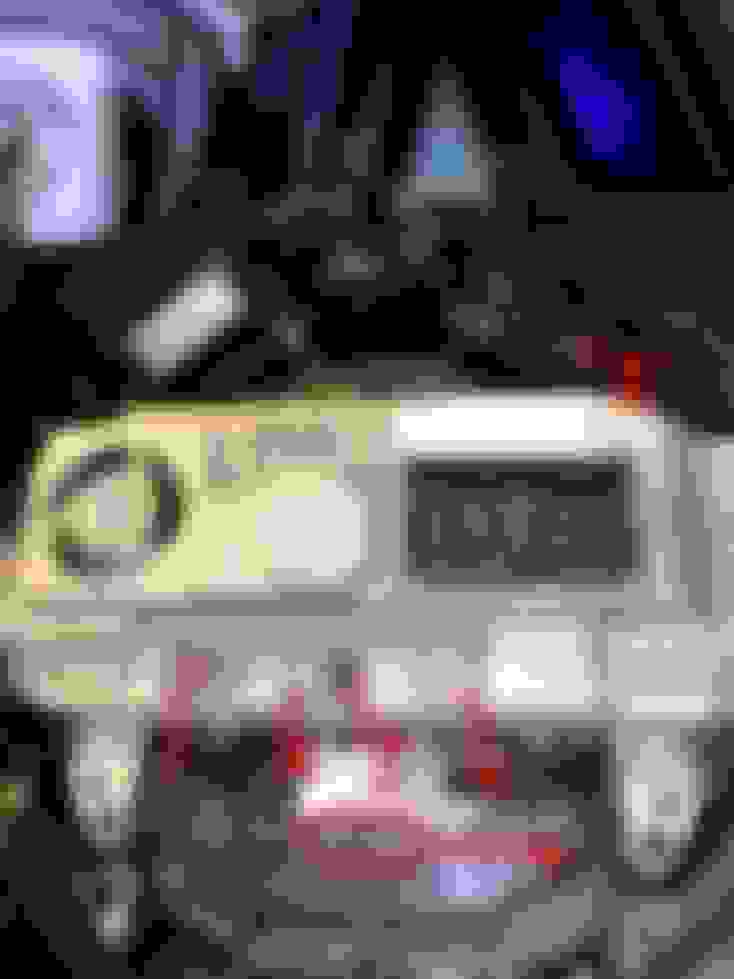
I have attached a picture of the original head unit, can anybody help identify which plugs are which? I plugged in the main harness, #6 and #4 to the new system. I believe #4 is the USB. back of head unit
Side Question - can anyone identify what headunit this is?
Over all I think this is a really good product, The reverse camera and the OEM vehicle info is the only thing keeping me from being 100% satisfied so far. Let me know if there are any questions about this.
I have made progress with the OEM Reversing camera. I found the pinout for the FBAS signal on newtis (rip). I added pins to the harness and connected them to the RCA input that goes into the aftermarket headunit. I am able to get the camera signal, but now it cuts out after exactly 10 seconds. One difference between my wiring and from the newtis diagram is that the OEM camera calls for 3 cables going to the headunit FBAS+, FBAS- and a Shield. I did not hook up a shield wire, could that be the reason the camera is cutting out after 10 seconds? Also once the signal cuts out, it remains off until the car is restarted.
Other than that the headunit still works well, carplay is functioning as it should and you can access the OEM vehicle info.
Thanks to Sb2002 for help with identifying the wires.
Added black and red wires for FBAS- and FBAS+ into an RCA cable for reverse camera signal Carplay
My guess is the cost difference. That said, those with this headunit from the factory would also have to swap the factory connector with a quadlock connector (the connector that's standard for most BMW/Mini headunits). Given BRG's efforts to make the factory camera work with the retrofit headunit, I'm confident he could swap his factory connector for a quadlock, but it is a bit more work.
As Sb2002 said both cost and the fact that my mini does not have any version of nbt, made this option attractive. It was nearly plug-and-play with the exception of the reversing camera. However with the continuing issues of the camera I may return this and look into a full HU upgrade
I’m also in the same situation like you. I’ve a 2019 F55 LCI with EntryNav2 with touchscreen but no Navi. None of the mirroring box will work with EntryNav2 so the next move is to upgrade to NBT Evo. Do I need to change the existing cables?
I am unfamiliar with the entrynav2 HU, you would have to look at the main harness on your headunit. My 2020 does not have a separate head unit box. If you look at the numbered picture in my original post that is the entire headunit directly attached to the screen. You can see the main harness is different than the quadlock that Sb2002 mentioned. If I understand correctly I will have to make my own harness that connects to a quadlock in order to upgrade the headunit.
BRG how are you liking the radio? I am in the same boat with the stock radio and would like to have CarPlay. I’m just worried about losing all the stock controls from factory radio.
My 2015 has the basic 4 line monochrome display, although with the Harman/Kardon upgrade and I would love to do something like this. I clicked the AliExpress link and it looks great. What is the difference between the “Low”, “NBT”, and “EVO” versions, since they all seem to be about the same price? Will any of them work or is a specific one needed for my situation?
I contacted bimmer tech and I believe mine is the same as yours. 2020 MCS F56. They said it was BIS01 and no retrofit was available. I have been looking at the same unit you got. Was told about the issues with the reverse camera as well. Thanks for sharing how you got it to work. I'm gonna give it a try as well. Any updates since your last post?
Quote:
Originally Posted by BRG.
I recently purchased a 2020 F56 Cooper. It came with the 6.5 non touch, no navigation screen. I've been looking for a way to add carplay. I was planning on one of the MMI boxes that would give car play but no touch abilities, but there don't seem to be any for 2019+. In fact I couldn't find very much information on what headunits are in the 2019+'s.
I came across these on aliexpress. I confirmed with the seller that it would work with a 2020 Cooper.
the product arrived quickly and the seller has been good about keeping in contact with my questions.
So far most everything is working.
Wired Carplay works, I have not been able to get wireless carplay, but I think that is an issue with set up on my end.
The screen is touch screen and fully functions. The Idrive controller still works with the system as do all steering wheel controls. The sound and OEM microphone are all fully functional.
You can access the OEM vehicle information and settings, though the UI is different. It seems everything is there though. I am wondering about how this will work with dealer services.
The only thing not working right now is the OEM reversing camera. The guidelines and even the distance warning work, I just have no video signal. I am working with the seller now to resolve this. Does anybody have any ideas on getting the video signal to the new headunit?
I have attached a picture of the original head unit, can anybody help identify which plugs are which? I plugged in the main harness, #6 and #4 to the new system. I believe #4 is the USB. back of head unit
Side Question - can anyone identify what headunit this is?
Over all I think this is a really good product, The reverse camera and the OEM vehicle info is the only thing keeping me from being 100% satisfied so far. Let me know if there are any questions about this.
Hi all. I’m happy to report I’ve now helped someone retrofit an NBT Evo (with CarPlay and and navigation) and an 8.8” touchscreen into a car that came with the BIS headunit.
It requires a little bit of wiring work, but it’s straightforward for anyone with a little car stereo installation or similar experience.
This is not an inexpensive solution (mostly because the NBT Evo and touchscreen have gotten expensive), but it works seemlessly and is a very nice upgrade over the BIS headunit.
Please reach out with any questions. I have enough parts for one or two more similar retrofits.
Hi all. I’m happy to report I’ve now helped someone retrofit an NBT Evo (with CarPlay and and navigation) and an 8.8” touchscreen into a car that came with the BIS headunit.
It requires a little bit of wiring work, but it’s straightforward for anyone with a little car stereo installation or similar experience.
This is not an inexpensive solution (mostly because the NBT Evo and touchscreen have gotten expensive), but it works seemlessly and is a very nice upgrade over the BIS headunit.
Please reach out with any questions. I have enough parts for one or two more similar retrofits.
Hi all. I’m happy to report I’ve now helped someone retrofit an NBT Evo (with CarPlay and and navigation) and an 8.8” touchscreen into a car that came with the BIS headunit.
It requires a little bit of wiring work, but it’s straightforward for anyone with a little car stereo installation or similar experience.
This is not an inexpensive solution (mostly because the NBT Evo and touchscreen have gotten expensive), but it works seemlessly and is a very nice upgrade over the BIS headunit.
Please reach out with any questions. I have enough parts for one or two more similar retrofits.
I also have a BIS01 head unit and would like to upgrade to NBT eco as above. I am in the UK and wonder if we share details of what I need to do?
Nothing compares to an evo and an apix2 screen. Colours, intensity of screen, carplay etc. I would have stayed for another 3-4 months and gather the money and pay for an evo. But this is just my oppinion!
Hi all. I’m happy to report I’ve now helped someone retrofit an NBT Evo (with CarPlay and and navigation) and an 8.8” touchscreen into a car that came with the BIS headunit.
It requires a little bit of wiring work, but it’s straightforward for anyone with a little car stereo installation or similar experience.
This is not an inexpensive solution (mostly because the NBT Evo and touchscreen have gotten expensive), but it works seemlessly and is a very nice upgrade over the BIS headunit.
Please reach out with any questions. I have enough parts for one or two more similar retrofits.
I recently purchased a 2020 F56 Cooper. It came with the 6.5 non touch, no navigation screen. I've been looking for a way to add carplay. I was planning on one of the MMI boxes that would give car play but no touch abilities, but there don't seem to be any for 2019+. In fact I couldn't find very much information on what headunits are in the 2019+'s.
I came across these on aliexpress. I confirmed with the seller that it would work with a 2020 Cooper.
the product arrived quickly and the seller has been good about keeping in contact with my questions.
So far most everything is working.
Wired Carplay works, I have not been able to get wireless carplay, but I think that is an issue with set up on my end.
The screen is touch screen and fully functions. The Idrive controller still works with the system as do all steering wheel controls. The sound and OEM microphone are all fully functional.
You can access the OEM vehicle information and settings, though the UI is different. It seems everything is there though. I am wondering about how this will work with dealer services.
The only thing not working right now is the OEM reversing camera. The guidelines and even the distance warning work, I just have no video signal. I am working with the seller now to resolve this. Does anybody have any ideas on getting the video signal to the new headunit?
I have attached a picture of the original head unit, can anybody help identify which plugs are which? I plugged in the main harness, #6 and #4 to the new system. I believe #4 is the USB. back of head unit
Side Question - can anyone identify what headunit this is?
Over all I think this is a really good product, The reverse camera and the OEM vehicle info is the only thing keeping me from being 100% satisfied so far. Let me know if there are any questions about this.
Hi all. I’m happy to report I’ve now helped someone retrofit an NBT Evo (with CarPlay and and navigation) and an 8.8” touchscreen into a car that came with the BIS headunit.
It requires a little bit of wiring work, but it’s straightforward for anyone with a little car stereo installation or similar experience.
This is not an inexpensive solution (mostly because the NBT Evo and touchscreen have gotten expensive), but it works seemlessly and is a very nice upgrade over the BIS headunit.
Please reach out with any questions. I have enough parts for one or two more similar retrofits.
just come across this thread on google and im in the process of looking into the retrofit here in the uk, i have the necessary pin data for the plug and a spare quadlock to manfacture the harness, are the can speeds the same for biso1 and nbt evo as one person in the uk mentioned there might be a difference in can speed for the switching.