


NAM Monthly Photo Contest :: January


Thread Starter
|
pug poo picker-upper
Joined: Jun 2002
Posts: 9,803
Likes: 30
From: California
Wow. You have a lot of good pics there Richard. It must have been hard to narrow things down. 
I'd better get busy here and take some macro shots myself. Time to break out the 4300. That's definitely something that P&S's have going for them, macro mode and close focusing distance.
I'd better get busy here and take some macro shots myself. Time to break out the 4300.
That's definitely something that P&S's have going for them, macro mode and close focusing distance.

Vendor & Moderator :: MINI Camera and Video & c3 club forum
iTrader: (6)
Thanks DiD!!! Yeah, it was incredibly difficult narrowing it down. I'm not even sure if the one I submitted is the best, but there was just something about it that I liked that these didn't quite have. I wanted something that when you first looked at it--it wasn't immediately evident what it was, but also just had a really cool feel to it.
I agree, the 4300, as simple as it is--compared to the wonderful DSLR's, it's capable of doing quite a bit. Now get out there!! You have only 9 days left--according to the rules. LOL.
Richard
I agree, the 4300, as simple as it is--compared to the wonderful DSLR's, it's capable of doing quite a bit. Now get out there!! You have only 9 days left--according to the rules. LOL.
Richard
Originally Posted by DiD
Wow. You have a lot of good pics there Richard. It must have been hard to narrow things down.
I'd better get busy here and take some macro shots myself. Time to break out the 4300. That's definitely something that P&S's have going for them, macro mode and close focusing distance.
I'd better get busy here and take some macro shots myself. Time to break out the 4300.
That's definitely something that P&S's have going for them, macro mode and close focusing distance.
Thread Starter
|
pug poo picker-upper
Joined: Jun 2002
Posts: 9,803
Likes: 30
From: California
Originally Posted by DaCrema
I have not posted my pic yet. I wanted to see what had been posted and went to the Gallery and could not find the pics. What am I doing wrong?

5th Gear
Joined: Jun 2002
Posts: 970
Likes: 1
From: Metro Washington D. C.
If I had read the rules I might of figured that out. Thanks. Got sun so hopefully I can grab my pic. I took one yesterday, but it did not come out the way I wanted it to. Keeping it just in case.
John
John
Vendor & Moderator :: MINI Camera and Video & c3 club forum
iTrader: (6)
Yep, I think that's a fair idea--although I know I have posted a few of my "in the trash" pictures. 
I like that bit of mystery. Although it might be kind of nice to see how many entries (tally) there are.
I like that bit of mystery. Although it might be kind of nice to see how many entries (tally) there are.
Originally Posted by DiD
The Monthly Photo Contest Gallery is hidden so that all entrants have a fair shot and we don't penalize the people that submit early in the contest by letting late submitters see the early submittals.
Thread Starter
|
pug poo picker-upper
Joined: Jun 2002
Posts: 9,803
Likes: 30
From: California
Originally Posted by OctaneGuy
Although it might be kind of nice to see how many entries (tally) there are.
Vendor & Moderator :: MINI Camera and Video & c3 club forum
iTrader: (6)
Well I think we know who those 3 are.
Thanks!!!
Thanks!!!
Originally Posted by DiD
Currently there are 3 entries and we have a little over a week left. I would expect that number to go up a fair amount by the time the deadline rolls around.
5th Gear
Joined: Jun 2002
Posts: 970
Likes: 1
From: Metro Washington D. C.
ok, for a photo editer I am using microsoft picture it. The program will let me crop to a custom size but only in inches or centameters. Can someone tell me the approx size of 800 x 600 pix? My picture is way to large. I will continue to mess with this so only look it up if it is easy to do. I will be loosing the computer for a bit to family members.
I need to get off my but and get better photo shop and learn how to use it. (I was never able to get the Nikon product to run correctly.)
Take care all and good photo hunting.
John
I need to get off my but and get better photo shop and learn how to use it. (I was never able to get the Nikon product to run correctly.)
Take care all and good photo hunting.
John
Vendor & Moderator :: MINI Camera and Video & c3 club forum
iTrader: (6)
It's more than just inches. It's DPI as well. If you have an image that is 3 inches long at 300 dpi, you will have an image of 900 pixels long.
That same image at 100 dpi will be 300 pixels long.
That's how you can figure out the equivalent image size.
Richard
That same image at 100 dpi will be 300 pixels long.
That's how you can figure out the equivalent image size.
Richard
Originally Posted by DaCrema
ok, for a photo editer I am using microsoft picture it. The program will let me crop to a custom size but only in inches or centameters. Can someone tell me the approx size of 800 x 600 pix? My picture is way to large. I will continue to mess with this so only look it up if it is easy to do. I will be loosing the computer for a bit to family members.
I need to get off my but and get better photo shop and learn how to use it. (I was never able to get the Nikon product to run correctly.)
Take care all and good photo hunting.
John
I need to get off my but and get better photo shop and learn how to use it. (I was never able to get the Nikon product to run correctly.)
Take care all and good photo hunting.
John
Thread Starter
|
pug poo picker-upper
Joined: Jun 2002
Posts: 9,803
Likes: 30
From: California
To get out of the whole dpi / inches mess:
I'm not sure about microsoft photo editor, but here's how you would resize an image with Microsoft Paint (look under "Start", "Programs", "Accessories", "Paint")
Once you have Paint open, open your picture (File/Open)
To find the current size of your image: "Image", "Attributes" (you can select pixels, inches, or cm)
To change the image size: "Image", "Stretch/Skew"
Paint makes you enter the % you want to reduce your image by. Let's say your orignal image is:
1) 2272 by 1704 pixels (4 MP), you'd enter 35% to get an 800 by 600 image
2) 3008 by 2000 pixels (6 MP), you'd enter 26% or 27% to get an image approximately 800 by 600
In Photoshop, you'd go to Image, Image Size and just enter in 800 as the width and the height will automatically float in sync with the change you made to the width.
Once you have Paint open, open your picture (File/Open)
To find the current size of your image: "Image", "Attributes" (you can select pixels, inches, or cm)
To change the image size: "Image", "Stretch/Skew"
Paint makes you enter the % you want to reduce your image by. Let's say your orignal image is:
1) 2272 by 1704 pixels (4 MP), you'd enter 35% to get an 800 by 600 image
2) 3008 by 2000 pixels (6 MP), you'd enter 26% or 27% to get an image approximately 800 by 600
In Photoshop, you'd go to Image, Image Size and just enter in 800 as the width and the height will automatically float in sync with the change you made to the width.
5th Gear
Joined: Jun 2002
Posts: 970
Likes: 1
From: Metro Washington D. C.
thanks, working from the laptop now. Will try that as soon as I get my photos back.
Daughter's home work comes first. I need to find more out doors chores for her to do. Now that the ground is forzen I can't ask her to plow the back 40 .
.
At least I got the shot I wanted.
John
Daughter's home work comes first. I need to find more out doors chores for her to do. Now that the ground is forzen I can't ask her to plow the back 40
.At least I got the shot I wanted.
John

Vendor & Moderator :: MINI Camera and Video & c3 club forum
iTrader: (6)
weezgrrl, I'd love to see your stuff, please submit to the contest gallery!!
Ok, here are 2 more to hopefully serve as some inspiration. These are more arty than anything. And of course, as clarification, these were NOT submitted for the contest--they were just some extra shots I did that I thought were cool.
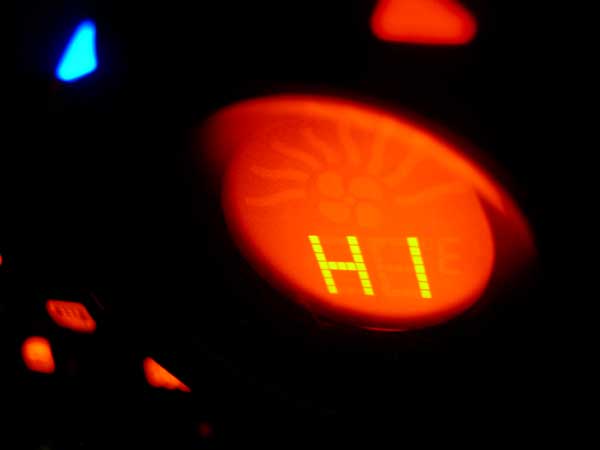
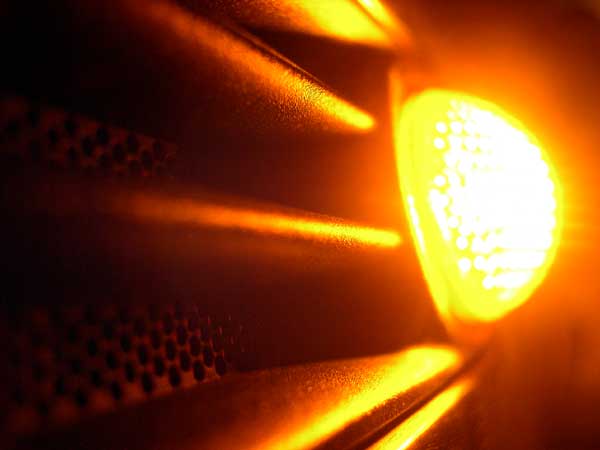
Ok, here are 2 more to hopefully serve as some inspiration. These are more arty than anything. And of course, as clarification, these were NOT submitted for the contest--they were just some extra shots I did that I thought were cool.
Thread Starter
|
pug poo picker-upper
Joined: Jun 2002
Posts: 9,803
Likes: 30
From: California


Thread
Thread Starter
Forum
Replies
Last Post
blackie
MINI Parts for Sale
31
Jan 18, 2017 09:56 PM
minipopkart
R50/R53 :: Hatch Talk (2002-2006)
2
Aug 13, 2015 05:22 AM