General MINI Talk Shared experiences, motoring minutes, and other general MINI-related discussion that applies to all MINIs, regardless of model, year or trim.
Sponsored by:
Sponsored by:

New Byte Tronik Hidden Dash Cam

Thread Tools
 
Search this Thread
 
Old Mar 24, 2018 | 07:44 PM
  #1  
Mini_Vinnie's Avatar
Mini_Vinnie
Thread Starter
|
Moderator
iTrader: (1)
Joined: Feb 2016
Posts: 1,571
Likes: 268
From: Minneapolis, MN
New Byte Tronik Hidden Dash Cam

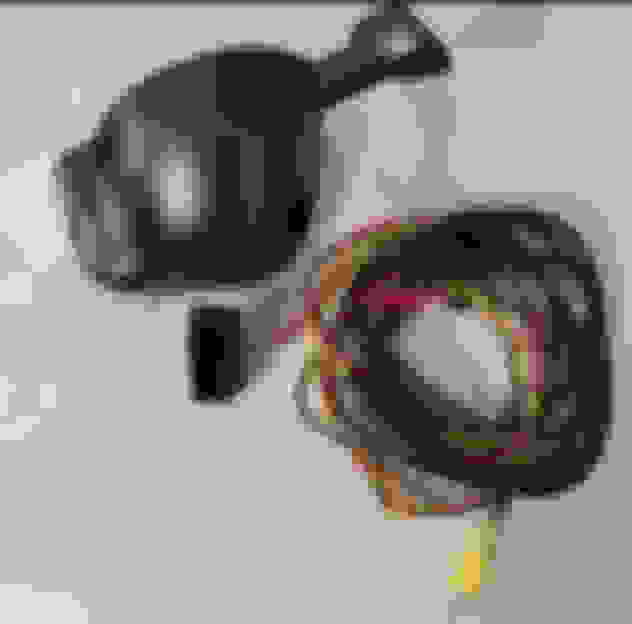
Yep, you read it right, Byte Tronik has a new rearview mirror camera coming out soon for the 2nd and 3rd gen Minis. I had an opportunity to test one out and this thing is pretty cool.

The best part, it is powered by the OBD port so there are no wires to splice, fuses to tap, etc.. Simpley plug it in, run the cord and attach it to the mirror. It looks stock.

I ran mine up through the A-Pilar and tucked the cord into the headliner. There is an accompining app that controls the video recording, resolution, picture and video management, etc...

I did a full review here - https://myredmini.com/byte-tronik-re...mirror-camera/


Reply
Old Mar 25, 2018 | 08:18 PM
  #2  
MQQN's Avatar
MQQN
1st Gear
Joined: Aug 2017
Posts: 22
Likes: 0
I have one of their dash cams as well it is very good and almost invisable
 
Reply
Old Mar 29, 2018 | 02:04 PM
  #3  
NBCGLX's Avatar
NBCGLX
4th Gear
10 Year Member
Liked
Loved
Community Favorite
Joined: Jul 2014
Posts: 552
Likes: 127
I've been looking for a solution just like this! Do you know when it will be available? I didn't see anything on their site.
 
Reply
Old Mar 30, 2018 | 08:08 PM
  #4  
MQQN's Avatar
MQQN
1st Gear
Joined: Aug 2017
Posts: 22
Likes: 0
Originally Posted by NBCGLX
I've been looking for a solution just like this! Do you know when it will be available? I didn't see anything on their site.
it is available now just shoot them an email
 
Reply
Old Mar 30, 2018 | 10:49 PM
  #5  
Bytetronik's Avatar
Bytetronik
Former Vendor
Joined: May 2012
Posts: 592
Likes: 83
More detailed info can be found here: https://www.northamericanmotoring.co...ml#post4379340
 
Reply
Old Mar 31, 2018 | 06:34 AM
  #6  
bratling's Avatar
bratling
Super Moderator
iTrader: (2)
Joined: May 2009
Posts: 1,674
Likes: 218
From: North of Boston, MA
That’s a remarkably clever design! Nice one, Bytetronik!
 
Reply
Old Mar 31, 2018 | 10:09 AM
  #7  
Mini_Vinnie's Avatar
Mini_Vinnie
Thread Starter
|
Moderator
iTrader: (1)
Joined: Feb 2016
Posts: 1,571
Likes: 268
From: Minneapolis, MN
Originally Posted by bratling
That’s a remarkably clever design! Nice one, Bytetronik!
Im telling you, wait until you see it in real life. It looks 100% stock
 
Reply
Old Apr 1, 2018 | 08:06 AM
  #8  
NBCGLX's Avatar
NBCGLX
4th Gear
10 Year Member
Liked
Loved
Community Favorite
Joined: Jul 2014
Posts: 552
Likes: 127
Originally Posted by Bytetronik
More detailed info can be found here: https://www.northamericanmotoring.co...ml#post4379340
Looks quite promising!! Any additional pics of the F56 version, perhaps a close up from outside looking at it from the front?
 
Reply
Old Apr 1, 2018 | 09:44 AM
  #9  
GPMini's Avatar
GPMini
2nd Gear
Joined: Jan 2014
Posts: 146
Likes: 11
From: Newberg, OR
Very interested. Love the stealth look when it comes to electronics. Though I have a multifunction gauge that runs of the OBD, so I cant use that to power it up. What's a good way to do this without the OBD port?
 
Reply
Old Apr 1, 2018 | 02:54 PM
  #10  
Bytetronik's Avatar
Bytetronik
Former Vendor
Joined: May 2012
Posts: 592
Likes: 83
Originally Posted by GPMini
Very interested. Love the stealth look when it comes to electronics. Though I have a multifunction gauge that runs of the OBD, so I cant use that to power it up. What's a good way to do this without the OBD port?
We have one version (Version E)that uses the OBD2 Pass-through cable for power; this one is $10 more ($120 shipped). But you will lose the power-switch function since there's no dip-switch; so the camera will be switched on/off in accordance to your ignition.
 
Reply
Old Apr 1, 2018 | 02:59 PM
  #11  
Bytetronik's Avatar
Bytetronik
Former Vendor
Joined: May 2012
Posts: 592
Likes: 83
Originally Posted by NBCGLX
Looks quite promising!! Any additional pics of the F56 version, perhaps a close up from outside looking at it from the front?
Here's how it looks installed on the BMW 3 series.
 
Reply
Old Apr 1, 2018 | 02:59 PM
  #12  
Bytetronik's Avatar
Bytetronik
Former Vendor
Joined: May 2012
Posts: 592
Likes: 83
Originally Posted by Mini_Vinnie
Im telling you, wait until you see it in real life. It looks 100% stock
Can you post a shot of the camera from the outside of the car?
 
Reply
Old Apr 1, 2018 | 03:04 PM
  #13  
Minnie.the.Moocher's Avatar
Minnie.the.Moocher
OVERDRIVE
10 Year Member
Liked
Loved
Community Favorite
Joined: Jun 2014
Posts: 5,391
Likes: 576
From: earth PNW
Any plans to pair this up with a rear facing camera?
 
Reply
Old Apr 1, 2018 | 04:12 PM
  #14  
LostbutFound's Avatar
LostbutFound
2nd Gear
Joined: Jul 2017
Posts: 104
Likes: 11
From: 29 Palms Ca
⬆️+1
 
Reply
Old Apr 1, 2018 | 05:26 PM
  #15  
Mini_Vinnie's Avatar
Mini_Vinnie
Thread Starter
|
Moderator
iTrader: (1)
Joined: Feb 2016
Posts: 1,571
Likes: 268
From: Minneapolis, MN
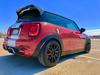
Sorry guys, Easter duties. Here are some pictures.

Those are golf clubs in the back under the towel, not a dead body


Reply
Old Apr 15, 2018 | 07:46 AM
  #16  
chuckee98's Avatar
chuckee98
2nd Gear
15 Year Member
Liked
iTrader: (1)
Joined: Jul 2009
Posts: 146
Likes: 18
From: lawn gyland
Any issues with mounting compatibility with the rain sensor?
 
Reply
Old Apr 15, 2018 | 08:06 AM
  #17  
vetsvette's Avatar
vetsvette
Moderator
iTrader: (5)
Joined: Oct 2013
Posts: 3,896
Likes: 453
From: South Central Virginia
Originally Posted by chuckee98
Any issues with mounting compatibility with the rain sensor?
I had the same question. I sent a picture of my rear view mirror to Mike to make sure. The new one is virtually identical and should pose no problem with the auto wipers. Of course I haven't had mine installed yet. I'm giving my son in law a short break since he spent all day a couple weeks ago installing coil overs and catless DP for me. Might try today, but definitely by next weekend. I really want to try it at MOTD.
 
Reply
Old Apr 16, 2018 | 06:36 AM
  #18  
Bytetronik's Avatar
Bytetronik
Former Vendor
Joined: May 2012
Posts: 592
Likes: 83
Originally Posted by chuckee98
Any issues with mounting compatibility with the rain sensor?
No, it does not interfere with the rain sensor. Below is a picture of the OEM plastic cover:


If your current cover looks like this, then the Hidden dash cam will work for your F56.
 
Reply
Old Apr 23, 2018 | 04:57 PM
  #19  
chuckee98's Avatar
chuckee98
2nd Gear
15 Year Member
Liked
iTrader: (1)
Joined: Jul 2009
Posts: 146
Likes: 18
From: lawn gyland
How do I go about getting one? There's no option on the bytetronik site...
 
Reply
Old Apr 23, 2018 | 05:25 PM
  #20  
Bytetronik's Avatar
Bytetronik
Former Vendor
Joined: May 2012
Posts: 592
Likes: 83
Originally Posted by chuckee98
How do I go about getting one? There's no option on the bytetronik site...
Sent you a PM.
 
Reply
Old Apr 24, 2018 | 04:29 PM
  #21  
NBCGLX's Avatar
NBCGLX
4th Gear
10 Year Member
Liked
Loved
Community Favorite
Joined: Jul 2014
Posts: 552
Likes: 127
What F-cars with the KAFAS camera that's used for the active cruise control, etc.?
 
Reply
Old Apr 24, 2018 | 05:24 PM
  #22  
Bytetronik's Avatar
Bytetronik
Former Vendor
Joined: May 2012
Posts: 592
Likes: 83
Originally Posted by NBCGLX
What F-cars with the KAFAS camera that's used for the active cruise control, etc.?
The housing with the KAFAS is not the same size as this; so this hidden cam won't fit :(
 
Reply
Old Apr 25, 2018 | 07:15 PM
  #23  
vetsvette's Avatar
vetsvette
Moderator
iTrader: (5)
Joined: Oct 2013
Posts: 3,896
Likes: 453
From: South Central Virginia
Do you guys have a better users guide than the little piece of paper with vague suggestions in minuscule type that came with the camera. Installed easily and looks great. Seems to work fine, but is far from what I would call intuitive. Also, I can't seem to load the app onto my iPad by scanning the code on the "directions". Is there a trick to using the app on iPad?

EDIT: Disregard the iPad problem. I got that sorted out.
 

Last edited by vetsvette; Apr 25, 2018 at 07:23 PM.
Reply
Old May 2, 2018 | 08:54 AM
  #24  
chuckee98's Avatar
chuckee98
2nd Gear
15 Year Member
Liked
iTrader: (1)
Joined: Jul 2009
Posts: 146
Likes: 18
From: lawn gyland
Originally Posted by vetsvette
Do you guys have a better users guide than the little piece of paper with vague suggestions in minuscule type that came with the camera. Installed easily and looks great. Seems to work fine, but is far from what I would call intuitive. Also, I can't seem to load the app onto my iPad by scanning the code on the "directions". Is there a trick to using the app on iPad?

EDIT: Disregard the iPad problem. I got that sorted out.
Any feedback or opinions on the dashcam? I haven't gotten around to installing mine yet.
 
Reply
Old Jun 5, 2018 | 05:14 PM
  #25  
chuckee98's Avatar
chuckee98
2nd Gear
15 Year Member
Liked
iTrader: (1)
Joined: Jul 2009
Posts: 146
Likes: 18
From: lawn gyland
So I finally got around to installling the mirror cam, and have been playing with it and trying to figure out how it all works, since the instructions are cryptic at best. Had a couple of questions, and hopefully someone can answer them for me...

What is the "urgent" folder and the "emergency videos"? I had three videos pop up as "emergency videos", and downloaded one, which ended up in the "urgent" folder. No clue what I did to tag these videos as " emergency". Also, how do you delete the "emergency video"? I can select the regular videos and delete those, but am not able to select any of the "emergency" ones.

 
Reply


All times are GMT -7. The time now is 01:34 AM.