


New to the site

Guest
Posts: n/a
New to the site
Hi, I’m in the uk and have a highly specced 2017 Countryman S auto awd.
I’m trying to find out how to add CarPlay. I have nav and reverse camera but no touch screen.
The vin is 3C01098. Can someone on here please tell me how best to add CarPlay? Can it be coded?
Thanks
Stevebaker
I’m trying to find out how to add CarPlay. I have nav and reverse camera but no touch screen.
The vin is 3C01098. Can someone on here please tell me how best to add CarPlay? Can it be coded?
Thanks
Stevebaker


Welcome!
You would have to swap screen. Lots of work. https://www.minif56.com/threads/can-...f56-mcs.90330/
You can use the existing screen and upgrade to the carplay piggyback units, look at your screen or find out if you have and match it up.
https://www.northamericanmotoring.co...men-parts.html
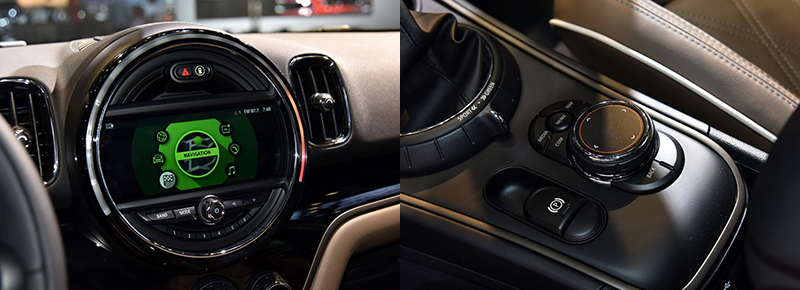

You would have to swap screen. Lots of work. https://www.minif56.com/threads/can-...f56-mcs.90330/
You can use the existing screen and upgrade to the carplay piggyback units, look at your screen or find out if you have and match it up.
https://www.northamericanmotoring.co...men-parts.html
__________________

MINI Guru/ MINI Owner Since 2004 | NEW Lifetime Part Replacement | Local Pickup
Milltek | Genuine MINI | Forge Motorsport | NM Engineering | ECS Performance | M7 Speed
Customer Service Hours: 8am-8pm EST|Sales Team Hours: 8am-11pm | SAT 10am-7pm 800.924.5172
MINI Guru/ MINI Owner Since 2004 | NEW Lifetime Part Replacement | Local Pickup
Milltek | Genuine MINI | Forge Motorsport | NM Engineering | ECS Performance | M7 Speed
Customer Service Hours: 8am-8pm EST|Sales Team Hours: 8am-11pm | SAT 10am-7pm 800.924.5172

Thread
Thread Starter
Forum
Replies
Last Post
MinisINCornwall
2nd Gen Countryman (F60) Talk (2016-2024)
38
Mar 19, 2025 07:51 PM
KLen
2nd Gen Countryman (F60) Talk (2016-2024)
0
Oct 31, 2023 05:38 PM