


Navigation & Audio Zune - An Alternative iPod Solution For The MINI


Thread Starter
|
6th Gear
Joined: Sep 2004
Posts: 1,497
Likes: 0
From: Orange County, CA
Zune - An Alternative iPod Solution For The MINI
Hi All,
For those of you who don't really care for the iPod and are looking for an alternative audio/video solution for your MINI, then you should be sure to check out the new v2 Zunes that were just released this month by Microsoft. The new Zune units are amazing little audio/video players, which IMHO are quite a bit better than the new iPods (save for the iPod Touch which is pretty darn cool but way to limited on storage space).
I just got a new Zune 80 and IMO there's just no real comparison between it and my iPod Classic 80GB. I love the user interface (UI) on the new Zunes and the TV out feature just can't be matched by the iPod. I purchased one of the Zune Home A/V Pack kits and used it to hook the Zune up in my MINI. The Zune 80 outputs its entire UI via a TV out setting and the result is simply stunning. I installed the Zune into my glove box and use the small IR remote (along with an IR repeater) to fully control the Zune from the driver's seat. Here's what it looks like on my MINI's nav display (sorry for the cruddy pics):


As you can see, the Zune is quite nice when integrated with the MINI's factory nav system. However, it will work just as well for those who don't have nav. The Zune 80 has a really nice 3.2" full color display and so you can easily hook it up to your MINI's AUX input port and just control its UI via the Zune itself. It has a really nice full screen album art display and videos look awesome on it.
The Zunes fully support MP3, WMA, and AAC/M4A audio as well as WMV and MP4/H.264 video (at FULL DVD quality) so they're a perfect match for all your portable audio and video needs.
Enjoy!
For those of you who don't really care for the iPod and are looking for an alternative audio/video solution for your MINI, then you should be sure to check out the new v2 Zunes that were just released this month by Microsoft. The new Zune units are amazing little audio/video players, which IMHO are quite a bit better than the new iPods (save for the iPod Touch which is pretty darn cool but way to limited on storage space).
I just got a new Zune 80 and IMO there's just no real comparison between it and my iPod Classic 80GB. I love the user interface (UI) on the new Zunes and the TV out feature just can't be matched by the iPod. I purchased one of the Zune Home A/V Pack kits and used it to hook the Zune up in my MINI. The Zune 80 outputs its entire UI via a TV out setting and the result is simply stunning. I installed the Zune into my glove box and use the small IR remote (along with an IR repeater) to fully control the Zune from the driver's seat. Here's what it looks like on my MINI's nav display (sorry for the cruddy pics):
As you can see, the Zune is quite nice when integrated with the MINI's factory nav system. However, it will work just as well for those who don't have nav. The Zune 80 has a really nice 3.2" full color display and so you can easily hook it up to your MINI's AUX input port and just control its UI via the Zune itself. It has a really nice full screen album art display and videos look awesome on it.
The Zunes fully support MP3, WMA, and AAC/M4A audio as well as WMV and MP4/H.264 video (at FULL DVD quality) so they're a perfect match for all your portable audio and video needs.
Enjoy!
Last edited by TheOfficeMaven; Nov 28, 2007 at 11:39 AM.


Thread Starter
|
6th Gear
Joined: Sep 2004
Posts: 1,497
Likes: 0
From: Orange County, CA
I guess noles825 was right and there are indeed a lot of Zune haters on this site. Well, all I can say is don't knock it until you've tried it.
As I mentioned, my Zune 80 completely and totally blows away my iPod Classic is every way (IMHO). I like the iPod as well, but I'd certainly take the Zune 80 over the iPod Classic any day.
It doesn't help that I dislike Apple with a passion. I can't believe that after all these years I finally got sucked into the Apple vortex. I just about cried when I finally broke down and walked into an Apple store for the first time the other day (only to buy a crappy Apple-branded A/V cable since Apple selfishly locked down the TV out in all their new iPods forcing you to use their specific A/V cable which has an identification/authorization chip built into it). Ah, but I guess all big companies have their followers and haters.
As I mentioned, my Zune 80 completely and totally blows away my iPod Classic is every way (IMHO). I like the iPod as well, but I'd certainly take the Zune 80 over the iPod Classic any day.
It doesn't help that I dislike Apple with a passion. I can't believe that after all these years I finally got sucked into the Apple vortex. I just about cried when I finally broke down and walked into an Apple store for the first time the other day (only to buy a crappy Apple-branded A/V cable since Apple selfishly locked down the TV out in all their new iPods forcing you to use their specific A/V cable which has an identification/authorization chip built into it). Ah, but I guess all big companies have their followers and haters.
Trending Topics

3rd Gear
Joined: Feb 2005
Posts: 218
Likes: 0
From: Seattle, WA
There is one feature of the Zune which makes it a real killer for the MINI (or another car for that matter).
The Wireless Sync - you don't have to unplug it from your car or take it out of the glove box to upload new music/videos on it.
Just add the new music on your PC at home and hit Wireless Sync on the Zune while you are heating up the engine ;-)
The Wireless Sync - you don't have to unplug it from your car or take it out of the glove box to upload new music/videos on it.
Just add the new music on your PC at home and hit Wireless Sync on the Zune while you are heating up the engine ;-)
Thread Starter
|
6th Gear
Joined: Sep 2004
Posts: 1,497
Likes: 0
From: Orange County, CA
Yes indeed. That's exactly what I've been doing. Although the sync is a bit slow. It's fine for music, but it takes quite a while for video to sync. Personally, I think there's a small problem with the Zune firmware and/or software since even direct USB 2.0 connections to the Zune have very slow sync times for video (even when no file conversion is required). My iPod Classic copies over the same videos much faster.

6th Gear
Joined: Apr 2007
Posts: 1,224
Likes: 0
From: Atlanta, GA
Zune=Suck.
iPod=Happy, Happy, Joy, Joy!
(And if I might oblige, it seems like the OP either works for Microsoft, or is VERY partial to the company and it's products. I would take this review with a grain of salt. I like my iPod alot, on my fifth different one, and have been pleased with all of them, but you won't find me selling them on a MINI forum......)
iPod=Happy, Happy, Joy, Joy!
(And if I might oblige, it seems like the OP either works for Microsoft, or is VERY partial to the company and it's products. I would take this review with a grain of salt. I like my iPod alot, on my fifth different one, and have been pleased with all of them, but you won't find me selling them on a MINI forum......)

OVERDRIVE


Joined: Aug 2006
Posts: 7,201
Likes: 8
From: Norfolk, VA
If the Zune is inside the glovebox and the infrared remote is outside of the glove box, how can the two communicate, even with an IR repeater?
Is the repeater a two-piece device, with part of it located outside the glovebox and part of it located inside the glove box?
Is the repeater a two-piece device, with part of it located outside the glovebox and part of it located inside the glove box?

3rd Gear
Joined: Apr 2007
Posts: 155
Likes: 0
From: Charleston, SC
That looks like a great set-up.
I'm admittedly an apple fanboy but always like to see the bar raised.
Does the ipod not display a full menu on a TV screen when connected with the apple AV wires?
I thought about installing an Apple TV in my MINI but don't have the factory NAV. I couldn't decide how to mount a screen without it looking bad, so I decided against it.
I'm admittedly an apple fanboy but always like to see the bar raised.
Does the ipod not display a full menu on a TV screen when connected with the apple AV wires?
I thought about installing an Apple TV in my MINI but don't have the factory NAV. I couldn't decide how to mount a screen without it looking bad, so I decided against it.

3rd Gear
Joined: Apr 2007
Posts: 159
Likes: 0
From: Washington DC
Thanks for a great post. I have a R56, and a Zune. I LOVE my Zune setup in my mini. I have the old style round dock which I have velcroed on top of one of my cup holders (passenger side), it fits perfectly and have the car adapter to give the dock power and a cable plugged in to the Aux in port of my Mini.
When I saw your post I was thrilled! My question is how did you get the NAV system AV input? That is SO cool! I really want that so that I can see the Zune interface on my Nav system.
When I saw your post I was thrilled! My question is how did you get the NAV system AV input? That is SO cool! I really want that so that I can see the Zune interface on my Nav system.
OVERDRIVE
Joined: Aug 2006
Posts: 7,201
Likes: 8
From: Norfolk, VA
Yes indeed. That's exactly what I've been doing. Although the sync is a bit slow. It's fine for music, but it takes quite a while for video to sync. Personally, I think there's a small problem with the Zune firmware and/or software since even direct USB 2.0 connections to the Zune have very slow sync times for video (even when no file conversion is required). My iPod Classic copies over the same videos much faster.
Right now, I have a 16GB iPod Touch, a 2GB shuffle (the newer style with the built-in clip), and a 60GB 5th-gen video iPod. The Video iPod is by far the fastest when it comes to syncing, and even the Shuffle is faster than the Touch. They're all USB 2.0 connections, obviously. Is it just that flash-memory is that much slower than a hard drive when it comes to transferring songs?

I've never used a Zune, but I've noticed that file transfers to my iPods seem to be getting slower with each new iPod iteration.
Right now, I have a 16GB iPod Touch, a 2GB shuffle (the newer style with the built-in clip), and a 60GB 5th-gen video iPod. The Video iPod is by far the fastest when it comes to syncing, and even the Shuffle is faster than the Touch. They're all USB 2.0 connections, obviously. Is it just that flash-memory is that much slower than a hard drive when it comes to transferring songs?
Right now, I have a 16GB iPod Touch, a 2GB shuffle (the newer style with the built-in clip), and a 60GB 5th-gen video iPod. The Video iPod is by far the fastest when it comes to syncing, and even the Shuffle is faster than the Touch. They're all USB 2.0 connections, obviously. Is it just that flash-memory is that much slower than a hard drive when it comes to transferring songs?
I also had a first generation zune which i sold a couple months ago. I thought the problem with zunes was that no line out dock had been developed for them and you had to rely on the headphone out, has this changed with the new generation of zune?
Thread Starter
|
6th Gear
Joined: Sep 2004
Posts: 1,497
Likes: 0
From: Orange County, CA
Zune=Suck.
iPod=Happy, Happy, Joy, Joy!
(And if I might oblige, it seems like the OP either works for Microsoft, or is VERY partial to the company and it's products. I would take this review with a grain of salt. I like my iPod alot, on my fifth different one, and have been pleased with all of them, but you won't find me selling them on a MINI forum......)
iPod=Happy, Happy, Joy, Joy!
(And if I might oblige, it seems like the OP either works for Microsoft, or is VERY partial to the company and it's products. I would take this review with a grain of salt. I like my iPod alot, on my fifth different one, and have been pleased with all of them, but you won't find me selling them on a MINI forum......)
Yeah, I work for Microsoft. Get a life buddy. Why don't you take a good look at my profile and search some of my back posts before you make a statement like that. You'll quickly see that I've been around these forums A LOT longer than you have and am quite well respected here. Oy!

Thread Starter
|
6th Gear
Joined: Sep 2004
Posts: 1,497
Likes: 0
From: Orange County, CA
If the Zune is inside the glovebox and the infrared remote is outside of the glove box, how can the two communicate, even with an IR repeater?
Is the repeater a two-piece device, with part of it located outside the glovebox and part of it located inside the glove box?
Is the repeater a two-piece device, with part of it located outside the glovebox and part of it located inside the glove box?
http://store.mp3car.com/IR_X_Infrare..._p/com-010.htm
Thread Starter
|
6th Gear
Joined: Sep 2004
Posts: 1,497
Likes: 0
From: Orange County, CA
That looks like a great set-up.
I'm admittedly an apple fanboy but always like to see the bar raised.
Does the ipod not display a full menu on a TV screen when connected with the apple AV wires?
I thought about installing an Apple TV in my MINI but don't have the factory NAV. I couldn't decide how to mount a screen without it looking bad, so I decided against it.
I'm admittedly an apple fanboy but always like to see the bar raised.
Does the ipod not display a full menu on a TV screen when connected with the apple AV wires?
I thought about installing an Apple TV in my MINI but don't have the factory NAV. I couldn't decide how to mount a screen without it looking bad, so I decided against it.
Nope, the iPod's TV out feature is VERY limited. It only displays the pictures/videos themselves. It won't display the iPod's UI and it won't display album art while playing music or anything like that. In fact, in the newest iPods, Apple made the iPod's TV out feature even worse by removing the minimal On-Screen Display (OSD) for video status (like what's shown in my last photo above) that existed in the 5th gen iPods, and they now require you to purchase a $50 Apple-branded A/V cable (that has a authentication chip built into it) so that the video out will function.
An Apple TV would indeed be a nice solution, but seeing as it doesn't support a composite video output, it's a difficult solution to make work (since you need an expensive adapter that will allow you to go from component to composite video output).
Thread Starter
|
6th Gear
Joined: Sep 2004
Posts: 1,497
Likes: 0
From: Orange County, CA
Thanks for a great post. I have a R56, and a Zune. I LOVE my Zune setup in my mini. I have the old style round dock which I have velcroed on top of one of my cup holders (passenger side), it fits perfectly and have the car adapter to give the dock power and a cable plugged in to the Aux in port of my Mini.
When I saw your post I was thrilled! My question is how did you get the NAV system AV input? That is SO cool! I really want that so that I can see the Zune interface on my Nav system.
When I saw your post I was thrilled! My question is how did you get the NAV system AV input? That is SO cool! I really want that so that I can see the Zune interface on my Nav system.

Getting a video input in your MINI is very easy assuming you have a 1st gen MINI with factory nav that is. It requires the use of a small video converter box that interupts the standard nav map/menu display and replaces it with any video input signal you desire.
I'm using a really nice unit called NavTool. It's a 100% plug-n-play solution in that you don't have to cut any wires in order to install it (you do however need to supply a 12v accessory power wire and a ground wire to the unit). It comes with a small wiring harness that allows it to piggyback onto your existing nav computer. It's a very easy install if you are comfortable accessing your nav computer (which is located under your passenger's seat if you have a hardtop 1st gen MINI or under your driver's seat if you have a convertible 1st gen MINI).
The video converter devices used to be quite expensive (i.e. upwards of $1,000 or more), but you can now get them for under $200. Here's a link to the NavTool one I'm using:
http://www.tvandnav.com/ ($199)
This one is also worth looking into (and would probably be the one I'd buy if I had it to do over again):
http://www.avelectronic.com/Navigati...Interface.html ($250)
I hope that helps some.

Thread Starter
|
6th Gear
Joined: Sep 2004
Posts: 1,497
Likes: 0
From: Orange County, CA
http://assets.zune.net/en-us/zune/su...HomeAVPack.pdf
Last edited by TheOfficeMaven; Nov 28, 2007 at 02:12 PM.
1st Gear
Joined: Nov 2007
Posts: 49
Likes: 0
Zune=Suck.
iPod=Happy, Happy, Joy, Joy!
(And if I might oblige, it seems like the OP either works for Microsoft, or is VERY partial to the company and it's products. I would take this review with a grain of salt. I like my iPod alot, on my fifth different one, and have been pleased with all of them, but you won't find me selling them on a MINI forum......)
iPod=Happy, Happy, Joy, Joy!
(And if I might oblige, it seems like the OP either works for Microsoft, or is VERY partial to the company and it's products. I would take this review with a grain of salt. I like my iPod alot, on my fifth different one, and have been pleased with all of them, but you won't find me selling them on a MINI forum......)
OfficeMaven. Thanks for the info. I've been searching alternatives to the iPod for some time now. I just don't agree with a product that forces me to use product specific additions. Not that the ipod is a bad product, I personally just don't agree with the company's ways though. They are second only to AOL in my opinion for "dumbing" things up just to force you into a captive audience. How else are they going to get that rediculous amount of money for a product that's no more superior? They have cool commercials though.

Same goes for Apple.
In my opinion, the iPod was the best hands portable music player, hands down, right up until the release of the iPod Classic. My iPod Photo 60GB (4th Gen) was the first Apple product I've ever bought, quite simply because it outshined anything else on the market when it was released. So far, with the iPod Classic, I'm quite disappointed (see here for the reasons, reasons I've noticed too)... I'm hoping that they fix the issues with it with firmware updates.
Anyone, like TOM, who tries an iPod for the first time with the iPod Classic, is bound to be disappointed. The iPod Video (Gen 5.5) is the best overall iPod out there, IMO... if you want capacity (the iPod Touch & iPod Nano just don't have enough space for my tastes).
As for the Zune, I had never given it a second glance before, and I'm still not convinced, but TOM's positive comments (plus the addition of AAC support) make me at least willing to take a look at it.
Although the iPod Classic still holds the capacity crown with a 160GB model available. Damn those crappy, sluggish new menus!
There is indeed a lineout solution for the new v2 Zunes, and AFAIK, there was also a lineout solution for the older v1 Zunes as well. It's part of the Zune Home A/V Pack (which was upgraded to v2 for use with the new Zunes but the older v1 pack works just the same). It comes with an A/V cable that can either be plugged into the headphone out port directly on the Zune, or it can be plugged into the lineout port on the back of the Zune dock. See the Zune Home A/V Pack setup manual here for the details:
http://assets.zune.net/en-us/zune/su...HomeAVPack.pdf
http://assets.zune.net/en-us/zune/su...HomeAVPack.pdf
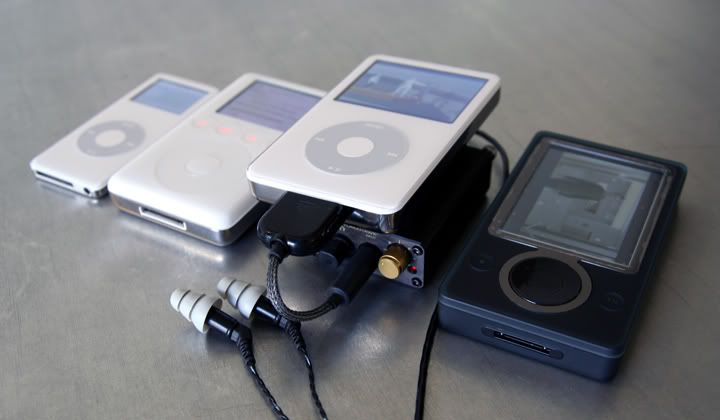
)
Thread Starter
|
6th Gear
Joined: Sep 2004
Posts: 1,497
Likes: 0
From: Orange County, CA
You're right about that... I do wish that there was a simple line-out cable dock that could be used with the Zune (just like exists for the iPod). Right now, it's a bit awkward fitting the rather large dock contraption in the glove box of my MINI. It would be much nicer if I just had a simple cable that I could plug into the dock port on the bottom of the Zune (just like I have for my Intravee iPod adapter setup).
Nice Zune 30 BTW.
Nice Zune 30 BTW.
