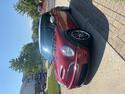
I am about to add leather heated seats from an R56 in R53.
I have seen threads regarding the install process for seat belts and airbag, but does anyone have/found info to wire up the heated seats.
I'm getting a pretty good deal on the seats, but may pass them up if the heated portion can't be wired.
Help!!
I have seen threads regarding the install process for seat belts and airbag, but does anyone have/found info to wire up the heated seats.
I'm getting a pretty good deal on the seats, but may pass them up if the heated portion can't be wired.
Help!!

I currently have heated seats in the mini, factory installed, not retrofit.
Wondering what is involved to get the R56 ones (heated) to work.
I have seen threads for the install of the seats, the seatbelt buckle and the airbag, but nothing on the wiring to make the heated seats work.
What I have seen is there will be a plug from the R56 seats for heating, that would need to be wired (somehow, maybe) to the harness that's on the floor, connected to the switches.
Wondering what is involved to get the R56 ones (heated) to work.
I have seen threads for the install of the seats, the seatbelt buckle and the airbag, but nothing on the wiring to make the heated seats work.
What I have seen is there will be a plug from the R56 seats for heating, that would need to be wired (somehow, maybe) to the harness that's on the floor, connected to the switches.

6th Gear
You might be able to find the control box and extend the wires to the R56 seats. The switch wires should already be there. This link was posted in another thread for the diagrams of both Gens. http://www.bmw-planet.com/diagrams/release/en/
The 1st and 2nd Gen heated seats are wired differently with the 1st having the control units outside of the seat, and the 2nd gen having the control box along with the elements on the seat. The 1st gen seats have 3 wires at the seat harness and the 2nd gen has 7 wires. Both have the switches behind the shifter.
The 1st and 2nd Gen heated seats are wired differently with the 1st having the control units outside of the seat, and the 2nd gen having the control box along with the elements on the seat. The 1st gen seats have 3 wires at the seat harness and the 2nd gen has 7 wires. Both have the switches behind the shifter.
Awesome. I'll look that up and maybe can get a plan in place before getting the seats.
Can anyone screenshot or send me the PDF for the R56 from the site listed above for the heated seats portion?
I can't access, (mac).
email to noel.a.pineda@gmail.com
Thanks!!!
I can't access, (mac).
email to noel.a.pineda@gmail.com
Thanks!!!