


R50/53 What does this button do?


Thread Starter
|
1st Gear
Joined: Jul 2011
Posts: 30
Likes: 2
From: Superior Township, Michigan
What does this button do?
Ever since I picked up my car I've been wondering what one of the steering wheel control buttons do. On the back of the steering wheel there are up/down buttons for surfing radio presets and volume, and there's the two center buttons. The one on the right of the wheel changes source I believe but the one on the left ????? doesn't do a damn thing. I can't imagine they'd go to the trouble to put a button on the wheel though the clock spring and all those goodies just to have it do nothing.....
So, what is that center button on the back left side of the steering wheel supposed to do?
So, what is that center button on the back left side of the steering wheel supposed to do?

Thread Starter
|
1st Gear
Joined: Jul 2011
Posts: 30
Likes: 2
From: Superior Township, Michigan
And another thing, I've always found it weird that the display on the Tach does nothing but read temperature, it seems like that button should scroll through the functions on that display like pushing the stalk in does on all my other Bimmers.... 


2nd Gear
Joined: May 2011
Posts: 136
Likes: 0
From: Memphis, TN
Oh, that sucks. Maybe you can buy a used stalk off another mini in order to be able to use the other features.
Trending Topics


OVERDRIVE
Joined: Jul 2006
Posts: 7,037
Likes: 283
From: Melbourne, FL
on an 03 the OBC was an option . . . if you didn't buy it, you didn't get the button.
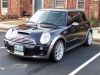
frpm the owner's manual for 03 - multi-function steering wheel:
in the picture the rocker button is labeled 1, and the center button is 2
1
radio
frpm the owner's manual for 03 - multi-function steering wheel:
in the picture the rocker button is labeled 1, and the center button is 2
Buttons facing away from the driver
left
1
radio
Press briefly: selection of the station memory in the FM and AM rangeExtended pressure: station scan
CD
Press briefly: jump to next track
Extended pressure: title scan
Press briefly: jump to next track
Extended pressure: title scan
Cassette
Press briefly: jump to next track or stop fast forward
Extended pressure: fast forward/rewind
Press briefly: jump to next track or stop fast forward
Extended pressure: fast forward/rewind
Right
1 Volume
2 Changing between radio, cassette and CD
1 Volume
2 Changing between radio, cassette and CD
6th Gear
Joined: Apr 2009
Posts: 1,361
Likes: 4
From: Yorktown, VA
Yeah, it was interesting the fact the "center" button on the left of the back of the steering wheel in my '02 MCS did nothing. Be happy you can at least change the stereo mode from the right side. Once MINI changed for the newer style button layout on all '04 and newer steering wheels, there is no longer a way to change the mode. You have to reach over and press it on the stereo itself. 
As for rotating the computer display, you have to have the Premium package, which includes the multifunction steering wheel option (aka the small button on the left arm), or the multifunction option would have to be added as a standalone. Otherwise, temp is all you get. Here's a site that lists the different packages/options so you can look it over: http://www.automobilemag.com/am/99/2...s_options.html.
As for rotating the computer display, you have to have the Premium package, which includes the multifunction steering wheel option (aka the small button on the left arm), or the multifunction option would have to be added as a standalone. Otherwise, temp is all you get. Here's a site that lists the different packages/options so you can look it over: http://www.automobilemag.com/am/99/2...s_options.html.


I could swear the center button on the driver's side was reserved for the optional bluetooth integration package (mute?).
Would be nice if we could program that button to do something, though.
Would be nice if we could program that button to do something, though.

1st Gear
Joined: Jul 2011
Posts: 12
Likes: 0
You simply need to look at the speedometer to see the car's speed.

That center button on the left, I am fairly certain, is the "change CD" button if you had the factory CD changer installed. I believe on the earlier cars the wiring was there whether you had the changer or not. The dealer would probably be happy to sell it to you.
I don't have the changer, but it makes sense. With the right hand you could change volume and mode, the changer would be in the lineup with radio, aux and cd. Then with the left hand you could cycle through the CDs and then change tracks.
I don't have the changer, but it makes sense. With the right hand you could change volume and mode, the changer would be in the lineup with radio, aux and cd. Then with the left hand you could cycle through the CDs and then change tracks.

Thread
Thread Starter
Forum
Replies
Last Post
Navigation & Audio HK Replacement With New Components
Filmy
Navigation & Audio
15
Jun 6, 2023 06:27 AM
F55/F56 Do I have rear fog lights?
Peking Duck
F55/F56 :: Hatch Talk (2014+)
13
Jan 19, 2021 03:17 AM
Navigation & Audio Installing the PAC SWI-RC Steering Wheel Control Interface
Filmy
Navigation & Audio
6
Jun 28, 2016 08:58 AM
WillShootPhotos
R56 :: Hatch Talk (2007+)
6
Sep 14, 2015 07:50 AM