


Navigation & Audio Alpine iDA-X100


2nd Gear
Joined: Feb 2008
Posts: 87
Likes: 0
I love it 
i've triied switching to other HU with video capability, but none come close in ipod functionality which is all i use. The sound quality is amazing (I have it connected through jl 500/1 and 300/2 to ED subs and zapco speaker). I love it. Here's a couple shots.


i've triied switching to other HU with video capability, but none come close in ipod functionality which is all i use. The sound quality is amazing (I have it connected through jl 500/1 and 300/2 to ED subs and zapco speaker). I love it. Here's a couple shots.

I get really good radio reception, and have had no problems.


Neutral
Joined: May 2008
Posts: 7
Likes: 0
From: Where the Army places me
iTouch sounds great with it and the HU blends in really well to the dash. I'm guessing the iphone should work but would double check with alpine on that. To keep your radio MFSW buttons you'll need a PAC SWI-JACK module. once you cut and solder 1 wire in your steering column you're are able to program all the buttons to your liking. It was a DIY for me and turned out to be pretty easy. The only problem is you need to turn off the dimming option or your MFSW buttons won't work with your headlights on. To make custom backgrounds google "Riot Creative AlpineConverter". My radio reception is spotty in some places but I think it's due to having a window antenna (Nav). Hope this helps for anyone thinking about getting an Alpine iDA-X100.
Trending Topics

Thread Starter
|
7th Gear
Joined: Sep 2006
Posts: 1,559
Likes: 0
From: Orange County NY
It went well except I didn't hook up the power antenna wire which powers the antenna junction box. So my radio reception isnt the best but I will fix it over the weekend.
The unit is amazing and I highly recommend it.
The unit is amazing and I highly recommend it.

1st Gear
Joined: Feb 2003
Posts: 46
Likes: 0
From: Santa Cruz, CA
I installed the IDA-X100 over the holidays. I replaced the factory "Boost" hu in my 2003S. I had previously installed the Alpine 6 cd changer in the back. The IDA-X100 navigates the cd changer pretty well also. It gives all the same info as an iPod except album art. I'm using an 8gb 1st gen. iPhone so I don't have access to all my music. You get the message asking if you want to switch to "airplane mode" but if you just ignore it it goes away and starts playing the last iPod song you were listening to. I haven't been able to get the Alpine KCE-350BT bluetooth unit to work properly. People on the other end of a call say I sound like I'm under water. I see that Alpine is coming out with the KCE-400BT at the end of the month and maybe that will help. The SWI-JACK works great with the steering wheel controls, you just have to cut into the wire under the steering column. I programmed it for volume up, mute, volume down on the right side and track up, source, track down on the left side. The middle button on the left now works.
If anyone has any info on making the bluetooth unit work better please let me know.
Thanks
Update 1/29/09: The KCE-350BT works better now after talking to Alpine support. I originally installed the microphone in the slotted outlet next to the sunroof control in the area above the rear view mirror. This is where MINI would install a mic if it had come with my car. Alpine tech support said that the reason my voice sounded so bad during bluetooth use was that the mic was too close to my voice! They said the "gain" on the mic was extremely sensitive and needed to be 4-5 ft. away from my voice to operate properly! Since I couldn't put the mic 4-5 ft. away without putting it behind the back seat I asked if there was anything else I could do. They said I could wrap the mic in "speaker grill cloth" and that would help cut down on the "gain". I cut some transparent black cloth out of an old iPod case I wasn't using anymore and wrapped it around the mic and put it over the slots in the MINI mic cover. Now my calls sound much better but still could be clearer. At least the people on the other end can understand me now. And now I know what I'm dealing with so I'll be able to experiment and try to improve it.
Another issue was the KCE-350BT not recognizing my phone when coming back to my car. I'd have to "pair" with the bluetooth unit each time. Alpine tech support said to go to the setup menu and clear the paired devices and start over. It seems the bluetooth unit would occasionally pair "phantom devices" all on its own during the setup procedure. Sure enough, when I checked the paired devices there was more than one. I cleared all devices and re-paired my iPhone and now it works the way it's supposed to.
The newer Alpine IDA-X305 has a gain adjustment built in to work with the new KCE-400BT bluetooth unit. Alpine said getting the KCE-400BT for the IDA-X100 wouldn't help because it doesn't have the gain adjustment control.
Hope that helps anyone having the same problems.
If anyone has any info on making the bluetooth unit work better please let me know.
Thanks
Update 1/29/09: The KCE-350BT works better now after talking to Alpine support. I originally installed the microphone in the slotted outlet next to the sunroof control in the area above the rear view mirror. This is where MINI would install a mic if it had come with my car. Alpine tech support said that the reason my voice sounded so bad during bluetooth use was that the mic was too close to my voice! They said the "gain" on the mic was extremely sensitive and needed to be 4-5 ft. away from my voice to operate properly! Since I couldn't put the mic 4-5 ft. away without putting it behind the back seat I asked if there was anything else I could do. They said I could wrap the mic in "speaker grill cloth" and that would help cut down on the "gain". I cut some transparent black cloth out of an old iPod case I wasn't using anymore and wrapped it around the mic and put it over the slots in the MINI mic cover. Now my calls sound much better but still could be clearer. At least the people on the other end can understand me now. And now I know what I'm dealing with so I'll be able to experiment and try to improve it.
Another issue was the KCE-350BT not recognizing my phone when coming back to my car. I'd have to "pair" with the bluetooth unit each time. Alpine tech support said to go to the setup menu and clear the paired devices and start over. It seems the bluetooth unit would occasionally pair "phantom devices" all on its own during the setup procedure. Sure enough, when I checked the paired devices there was more than one. I cleared all devices and re-paired my iPhone and now it works the way it's supposed to.
The newer Alpine IDA-X305 has a gain adjustment built in to work with the new KCE-400BT bluetooth unit. Alpine said getting the KCE-400BT for the IDA-X100 wouldn't help because it doesn't have the gain adjustment control.
Hope that helps anyone having the same problems.
Last edited by mudshark; Jan 29, 2009 at 10:17 PM.
Thread Starter
|
7th Gear
Joined: Sep 2006
Posts: 1,559
Likes: 0
From: Orange County NY
There are pictures in this post of it in a mini. I will take some this weekend.
I will check out the Bluetooth this weekend. I ipod mini and it works great so far no issues seen.
I will check out the Bluetooth this weekend. I ipod mini and it works great so far no issues seen.
I installed the IDA-X100 over the holidays. I replaced the factory "Boost" hu in my 2003S. I had previously installed the Alpine 6 cd changer in the back. The IDA-X100 navigates the cd changer pretty well also. It gives all the same info as an iPod except album art. I'm using an 8gb 1st gen. iPhone so I don't have access to all my music. You get the message asking if you want to switch to "airplane mode" but if you just ignore it it goes away and starts playing the last iPod song you were listening to. I haven't been able to get the Alpine KCE-350BT bluetooth unit to work properly. People on the other end of a call say I sound like I'm under water. I see that Alpine is coming out with the KCE-400BT at the end of the month and maybe that will help. The SWI-JACK works great with the steering wheel controls, you just have to cut into the wire under the steering column. I programmed it for volume up, mute, volume down on the right side and track up, source, track down on the left side. The middle button on the left now works.
If anyone has any info on making the bluetooth unit work better please let me know.
Thanks
If anyone has any info on making the bluetooth unit work better please let me know.
Thanks
Last edited by jeffc; Feb 15, 2009 at 07:12 AM.
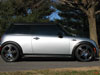
 heres one i just painted my downtubes black as well

3rd Gear
Joined: Aug 2008
Posts: 287
Likes: 0
From: NC
1st Gear
Joined: Feb 2003
Posts: 46
Likes: 0
From: Santa Cruz, CA
New discovery! While in iPod mode on iPhone switch to Pandora and it pauses the iPod song and plays your Pandora channel. Hit the home button on the iPhone and it quits playing Pandora and just hit the pause/play button on the IDA-X100 to resume iPod song. Very cool.

4th Gear
Joined: Jun 2007
Posts: 307
Likes: 0
From: Branford, CT
Hi folks,
I'm debatting going with this HU (or the 305) too.
So far I have the DICE with the standard HU. I didn't like the way it limited my navigation, so I set it to 'passive mode' as I call it and navigate via iPod.
This is even better now since I got the iPhone.
Crutchfield writes that on the IDA-X the navigation on the iPod/iPhone is disabled
Q: Is that true ?
Second question: Besides the iPhone I also would like to connect an Ipod (either my 3rd gen. 40GB or 5th gen. 80GB).
I would be ok to have that iPod being used the way Alpine intended (nav via HU) but would also like to keep the iPhone connected as well (if possible in passive mode).
Q: can I connect both at the same time, on different inputs and, here is the catch, in a better quality way then AUX ?
Any input is appreciated.
Thanks,
volker
I'm debatting going with this HU (or the 305) too.
So far I have the DICE with the standard HU. I didn't like the way it limited my navigation, so I set it to 'passive mode' as I call it and navigate via iPod.
This is even better now since I got the iPhone.
Crutchfield writes that on the IDA-X the navigation on the iPod/iPhone is disabled
Q: Is that true ?
Second question: Besides the iPhone I also would like to connect an Ipod (either my 3rd gen. 40GB or 5th gen. 80GB).
I would be ok to have that iPod being used the way Alpine intended (nav via HU) but would also like to keep the iPhone connected as well (if possible in passive mode).
Q: can I connect both at the same time, on different inputs and, here is the catch, in a better quality way then AUX ?
Any input is appreciated.
Thanks,
volker
1st Gear
Joined: Feb 2003
Posts: 46
Likes: 0
From: Santa Cruz, CA
Volker,
Q1: The navigation on the iPhone is disabled for the iPod portion of the iPhone only. You control the iPod part of the iPhone thru the IDA-X100. You are free to use the rest of your iPhone apps if you want (like Pandora). This connection is made thru the USB 2.0 connection on the back of the IDA-X100 and it charges the iPhone or newer iPod connected to it.
Q2: I believe 4th generation and earlier iPods have to be connected thru the "full speed" connection on the back of the IDA-X100. This requires an extra cable and does not charge the iPod it is hooked up to. Does not provide album art on the display. But it does provide navigation thru the hu.
Correction: 2/14/09 The KCE-422i full speed connection does charge my old 4th gen. 20gb iPod.
Here's the info from the Crutchfield page about all the iPod connections. Gotta love all the info and service they supply:
iPod Interface: The iDA-X100 allows you to connect an iPod in two ways: using the supplied USB cable, or with the optional Full Speed connection cable (item number 500KCE422i). Before connecting an iPod to this unit, you should download the latest available firmware version for your iPod from the Apple iPod website. As of 2/14/08, 5th generation and newer iPods can be connected via the included USB cable (this includes 1st, 2nd, 3rd, 4th generation iPod nano, iPod 5th generation, iPod classic, and iPod touch). With the USB connection you get the fastest speed available and a direct digital connection to the unit's 24-bit DAC. The controls on the iPod are not functional with either connection. The iDA-X100 does not support any video transfer. You can quickly and easily search through all of the music contained on your iPod through Playlist, Artist, or Album searches. You can view Artist, Album, Song Information and Song Number right on the head unit's display. The iDA-X100 is compatible with the following iPod models:
USB Connection:
5th generation iPod
1st generation iPod nano
2nd generation iPod nano
3rd generation iPod nano
4th generation iPod nano
iPod classic (80/120/160GB)
1st generation iPod touch
2nd generation iPod touch
Full Speed Cable Connection:
4th generation iPod
iPod mini
5th generation iPod
1st generation iPod nano
2nd generation iPod nano
3rd generation iPod nano
4th generation iPod nano
iPod classic (80/120/160GB)
1st generation iPod touch
2nd generation iPod touch
Q3: Yes you can hook up both at the same time and get the best quality sound thru either connection. One shows up as iPod and the other as iPod2.
If you're going to use an iPhone I suggest getting the newer 305 since it is set up better for iPhones and bluetooth. My IDA-X100 works with my iPhone but it is somewhat buggy about connecting/disconnecting.
Q1: The navigation on the iPhone is disabled for the iPod portion of the iPhone only. You control the iPod part of the iPhone thru the IDA-X100. You are free to use the rest of your iPhone apps if you want (like Pandora). This connection is made thru the USB 2.0 connection on the back of the IDA-X100 and it charges the iPhone or newer iPod connected to it.
Q2: I believe 4th generation and earlier iPods have to be connected thru the "full speed" connection on the back of the IDA-X100. This requires an extra cable and does not charge the iPod it is hooked up to. Does not provide album art on the display. But it does provide navigation thru the hu.
Correction: 2/14/09 The KCE-422i full speed connection does charge my old 4th gen. 20gb iPod.
Here's the info from the Crutchfield page about all the iPod connections. Gotta love all the info and service they supply:
iPod Interface: The iDA-X100 allows you to connect an iPod in two ways: using the supplied USB cable, or with the optional Full Speed connection cable (item number 500KCE422i). Before connecting an iPod to this unit, you should download the latest available firmware version for your iPod from the Apple iPod website. As of 2/14/08, 5th generation and newer iPods can be connected via the included USB cable (this includes 1st, 2nd, 3rd, 4th generation iPod nano, iPod 5th generation, iPod classic, and iPod touch). With the USB connection you get the fastest speed available and a direct digital connection to the unit's 24-bit DAC. The controls on the iPod are not functional with either connection. The iDA-X100 does not support any video transfer. You can quickly and easily search through all of the music contained on your iPod through Playlist, Artist, or Album searches. You can view Artist, Album, Song Information and Song Number right on the head unit's display. The iDA-X100 is compatible with the following iPod models:
USB Connection:
5th generation iPod
1st generation iPod nano
2nd generation iPod nano
3rd generation iPod nano
4th generation iPod nano
iPod classic (80/120/160GB)
1st generation iPod touch
2nd generation iPod touch
Full Speed Cable Connection:
4th generation iPod
iPod mini
5th generation iPod
1st generation iPod nano
2nd generation iPod nano
3rd generation iPod nano
4th generation iPod nano
iPod classic (80/120/160GB)
1st generation iPod touch
2nd generation iPod touch
Q3: Yes you can hook up both at the same time and get the best quality sound thru either connection. One shows up as iPod and the other as iPod2.
If you're going to use an iPhone I suggest getting the newer 305 since it is set up better for iPhones and bluetooth. My IDA-X100 works with my iPhone but it is somewhat buggy about connecting/disconnecting.
Last edited by mudshark; Feb 14, 2009 at 04:16 PM.
3rd Gear
Joined: Aug 2008
Posts: 287
Likes: 0
From: NC
Just received the x305 and my Infinity 6.5" components and 6x9"s for the rear from Crutchfield!! I'll fill interested parties after the install. Broke my hand last week, so gimme a few tics for recovery then I will install and post impressions
then I will install and post impressions

I have the X100 and also installed the SWI-JACK for steering wheel controls. The X100 is a great deck, I am finishing up the amp install in the rear. With the power antenna lead connected you will have great radio reception. The attached image was taken with an older iPod, the X100 displays album artwork with a USB iPOD only.
