


R56 Brodit cable routing


Thread Starter
|
Neutral
Joined: Jun 2014
Posts: 6
Likes: 0
Brodit cable routing
Hey all, just installed a Brodit into my r56 for my iPhone 5, which is powered by cable to cig lighter. I have wrapped the cable around the brodit mount as the only way I can see of it not dangling about. Is there any neater suggestions, I would like cable to be as hidden as possible but within my doable limits (don't want to wonder where to put the 500 screws back)

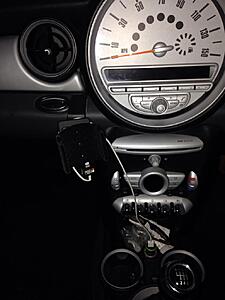
Sorry about pic sizes!!!!
Thanks in advance
Nik
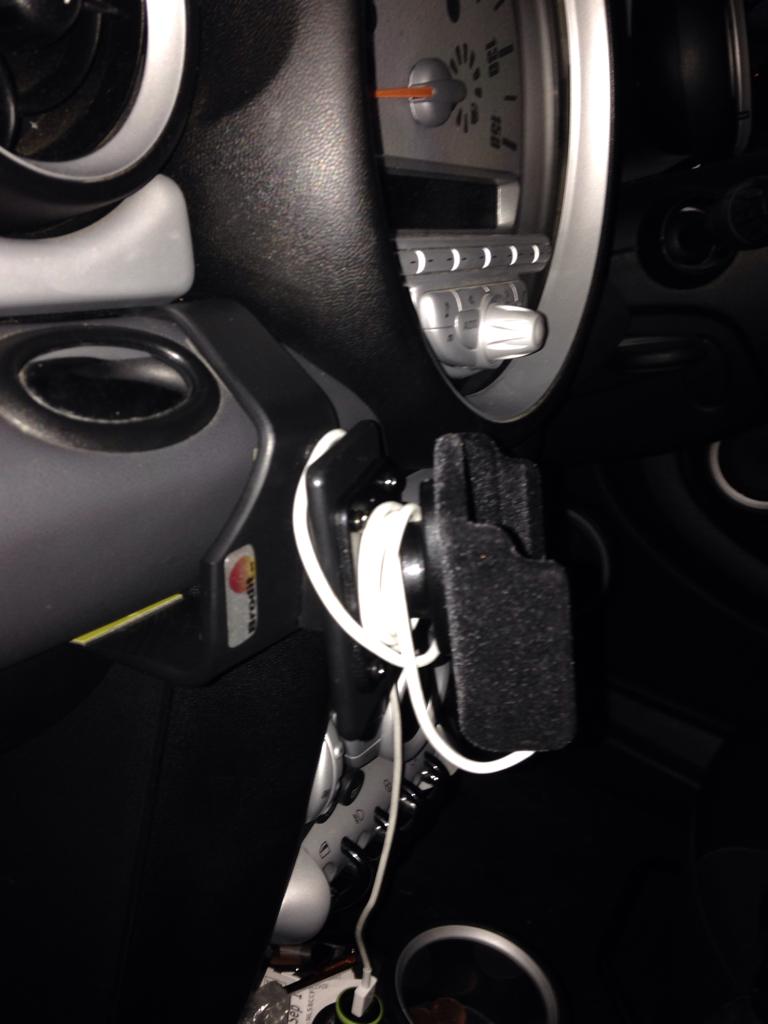
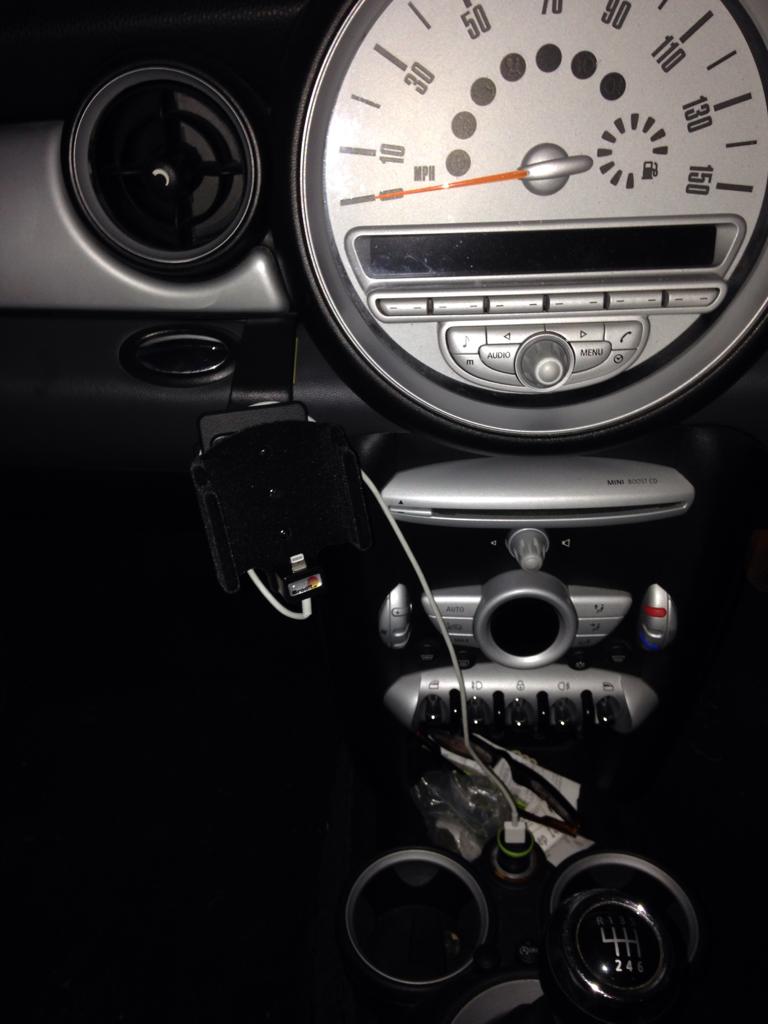
Sorry about pic sizes!!!!
Thanks in advance
Nik
Last edited by Nik87; Oct 17, 2014 at 03:20 AM.

3rd Gear
Joined: Feb 2014
Posts: 191
Likes: 2
From: Des Plaines, IL
I was also looking to solve the loose cable issue. I found these on eBay... I havent bought them yet, but so far it's my best option outside of routing the wires behind the dashboard.
http://www.ebay.com/itm/25x-Car-Inte...-/111400525790
EDIT: Also, I bought a black Lightning cable to blend in better with the dash. That white cable sticks out like a sore thumb. :P
http://www.ebay.com/itm/25x-Car-Inte...-/111400525790
EDIT: Also, I bought a black Lightning cable to blend in better with the dash. That white cable sticks out like a sore thumb. :P
Last edited by Centium; Oct 22, 2014 at 08:32 AM. Reason: Added info...

4th Gear
Joined: Dec 2009
Posts: 452
Likes: 2
From: RIGHT BEHIND YOU... Made you look!
First, buy a black cable. I hate Apple's white accessories.
You can tuck it under the dash sub-panel, and the footwell ceter kick panel. Then work it behind the cubby hole and to the lighter plug. I think you can get away with only removing a couple screws on the sub-panel and popping it out. I routed the XM antenna cable in my better-half's MINI (she doesn't have factory sat radio) in a simlar fashion. It comes out in the back (towards the front of the car) of the cubby hole.
Just get your head down there and look for a route to run the cable. It's not hard.
You can tuck it under the dash sub-panel, and the footwell ceter kick panel. Then work it behind the cubby hole and to the lighter plug. I think you can get away with only removing a couple screws on the sub-panel and popping it out. I routed the XM antenna cable in my better-half's MINI (she doesn't have factory sat radio) in a simlar fashion. It comes out in the back (towards the front of the car) of the cubby hole.
Just get your head down there and look for a route to run the cable. It's not hard.

First, buy a black cable. I hate Apple's white accessories.
You can tuck it under the dash sub-panel, and the footwell ceter kick panel. Then work it behind the cubby hole and to the lighter plug. I think you can get away with only removing a couple screws on the sub-panel and popping it out. I routed the XM antenna cable in my better-half's MINI (she doesn't have factory sat radio) in a simlar fashion. It comes out in the back (towards the front of the car) of the cubby hole.
Just get your head down there and look for a route to run the cable. It's not hard.
You can tuck it under the dash sub-panel, and the footwell ceter kick panel. Then work it behind the cubby hole and to the lighter plug. I think you can get away with only removing a couple screws on the sub-panel and popping it out. I routed the XM antenna cable in my better-half's MINI (she doesn't have factory sat radio) in a simlar fashion. It comes out in the back (towards the front of the car) of the cubby hole.
Just get your head down there and look for a route to run the cable. It's not hard.
would not be hard to hardware it......
use a 12v add-a-fuse..run a wire...get a 12V to usb power adaptor..or make one from the one you have and an extra 12v plug...hide it behind the dash...have just the BLACK plug come out..
Might take an hour...

Thread
Thread Starter
Forum
Replies
Last Post
MINI Stupor
R50/R53 :: Hatch Talk (2002-2006)
3
Oct 1, 2015 11:36 AM