When you click on links to various merchants on this site and make a purchase, this can result in this site earning a commission. Affiliate programs and affiliations include, but are not limited to, the eBay Partner Network.
I just installed Osram 7556 LED for reverse lights, and coded successfully.
What is the consensus, red LED behind the red lens or clear?
Also Amber LEDs or Clear LEDs behind amber turn signal lens (Yes Virginia, I have the Euro spec tie light assemblies.)
Looking at Osram 7556R, Osram recommends red on the EU site.
Sylvania also recommends red for their ZEVO.
Even though Osram IS Sylvania, the Osram 7556 LED is brighter than the
Sylvania 7506 ZEVO LED
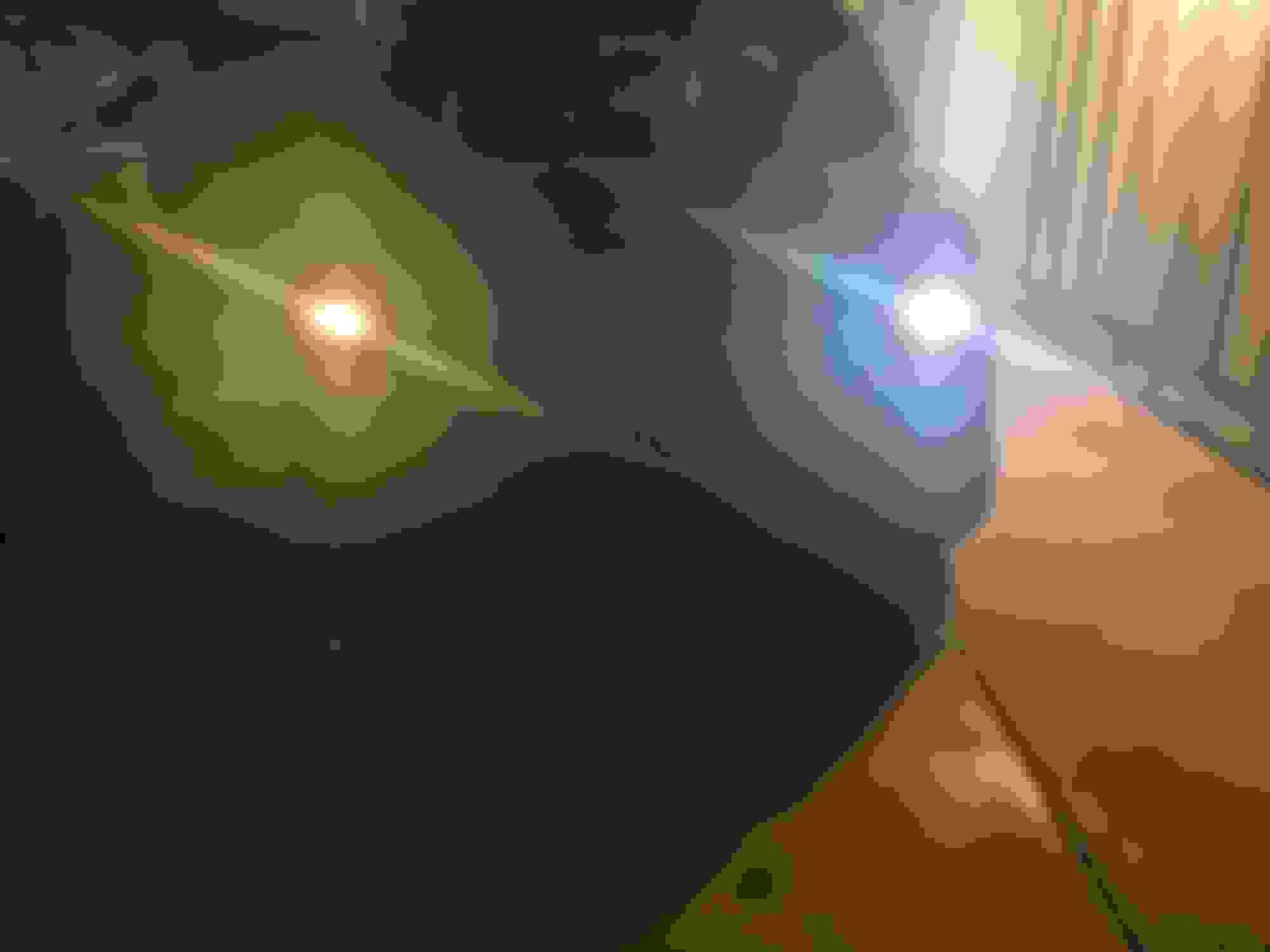
Right is LED, left is OEM.
Last edited by TVPostSound; Oct 11, 2017 at 08:48 PM.
Looking at Osram 7556R, Osram recommends red on the EU site.
Sylvania also recommends red for their ZEVO.
Do what they say.
Use a red LED behind a red lens, and amber LED behind an amber lens.
Your use of the term "clear LED" is not correct (there is no such thing). Red LEDs actually emit red light (and amber LEDs emit amber light) — these are not white LEDs that are colored with a tint. An LED emits its natural color and doesn't work the way a tinted incandescent bulb works.
Night time will probably be okay. The real test is how visible they are during bright daylight. A good way to compare is install LEDs only on one side and original bulbs on the other. The light fixtures are designed for the light pattern of filament bulbs, and retrofit LED bulbs sometimes don't perform as well.
Night time will probably be okay. The real test is how visible they are during bright daylight. A good way to compare is install LEDs only on one side and original bulbs on the other. The light fixtures are designed for the light pattern of filament bulbs, and retrofit LED bulbs sometimes don't perform as well.
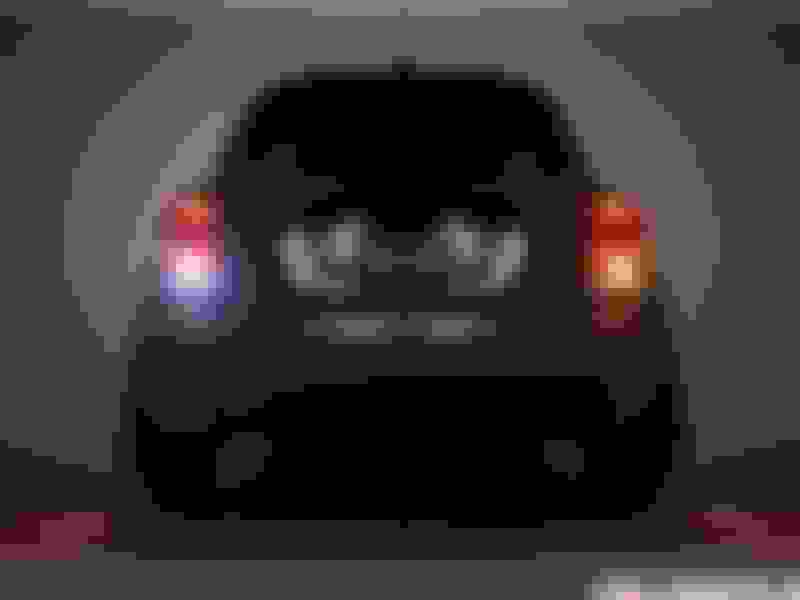
You can see by the reverse pics!! Not too shabby.
They worked out really well.
Osram isn't any fly by night retrofit. They reflect very well.
In my experience, warm and cold checks will cause either bulb out warnings or flashing, either hyper flashing on startup or random flashes as you drive. Make sure you turn these checks off if you're using LEDs.
Was anyone able to code out the checks for the left and right rear brake lights? I tried switching them to LED and got warning message every time so I reverted back. The reverse light and turn signals weren't worth the switch so didn't do those.
Was anyone able to code out the checks for the left and right rear brake lights? I tried switching them to LED and got warning message every time so I reverted back. The reverse light and turn signals weren't worth the switch so didn't do those.
Bimmercode shortcuts aren’t working with the new MINI
programming done st dealers.
Works well sing expert mode.
See my other post on Bimmercode.
I did brake turn and reverse the n led
Bimmercode shortcuts aren’t working with the new MINI
programming done st dealers.
Works well sing expert mode.
See my other post on Bimmercode.
I did brake turn and reverse the n led
What do you mean "shortcuts"? May I get a link to your posts on Bimmercode? I just use E-SYS and still get error messages when I switch the bulbs. I just want to do the brake lights (4 bulbs total on the rear) These are the code I tried changing:
BDC_BODY 30xx
BL_L_KALT*, WARM*, IS_LED for the left side and
BL_R_* three lines for the right side.
What do you mean "shortcuts"? May I get a link to your posts on Bimmercode? I just use E-SYS and still get error messages when I switch the bulbs. I just want to do the brake lights (4 bulbs total on the rear) These are the code I tried changing:
BDC_BODY 30xx
BL_L_KALT*, WARM*, IS_LED for the left side and
BL_R_* three lines for the right side.
E-SYS is only necessary when doing VO updates, bimmercode does all in expert mode.
Once you select a controller (like BDC) a box will appear in the lower left corner of the screen. Select it and scroll up or down to select the item number you want to change. That’s how it works on my iPad. Haven’t tried it on my iPhone.
E-SYS is only necessary when doing VO updates, bimmercode does all in expert mode.
Sorry for the noob question. Is bimmercode a software like esys, can use same hardware to connect to the car?
Searching for bimmercode programming it looks like you are talking about ISTA+ but I don’t know.
Sorry for the noob question. Is bimmercode a software like esys, can use same hardware to connect to the car?
Searching for bimmercode programming it looks like you are talking about ISTA+ but I don’t know.
Oh, okay. Thanks for the link.
So it's just a mobile app that simplifies coding. For iOS you need to buy a dongle that costs about $20.xx and then pay $25 for the in-app-purchase to actually be able to code. Hmm.. I guess I'll just pass and use ESYS.
Oh, okay. Thanks for the link.
So it's just a mobile app that simplifies coding. For iOS you need to buy a dongle that costs about $20.xx and then pay $25 for the in-app-purchase to actually be able to code. Hmm.. I guess I'll just pass and use ESYS.
Its actually deeper than what you see on the apps webpage.
All parameters are available in the expert mode, same parameters as e-sys.
Its actually deeper than what you see on the apps webpage.
All parameters are available in the expert mode, same parameters as e-sys.
I like being able to code using my phone or iPad rather than breaking out my laptop and cable. I bought a windows based laptop just for e-sys, and now I have no use for it. All my equipment is Apple. I guess my Grandson can use it since they have windows machines at school.
We have Ziza Leds that don't need to be coded. I know when they tested the tail lights with LEDs and the rear fog light with LEDs is did not show bright and both was not bright enough. It has to do more with the interior of the taillight and rear fog that focuses the normal halogen light, not so much the brightness of the LED. Our rear Ziza back up lights worked great!