


Interior/Exterior 2003 Mini Cooper S Aux Mod


Thread Starter
|
Neutral
Joined: Jul 2013
Posts: 9
Likes: 0
2003 Mini Cooper S Aux Mod
Hello Every one, I just got a 2003 MC S and it has a radio with single CD player. I wanted to add an aux or even a bluetooth so i could play music. Any ideas/suggestions on how to go about this.


It was just talked about in another thread but this will give you some options.
If you dont have it already in the glove box or under the toggle bank. Its a very popular upgrade for the Gen 1 MINIs. You will know if you have it or not if you see the aux in. Then using a 3.5mm jack connect to you device. Toggle through to you reach Aux on the screen with the Mode button.
Aux Input Cable Install Set Part number 82110153367
http://www.ecstuning.com/Search/SiteSearch/82110153367/ES194874/
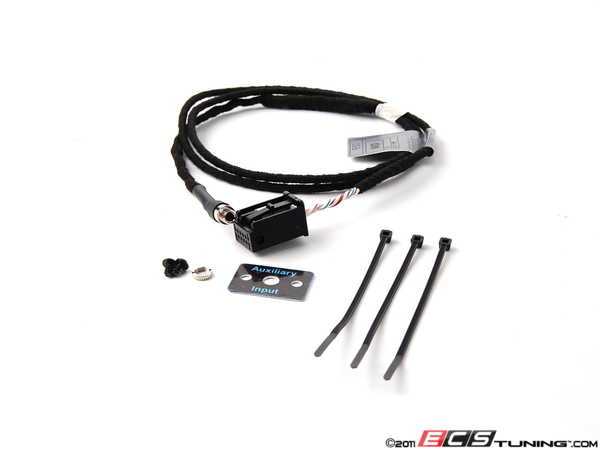
Some people install it right below the toggle bank on the backside plastic cover.

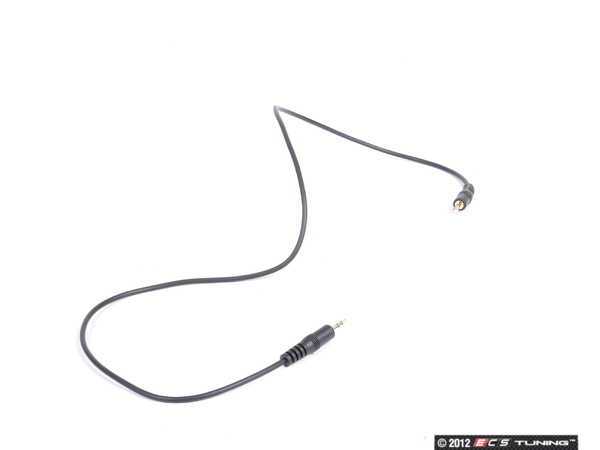
3.5 aux jack. Part number 61122153331
http://www.ecstuning.com/Search/SiteSearch/61122153331/ES2145057/
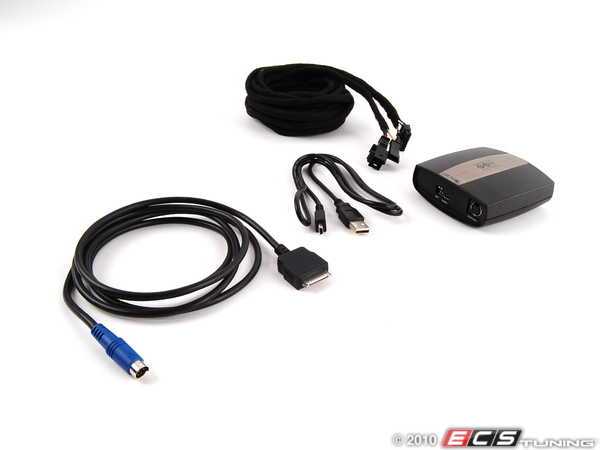
Another option is the more integrated MINI Official IPod kit. Part Number 65110439432
http://www.ecstuning.com/Search/SiteSearch/65110439432/

Here is the install instructions. Its the previous part number that superseded to the one above.
We have the "Dice" Products also below.
http://www.ecstuning.com/Mini-2003-Cooper-R53-S-Coupe-L4_1.6L_W11B16A/Interior/Sound_System/Auxiliary_Input/
That gives you some options for direct connection.
If you dont have it already in the glove box or under the toggle bank. Its a very popular upgrade for the Gen 1 MINIs. You will know if you have it or not if you see the aux in. Then using a 3.5mm jack connect to you device. Toggle through to you reach Aux on the screen with the Mode button.
Aux Input Cable Install Set Part number 82110153367
http://www.ecstuning.com/Search/SiteSearch/82110153367/ES194874/
Some people install it right below the toggle bank on the backside plastic cover.
3.5 aux jack. Part number 61122153331
http://www.ecstuning.com/Search/SiteSearch/61122153331/ES2145057/
Another option is the more integrated MINI Official IPod kit. Part Number 65110439432
http://www.ecstuning.com/Search/SiteSearch/65110439432/
Here is the install instructions. Its the previous part number that superseded to the one above.
We have the "Dice" Products also below.
http://www.ecstuning.com/Mini-2003-Cooper-R53-S-Coupe-L4_1.6L_W11B16A/Interior/Sound_System/Auxiliary_Input/
That gives you some options for direct connection.
__________________

MINI Guru/ MINI Owner Since 2004 | NEW Lifetime Part Replacement | Local Pickup
Milltek | Genuine MINI | Forge Motorsport | NM Engineering | ECS Performance | M7 Speed
Customer Service Hours: 8am-8pm EST|Sales Team Hours: 8am-11pm | SAT 10am-7pm 800.924.5172
MINI Guru/ MINI Owner Since 2004 | NEW Lifetime Part Replacement | Local Pickup
Milltek | Genuine MINI | Forge Motorsport | NM Engineering | ECS Performance | M7 Speed
Customer Service Hours: 8am-8pm EST|Sales Team Hours: 8am-11pm | SAT 10am-7pm 800.924.5172


I highly recommend getting the factory cable. It's a piece of cake to install. I've done one in the removable panel like in the picture above and one in a down tube. The panel was a lot easier.
I then got a bracket that mounts to existing screws on the radio, added a cradle, and had a very good iPod setup. I can't remember where I bought then anymore, though.
I then got a bracket that mounts to existing screws on the radio, added a cradle, and had a very good iPod setup. I can't remember where I bought then anymore, though.

Thread
Thread Starter
Forum
Replies
Last Post
SosoMINI
MINI Parts for Sale
30
Nov 22, 2015 03:17 PM
ECSTuning
Vendor Classifieds
0
Aug 7, 2015 05:55 AM